

Linux · Internet
Extension Manager
A GUI tool to browse, install, and manage GNOME Shell extensions directly from your Linux desktop.
- License
- GPL-3.0-or-later
- Latest version
- 0.7.0 (November 6, 2026)
- Developer
- Matthew Jakeman
- Installs
- 67,658 (Flathub, 30 days)
What is Extension Manager?
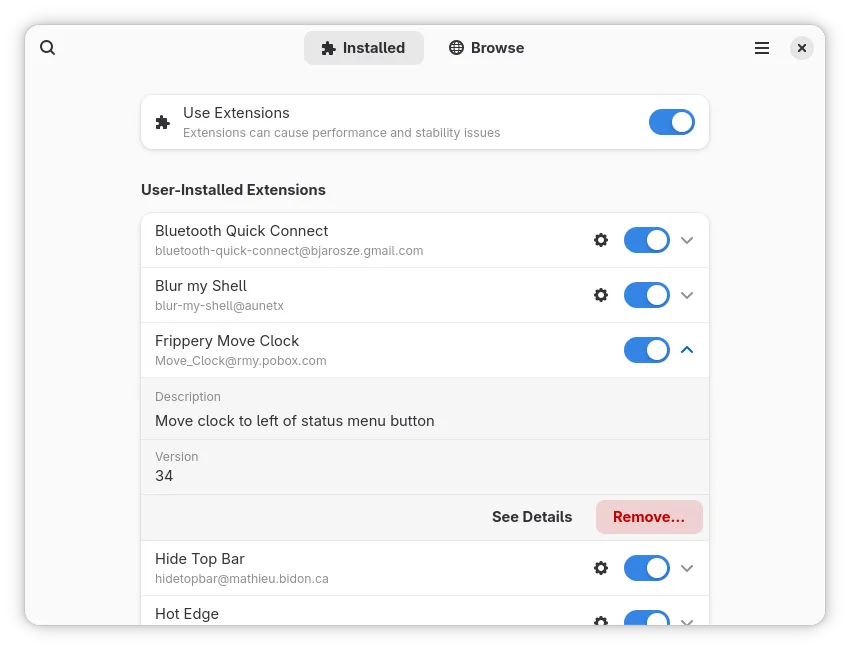
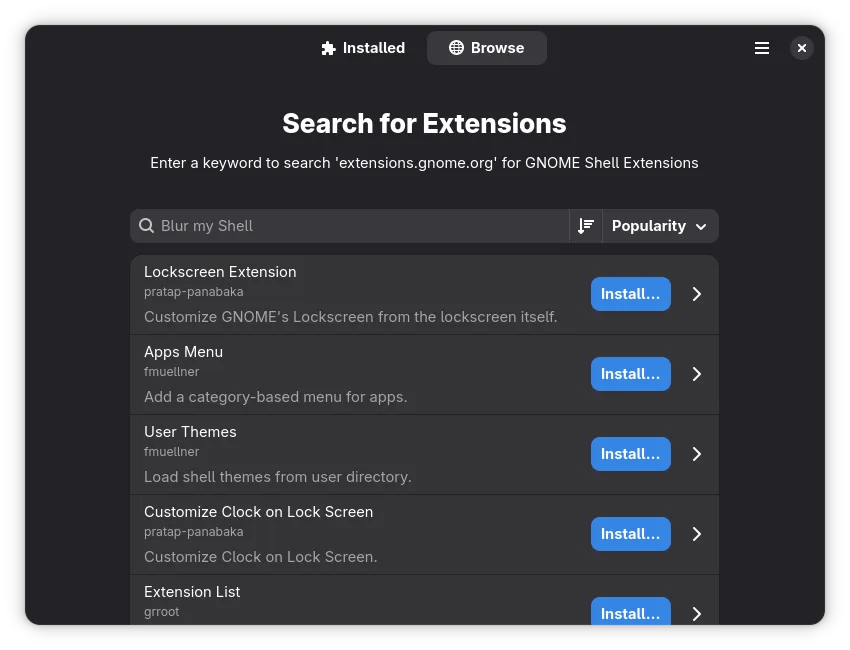
Extension Manager is a dedicated utility for managing GNOME Shell extensions. Developed by Matthew Jakeman and released under the GPL-3.0 license, it provides a native interface for browsing extensions.gnome.org without leaving your desktop. The current version, 0.6.5, was released in October 2025, indicating active maintenance and recent updates. It supports major distributions including Arch, Debian, openSUSE, and Ubuntu.
This tool is primarily for GNOME users who want to customize their desktop environment but find terminal commands or web browsers inconvenient. It targets users who prefer a graphical workflow for installing and configuring extensions, offering a cleaner experience than manually downloading zip files. It is not a web browser replacement, but a companion to the GNOME desktop environment.
Compared to Windows browsers like Edge or Chrome, this app does not compete in web browsing. Instead, it replaces the need to visit websites and use terminal commands for desktop customization. It feels more integrated and less technical than manual installation, similar to how app stores work on other platforms, but specifically for GNOME extensions.
Best for: GNOME desktop users who want a simple, graphical way to manage their shell extensions.
Key features of Extension Manager
- Browse extensions.gnome.org directly within the application
- Install new GNOME Shell extensions with one click
- Manage and disable already installed extensions
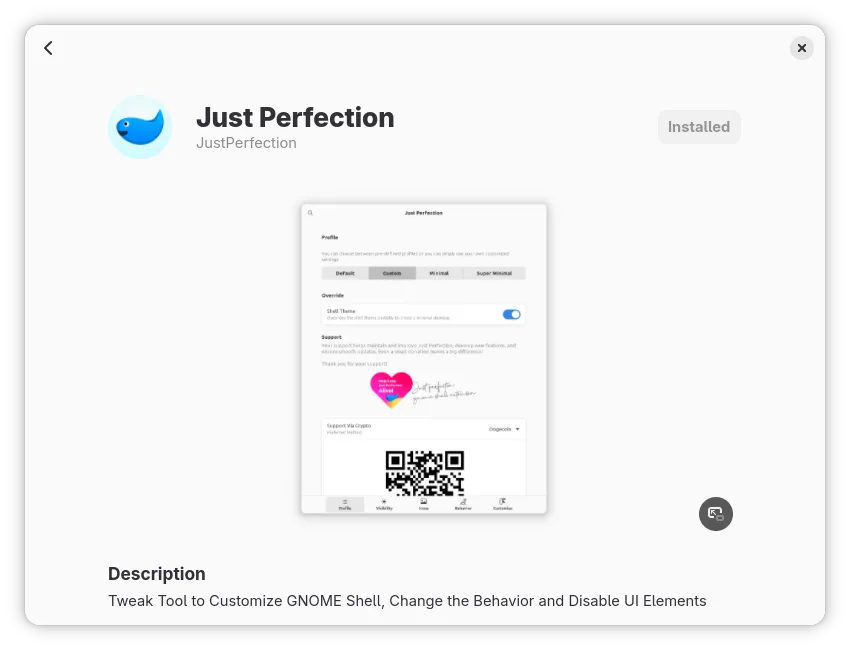
- View detailed information and screenshots for each extension
- Search for extensions by name or keyword
- Supports major Linux distributions via native packages
- Open-source codebase under GPL-3.0 license
Pros
- Eliminates the need for terminal commands to install extensions
- Direct integration with the official GNOME extensions repository
- Simple, clean interface that is easy to navigate
- Actively maintained with recent releases in 2025
Cons
- Only useful if you are using the GNOME desktop environment
- Does not support extensions for other desktop environments like KDE or XFCE
- Limited to GNOME Shell extensions, not general software
How to install Extension Manager on Linux
flatpak install flathub com.mattjakeman.ExtensionManagersudo apt install gnome-shell-extension-managersudo apt install gnome-shell-extension-managersudo pacman -S extension-managersudo zypper install extension-managerTips for Windows users
If you are coming from Windows, understand that this is not a web browser replacement. It does not handle web browsing, emails, or file management. Instead, it replaces the manual process of downloading extension archives and extracting them into your home directory. Your workflow shifts from using a browser and terminal to using a single GUI app. There are no file format conversions needed; it directly interacts with your GNOME Shell configuration.
Recent releases
- 0.7.0 —
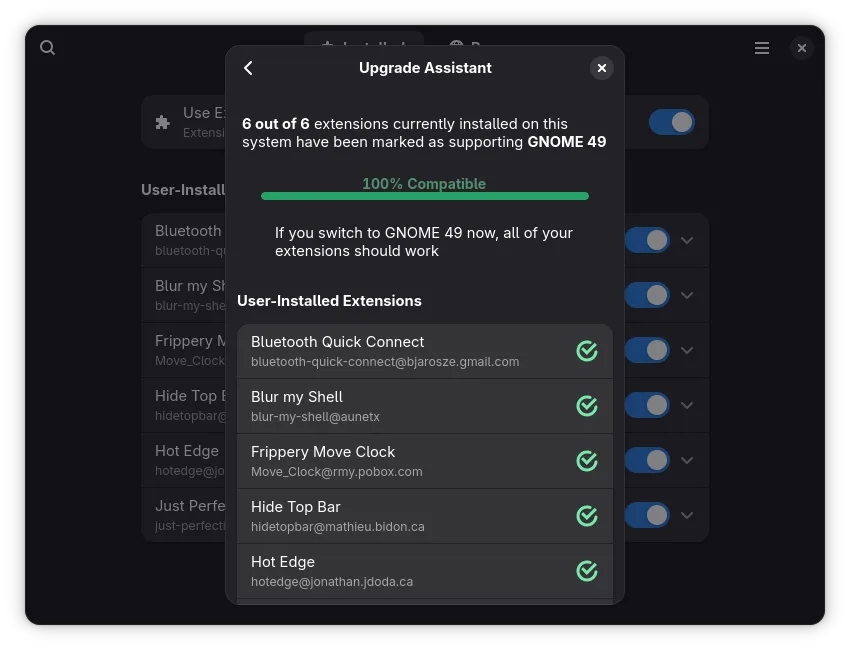
- Redesigned extension details, unifying local and web information in a single view - Search installed extensions from the GNOME Shell overview - Show extension errors in a dedicated dialog - Supported GNOME versions are now shown in a dialog, including the…
- 0.6.5 —
- Fix search regressions - Translation updates
- 0.6.4 —
- Port to GNOME Extensions v1 API - Latest platform updates - Fix various crashes - Add Basque and Kazakh translations - Translation updates
- 0.6.3 —
- Fixes a frequent crash when installing an extension - Brazilian Portuguese and Korean translations updates
Extension Manager: frequently asked questions
Can I use Extension Manager on KDE Plasma?
No, it is specifically designed for GNOME Shell. KDE users should use the KDE Store or manual installation methods for Plasma widgets.
Is Extension Manager free to use?
Yes, it is completely free and open-source software licensed under GPL-3.0.
Does it replace the need for a web browser?
No, it only manages GNOME Desktop extensions. You still need a web browser like Firefox or Chromium for internet browsing.
How do I update my extensions?
The app allows you to manage installed extensions, but updates are often handled automatically by the GNOME Shell or the app itself depending on the version.
Updated