

Linux · Sound & Video
Jellyfin Desktop
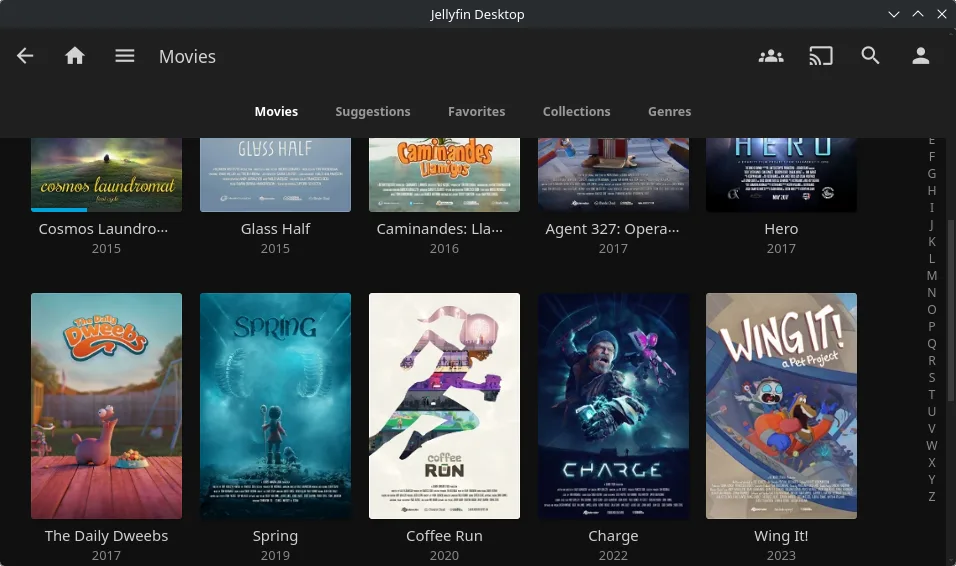
Jellyfin Desktop is a local media player for Jellyfin servers, built with Qt WebEngine and libmpv for smooth playback.
- License
- GPL-2.0
- Latest version
- 2.0.0 (December 14, 2025)
- Developer
- Jellyfin
- Installs
- 25,894 (Flathub, 30 days)

What is Jellyfin Desktop?
Jellyfin Desktop is a standalone application designed to connect to a Jellyfin media server and play audio and video directly on the desktop. It's part of the broader Jellyfin ecosystem, which started as a community-driven fork of Emby after Microsoft acquired it. The project has matured significantly since then, with active development and regular updates.
This app is ideal for users who self-host their media and want a dedicated desktop experience without relying on a web browser. It’s especially useful for those already running a Jellyfin server, whether on a NAS, Raspberry Pi, or home server. If you're used to organizing large libraries of movies, TV shows, and music locally, this fits naturally into that workflow.
Compared to Kodi, Jellyfin Desktop feels more focused and less bloated. Kodi tries to be a full home theater interface with skins, plugins, and local scraping. Jellyfin Desktop, by contrast, assumes your metadata and library structure come from the server. It’s less customizable but more consistent and easier to maintain.
Best for: Users already running a Jellyfin server who want a clean, desktop-first playback experience.
Key features of Jellyfin Desktop
- Connects directly to self-hosted Jellyfin servers
- Hardware-accelerated video decoding via libmpv
- Supports audio passthrough (including Dolby Digital and DTS)
- Plays many formats without transcoding
- Built with Qt WebEngine for responsive UI
- Available as Flatpak and native packages
- Runs on Linux desktops with minimal dependencies
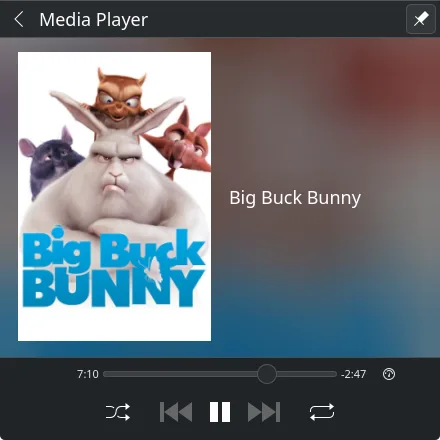
- Supports playlists, subtitles, and audio track switching
Pros
- Efficient playback with minimal CPU usage
- No need to transcode if your client supports the codec
- Clean, modern interface without clutter
- Good integration with Jellyfin's metadata and library views
- Stable and actively maintained
Cons
- Requires a running Jellyfin server — useless without one
- Fewer customization options than Kodi
- Limited offline functionality
- Smaller community and fewer third-party add-ons
Windows programs Jellyfin Desktop replaces
How to install Jellyfin Desktop on Linux
flatpak install flathub org.jellyfin.JellyfinDesktopsudo pacman -S jellyfin-serverTips for Windows users
If you're coming from Kodi, know that Jellyfin Desktop doesn't manage your files or scrape metadata — that's all handled server-side. Make sure your media is properly organized and indexed on the server. Most local file formats that Kodi plays will work here too, especially if hardware decoding is enabled. Keyboard shortcuts are similar to mpv, so space for play/pause, arrow keys for seek, and 'f' for fullscreen will feel familiar. You’ll miss Kodi’s plugins and skins, but gain reliability and simpler updates.
Recent releases
- 2.0.0 —
Changes: - Rename to Jellyfin Desktop - Change launcher/taskbar/dock name to "Jellyfin" - Upgrade to Qt 6 - Add MpvQt library dependency - Change configuration paths (settings from Jellyfin Media Player will NOT be migrated) - Add MPRIS support for media…
- 1.12.0 —
Changes: - Prevent issue where wayland has black screen due to broken gpu accel (#165, #610) - Prevent SRT text being squished and unreadable (#643) - Handle server connection timeout. (#747) - Remove obsolete skip intro support. - Update branding - Fix…
- 1.11.1 —
Changes: - Fix client not connecting to servers with baseurl set.
- 1.11.0 —
Changes: - Client now uses jellyfin-web provided by server.
Jellyfin Desktop: frequently asked questions
Do I need a Jellyfin server to use Jellyfin Desktop?
Yes, Jellyfin Desktop is a client application and requires a running Jellyfin server. It cannot play local files directly like VLC or Kodi unless they're added to the server's library.
Can Jellyfin Desktop play 4K or HDR content?
Yes, if your hardware supports it. The app uses libmpv and Qt WebEngine to enable hardware decoding, making 4K and HDR playback feasible on capable systems.
Is there a web version of Jellyfin? Why use the desktop app?
Yes, Jellyfin has a web interface, but the desktop app offers better performance, system integration, and audio passthrough support, especially for surround sound setups.
Does Jellyfin Desktop support subtitles and multiple audio tracks?
Yes, it supports external and embedded subtitles, as well as switching between audio tracks. These features work reliably when streamed from the server.
Updated