
Linux · Accessories
Qalculate! (GTK UI)
A powerful, multi-purpose desktop calculator with symbolic math, unit conversion, and arbitrary precision capabilities.
- License
- GPL-2.0+
- Latest version
- 5.13.0 (October 5, 2026)
- Developer
- Hanna Knutsson
- Installs
- 1,666 (Flathub, 30 days)
What is Qalculate! (GTK UI)?
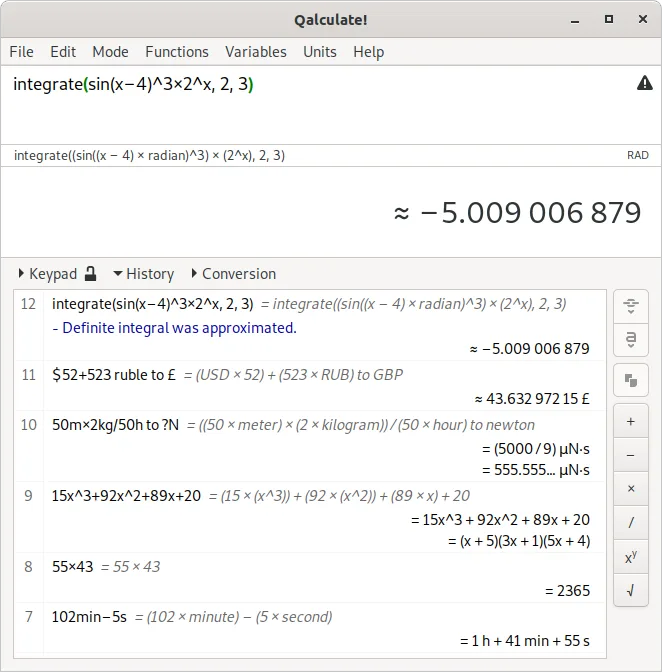
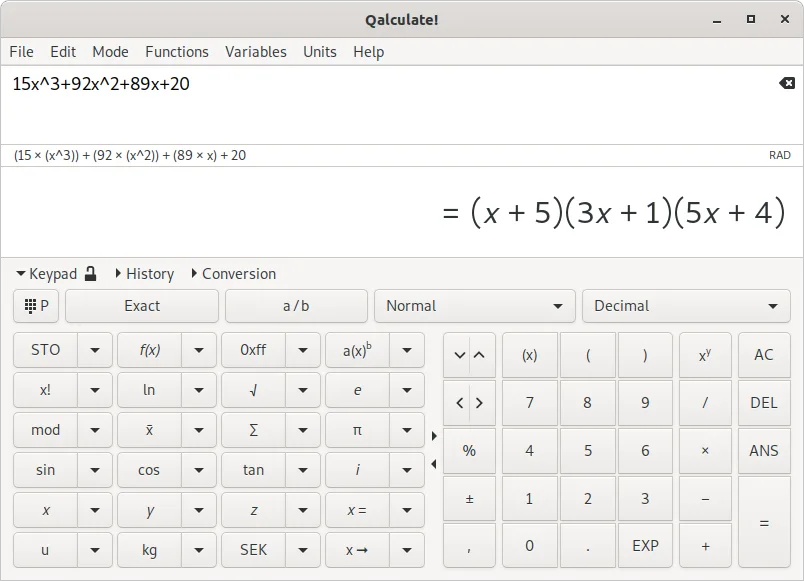
Qalculate! is a long-standing, mature calculator that goes far beyond basic arithmetic. It handles symbolic calculations, integrals, and equations, while also managing unit conversions and physical constants. The project has a solid history, ensuring stability and a deep feature set that rivals specialized math software.
It is ideal for students, engineers, and developers who need more than a standard calculator. If you frequently deal with complex formulas, scientific units, or need to verify calculations with high precision, this tool saves you from switching to heavy-duty math packages.
Compared to the Windows Calculator, Qalculate! feels less like a simple utility and more like a scientific instrument. The GTK interface is straightforward, but the depth of features means you might spend time learning its syntax. It is verbose where Windows Calc is minimal, offering power at the cost of immediate simplicity.
Best for: Users who need a capable scientific calculator that handles symbolic math and unit conversions without switching applications.
Key features of Qalculate! (GTK UI)
- Symbolic calculations including integrals and equations
- Extensive unit calculations and conversion library
- Arbitrary precision and uncertainty propagation
- Interval arithmetic support
- Built-in plotting capabilities
- Large library of customizable functions
- Physical constants database
- Cross-platform compatibility
Pros
- Extremely versatile for scientific and engineering tasks
- Open source with a long history of stability
- Handles complex math without needing external software
- Available on Flathub for easy installation
Cons
- Steeper learning curve than standard calculators
- GTK interface may feel dated to some users
- Not designed for quick, one-off simple arithmetic
Windows programs Qalculate! (GTK UI) replaces
How to install Qalculate! (GTK UI) on Linux
flatpak install flathub io.github.QalculateTips for Windows users
If you are used to the Windows Calculator, note that Qalculate! uses a more mathematical syntax for input. For example, you might need to specify units explicitly in conversion tasks. There are no direct file format dependencies, but if you have saved calculation histories, you will need to re-enter them. The workflow is more linear: you type complex expressions directly rather than clicking through menus for every operation. Familiarize yourself with the function library to maximize efficiency.
Recent releases
- 5.13.0 —
Changes: - Add temporary check box to function edit dialog - Fix bookmark removed when deleting history item immediately above - Fix segfault when adding bookmark to most recent history item - Fix calculate as you type result cleared or added to history again…
- 5.12.0 —
Changes: - LaTeX input and output (using latex() function or "$\...$" syntax) - Solve a*x^b+c*d^x=0 for real x - Solve equations with absolute value and complex x (x*abs(x)=a, x^2*abs(x)=a, and a*f(x)+b*abs(x)=c) - Improve simplification of a^(c/d)/b^(c/d) in…
- 5.11.0 —
Changes: - Add set functions (union, intersect, setdiff, setxor, isMember, isSubset) and operators (∪, ∩, ∖, ⊖, ∈, ⊆, etc.) - Add characters(), count(), digitSum(), and digitalRoot(), find(), popCount(), string(), and while() functions - Support negative row…
- 5.10.0 —
Changes: - Improve factorization and simplification (particularly with radicals, logarithms, and absolute value) - Add ton of refrigeration, slug, mol/dm³, mol/L, and molar units - Add pcm, ppm, ppb, ppt, and ppq (parts per …), and lakh and crore variables -…
Qalculate! (GTK UI): frequently asked questions
Can Qalculate! handle symbolic math?
Yes, it supports symbolic calculations, including solving equations and computing integrals.
Is it available on Flathub?
Yes, Qalculate! is available on Flathub, making it easy to install on most Linux distributions.
Does it support unit conversion?
Yes, it has a large library of units and can perform conversions and calculations involving different units.
Is it free to use?
Yes, it is open-source software released under the GPL-2.0+ license.
Updated