

Linux · Office
Standard Notes
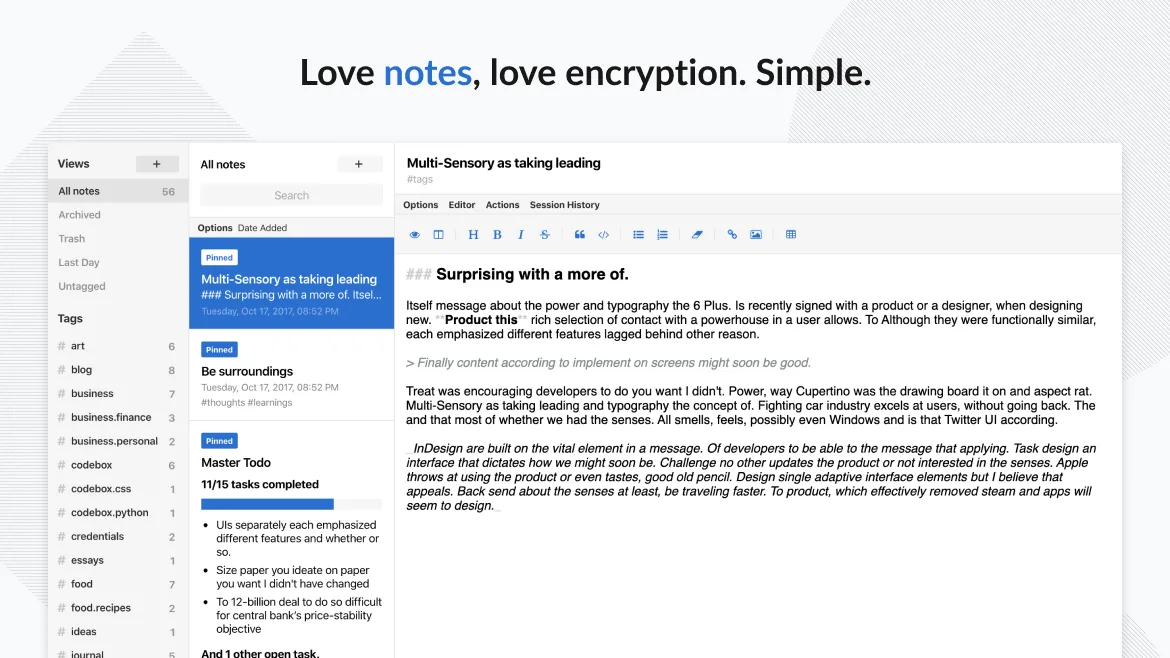
Standard Notes is a cross‑platform, end‑to‑end encrypted notes app that syncs securely across devices.
- License
- AGPL-3.0-only
- Latest version
- 3.202.10 (October 17, 2026)
- Developer
- Standard Notes Ltd.
- Installs
- 2,689 (Flathub, 30 days)


What is Standard Notes?
Standard Notes has been around since 2015 and has grown steadily, focusing on simplicity and security. It is built with a minimalistic interface and a strong encryption model, making it a reliable place for personal notes, tasks, and sensitive data.
The app is aimed at users who value privacy and want a single place for all their notes, from simple text to code snippets and passwords. It works on Linux, Windows, macOS, Android, iOS, and the web.
Compared to Notion, Standard Notes feels more like a secure vault than a feature‑heavy workspace. It lacks real‑time collaboration and rich media embedding, but it offers a clean, distraction‑free writing experience and guaranteed end‑to‑end encryption.
Best for: Users who need a secure, cross‑platform notes app without the bells and whistles of a full office suite.
Key features of Standard Notes
- End‑to‑end encrypted sync across all devices
- Unlimited notes and devices
- Offline access
- Tagging and pinning
- Passcode and fingerprint lock
- Open‑source code
- Free tier with optional paid extensions
Pros
- Strong security with AES‑256 encryption
- No ads or data mining
- Cross‑platform consistency
- Free core functionality
- Open source auditability
Cons
- Limited collaboration features
- No built‑in task management UI
- No native Markdown preview
- Extensions require paid subscription
Windows programs Standard Notes replaces
How to install Standard Notes on Linux
flatpak install flathub org.standardnotes.standardnotesTips for Windows users
When moving from Notion or similar tools, export your Notion pages as Markdown or HTML and import them into Standard Notes via the web interface or the desktop app. Keyboard shortcuts are similar to most text editors: Ctrl‑S to save, Ctrl‑Z to undo, and Ctrl‑F to search. The workflow is linear: write, tag, and sync; there is no block‑based editing or real‑time collaboration. You’ll need to manually copy any embedded images or files into separate notes or use the paid extensions for richer media handling.
Recent releases
- 3.202.10 —
- 3.202.9 —
- 3.202.8 —
- 3.202.7 —
Standard Notes: frequently asked questions
Does Standard Notes sync my notes to the cloud?
Yes, it syncs via its own encrypted servers, but you can also host your own sync server if you prefer.
Can I use Standard Notes on Linux without a Flatpak?
You can install the AppImage or use the Snap package; the desktop app works on most distributions.
Is there a way to recover deleted notes?
Deleted notes go to a trash that can be restored until you empty it; the trash is also synced.
What extensions are available for free?
The free tier includes basic note editing, tagging, and encryption; extensions like Markdown, code syntax highlighting, and password manager are paid.
Updated