
 Standard NotesLinux
vs
NotionWindows
Standard NotesLinux
vs
NotionWindows
Standard Notes as a Linux alternative to Notion
Updated
Our verdict
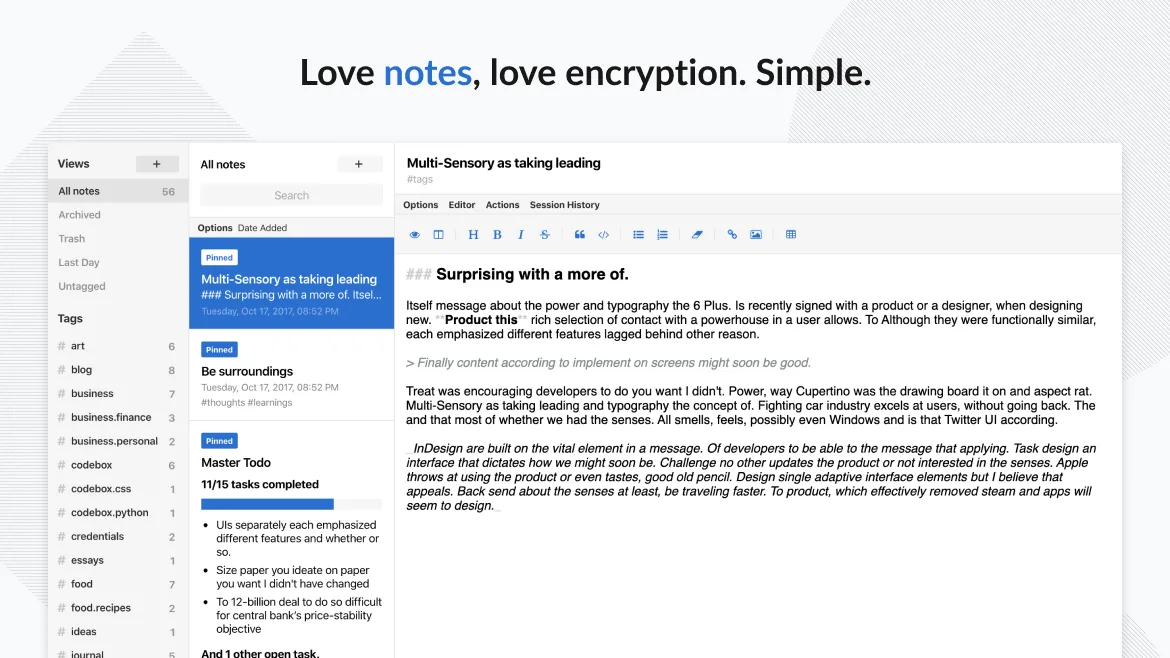
Standard Notes is a solid replacement for Notion if your priority is secure, private note-taking with reliable sync and offline access. It handles markdown, tagging, and task lists well, making it suitable for personal knowledge management and lightweight organization. However, it lacks Notion’s database views, relational data, and advanced project management features. It’s best for users who value simplicity, encryption, and long-term data ownership over complex workflows. If you rely heavily on tables, kanban boards, or collaborative databases, Standard Notes won’t meet those needs.
- License
- AGPL-3.0-only
- Price
- Free
- Latest version
- 3.202.10 (October 17, 2026)
- Rating
- —
What works the same
- Both support markdown for rich text formatting
- Tagging system allows organizing notes by category
- Cross-platform sync including Linux, Windows, mobile, and web
- Offline access to notes once synced
- Task management with checklists and to-dos
What is different
- Standard Notes has no database or table views; all notes are free-form
- No backlinking or bidirectional linking between notes
- Lacks kanban boards, calendars, and inline databases
- No collaborative editing or shared workspaces
- Missing template system and page embedding features
Opening your Notion files
Standard Notes does not directly open Notion export files. Notion allows export to HTML or CSV, which can be manually imported as content into Standard Notes, but structure like databases and relations won’t carry over. You’d need to convert tables into markdown or plain text. There’s no automated migration path, so moving large amounts of structured data requires manual effort. For long-term portability, Standard Notes supports JSON export of all notes, ensuring your data remains accessible outside the app.
Switching from Notion to Standard Notes, step by step
- Export your Notion workspace to HTML or CSV via Settings > Export
- Review exported content and split large pages into manageable notes
- Manually recreate key databases as markdown tables or plain lists in Standard Notes
- Use tags like #work or #projects to mirror Notion’s workspace structure
- Enable end-to-end encryption and sync across devices in Standard Notes
Key features of Standard Notes
- End‑to‑end encrypted sync across all devices
- Unlimited notes and devices
- Offline access
- Tagging and pinning
- Passcode and fingerprint lock
- Open‑source code
- Free tier with optional paid extensions
How to install Standard Notes on Linux
flatpak install flathub org.standardnotes.standardnotesFrequently asked questions
Can I use Standard Notes without paying?
Yes, the free tier includes unlimited notes, devices, and core features like sync and encryption. Paid plans unlock advanced editors like markdown and code, but the base app works fully without payment.
Does Standard Notes support backlinks like Notion?
No, Standard Notes does not have backlinking or graph view. You can link to notes manually using markdown, but there’s no automatic backlink tracking or knowledge graph visualization.
Is my data safe if I stop paying for Standard Notes?
Yes. Even on the free plan, your data remains encrypted and accessible. Paid features like advanced editors are disabled, but your notes and sync continue working with core functionality.
5 other alternatives to Notion
 ObsidianObsidian is a markdown‑based knowledge‑base app that stores notes as plain‑text files in a local folder.FlatpakObsidian vs Notion
 LogseqLogseq is a local‑first, non‑linear knowledge base tool that stores notes as plain text Markdown or Org files.Open sourceFreeFlatpakLogseq vs Notion
 JoplinJoplin is an open‑source, cross‑platform note‑taking and to‑do app that stores data in Markdown.Open sourceFreeFlatpakJoplin vs Notion
 ZettlrZettlr is a fast, open‑source Markdown editor with Zettelkasten and citation support.Open sourceFreeFlatpakZettlr vs Notion
 Trilium NotesTrilium Notes is a hierarchical, self‑hostable note‑taking app for building personal knowledge bases.Open sourceFreeFlatpakTrilium Notes vs Notion