

Linux · Programming
Sublime Merge
Sublime Merge is a proprietary Git client with a fast, keyboard‑centric UI.
- License
- LicenseRef-proprietary=https://www.subli…
- Latest version
- 2132 (September 18, 2026)
- Developer
- Sublime HQ Pty Ltd
- Installs
- 525 (Flathub, 30 days)
What is Sublime Merge?
Sublime Merge is a Git client from the makers of Sublime Text. First released several years ago, it has reached a mature state with regular updates; the latest build is 2132 (2026‑09‑18). It runs on Linux via a Flatpak package, though the package is maintained by the Flathub community rather than Sublime HQ.
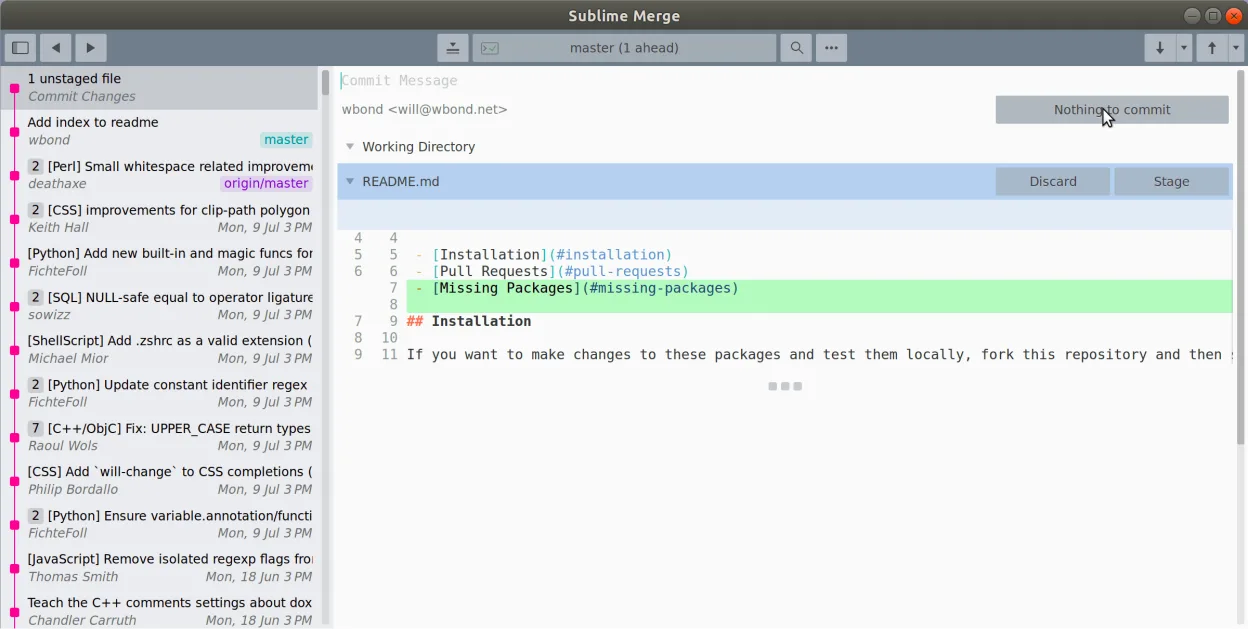
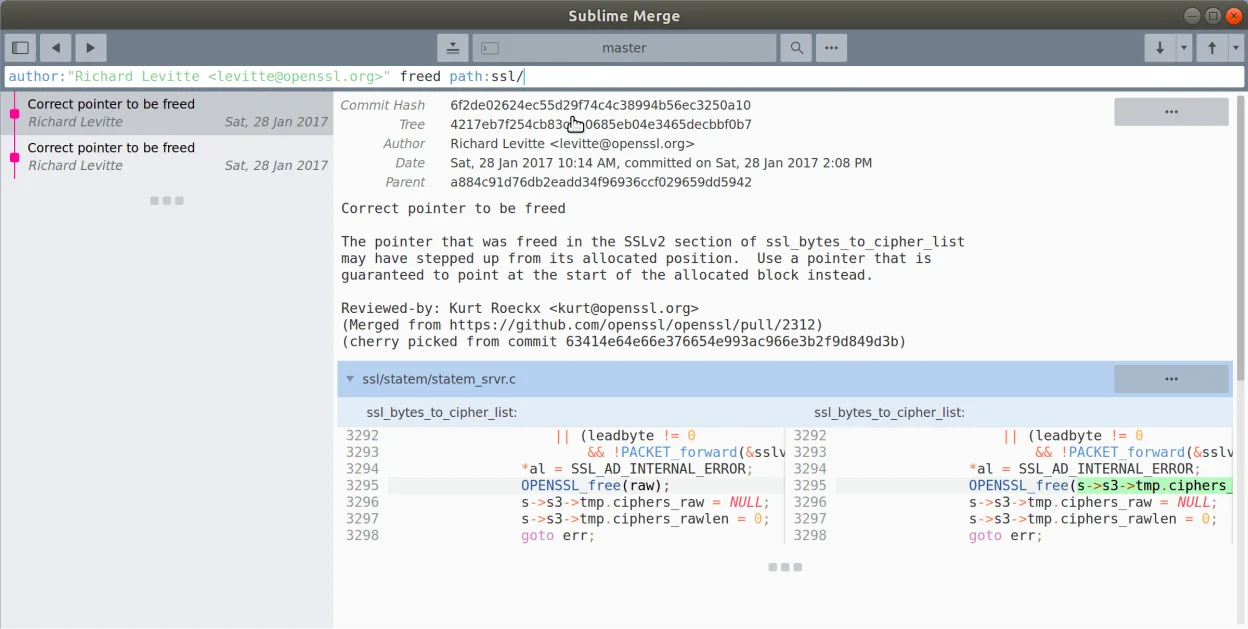
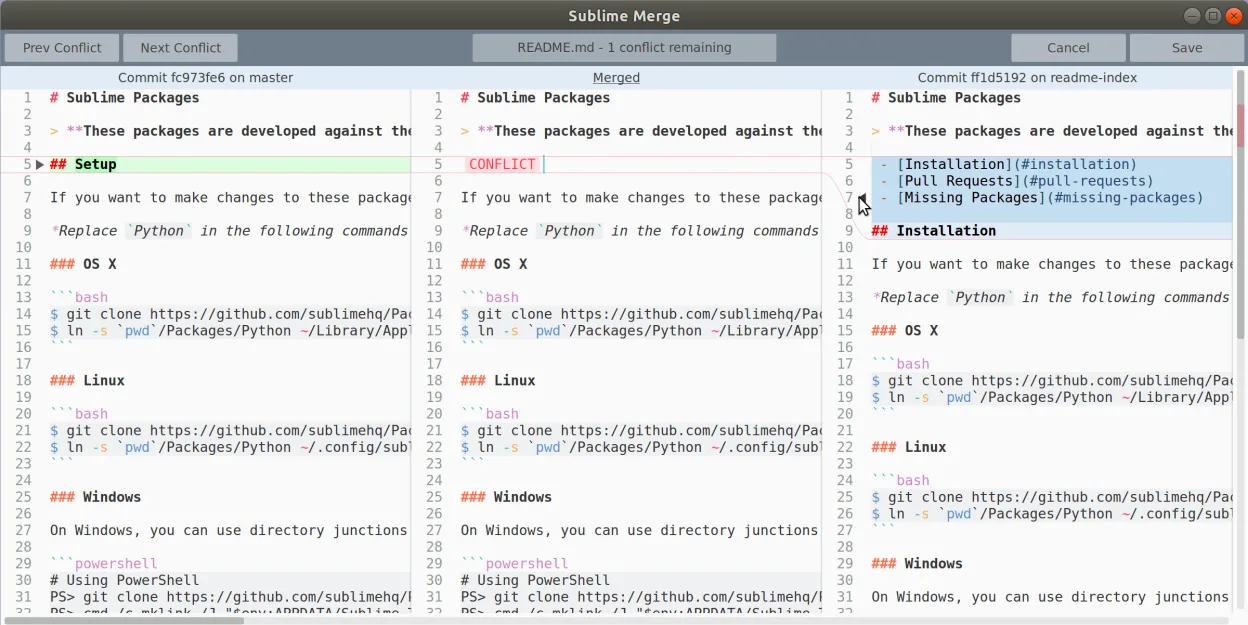
The tool targets developers who prefer a lightweight, performance‑focused interface over the more heavyweight graphical clients. It blends a two‑pane view of the repository with a powerful command palette, making it attractive to users comfortable with Sublime Text’s keyboard shortcuts.
Compared with typical Windows Git GUIs, Sublime Merge feels snappier and more minimal. It lacks some of the visual polish of commercial tools but makes up for it with line‑by‑line staging, commit editing, and a strong focus on speed.
Best for: Developers who want a fast, keyboard‑driven Git client and are already comfortable with Sublime Text.
Key features of Sublime Merge
- Line‑by‑line staging of changes
- Integrated commit message editor
- Fast diff view with syntax highlighting
- Command palette for Git commands
- Support for multiple repositories in tabs
- Customizable key bindings similar to Sublime Text
Pros
- Very responsive even on large repos
- Keyboard‑first workflow speeds up routine tasks
- Clean, uncluttered UI
- Cross‑platform consistency with Sublime Text
Cons
- Proprietary license; no source code access
- Flatpak build not officially supported by Sublime HQ
- Limited integration with external tools compared to some open‑source clients
Windows programs Sublime Merge replaces
How to install Sublime Merge on Linux
flatpak install flathub com.sublimemerge.AppTips for Windows users
When moving from Windows Git GUIs, note that Sublime Merge stores its configuration in ~/.config/sublime-merge. Most shortcuts mirror Sublime Text (e.g., Ctrl+Shift+P for the command palette). The workflow centers on staging hunks or individual lines directly from the diff view, so you’ll spend less time dragging files into a staging area. Export any saved repository lists from the Windows client and re‑add them manually if needed.
Recent releases
- 2132 —
- 2125 —
- 2121 —
- 2112 —
Sublime Merge: frequently asked questions
Is there a free version of Sublime Merge for Linux?
Sublime Merge offers an unlimited free trial; after that a license purchase is required for continued use.
Can I use Sublime Merge with existing SSH keys?
Yes, it respects the SSH configuration in ~/.ssh, so existing keys work out of the box.
Does Sublime Merge support Git LFS?
It works with Git LFS as long as the LFS extension is installed on the system.
How do I report a bug in the Flatpak package?
Issues should be filed in the Flathub manifest repository, not with Sublime HQ.
Updated