

Linux · Sound & Video
vokoscreenNG
VokoscreenNG is a free, open-source screen recorder for Linux and Windows that supports Wayland, X11, and multi-source audio.
- License
- GPL-2.0-only
- Latest version
- 4.11.0 (October 1, 2026)
- Developer
- Volker Kohaupt
- Installs
- 2,557 (Flathub, 30 days)


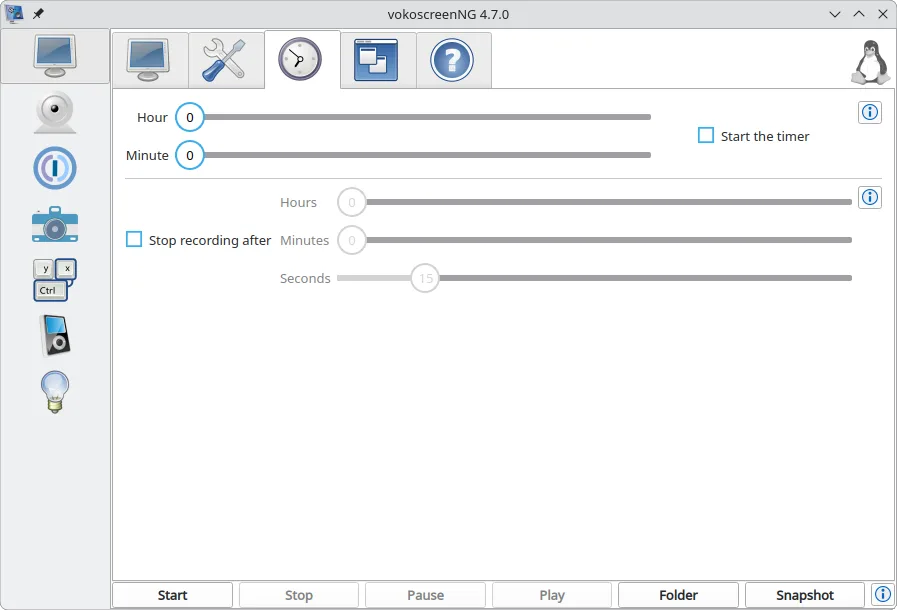

What is vokoscreenNG?
VokoscreenNG is a mature, feature-rich screencast tool developed by Volker Kohaupt. It has evolved significantly to handle both legacy X11 and modern Wayland compositors, making it one of the few recorders that works reliably across different Linux display servers. The project is actively maintained, with recent releases adding support for separated audio tracks and improved camera integration. It is not just a basic capture tool but a full suite for creating tutorials and presentations.
This application targets Linux users who need a direct alternative to Windows-centric tools like Camtasia. It appeals to developers, educators, and content creators who want to record their screen, specific windows, or areas without leaving their Linux desktop. It is particularly useful for those on Wayland-based distributions like Fedora or Arch, where many older recording tools fail to capture audio or video correctly due to security restrictions.
Compared to Camtasia, VokoscreenNG focuses on the recording phase rather than post-production editing. It lacks a built-in timeline editor for cutting, trimming, or adding complex annotations after the fact. However, it compensates with real-time features like a magnifying glass, click highlights, and countdown timers. The interface is straightforward and functional, prioritizing stability and low resource usage over flashy visual effects or integrated video editing capabilities.
Best for: Linux users needing a reliable, native screen recorder that works on both Wayland and X11 without requiring proprietary software.
Key features of vokoscreenNG
- Supports both Wayland and X11 display servers
- Records screen, specific windows, or custom areas
- Captures audio from multiple sources simultaneously
- Built-in webcam support for personalizing videos
- Exports to MKV, MP4, and GIF formats
- Includes tools like magnifier, click highlights, and countdown
- Global keyboard shortcuts for quick control
- Translated into over 80 languages
Pros
- Excellent Wayland compatibility, a common pain point for other recorders
- Fully open-source and free with no watermarks or usage limits
- Lightweight and stable, suitable for older hardware
- Comprehensive audio options including separated tracks on Wayland
Cons
- No built-in video editor for post-recording cuts or transitions
- Interface is functional but less polished than commercial alternatives
- Limited annotation tools compared to dedicated presentation software
Windows programs vokoscreenNG replaces
How to install vokoscreenNG on Linux
flatpak install flathub com.github.vkohaupt.vokoscreenNGTips for Windows users
Coming from Camtasia, you will notice the lack of a post-production editor; plan to use a separate tool like Kdenlive or Shotcut for editing. VokoscreenNG exports directly to MP4 or MKV, which are compatible with most editors. Set your global keyboard shortcuts in the preferences to mimic your previous workflow, and remember that on Wayland, you may need to grant specific permissions to capture audio from other applications. The 'Halo' and 'Show Click' features replace many of the visual cues you might have added manually in Camtasia.
Recent releases
- 4.11.0 —
vokoscreenNG: frequently asked questions
Does VokoscreenNG work on Wayland?
Yes, it has specific support for Wayland, including audio capture and camera integration, which is often missing in older Linux recorders.
Can I record system audio and microphone at the same time?
Yes, it supports multi-source audio recording, allowing you to capture system sounds and your microphone input simultaneously.
Is there a built-in video editor?
No, VokoscreenNG is a recorder only. You will need to export the file and use a separate video editor for trimming or adding effects.
What file formats does it support?
It exports to MKV, MP4, and GIF. For video, it uses H.264, and for audio, it supports MP3, Opus, FLAC, and Vorbis.
Updated