
Windows · Office
Best Linux alternatives to Microsoft Excel
A powerful spreadsheet tool for data analysis, financial modeling, and charting with strong macro support.
Updated
Quick answer
The best Linux alternative to Microsoft Excel is LibreOffice Calc. Other strong options: ONLYOFFICE Desktop Editors, Gnumeric.
3 Linux alternatives to Microsoft Excel
-
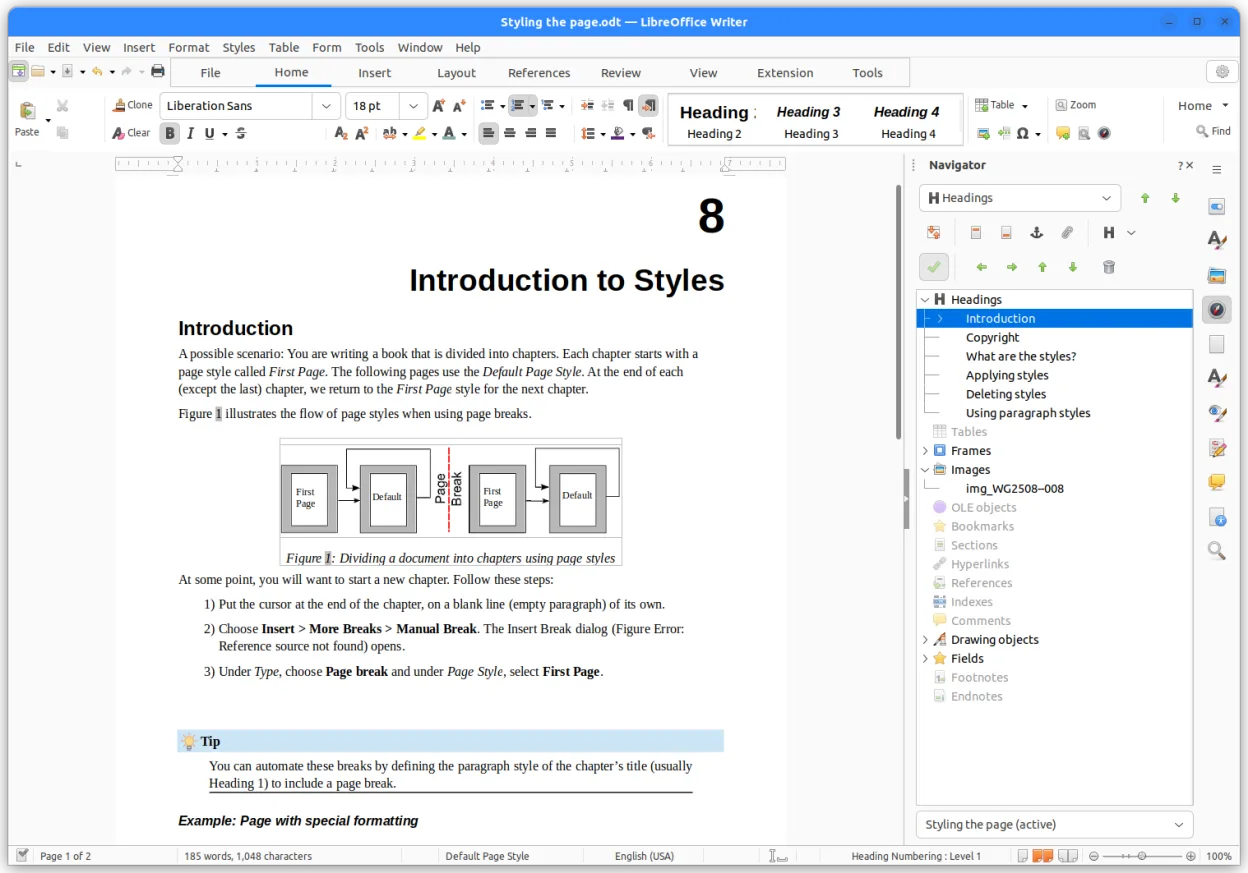
LibreOffice Calc is a free spreadsheet program that replaces Microsoft Excel on Linux.
LibreOffice Calc is a solid replacement for Microsoft Excel for most everyday users, especially those who need a free, cross‑platform spreadsheet tool. It covers the core tasks of data entry, formulas, charting, and pivot tables, and works well for small to medium projects. Power users who rely on…
Feature parity80% -

ONLYOFFICE Desktop Editors is a free, open‑source office suite for Linux that edits Word, Excel, PowerPoint, PDF and more.
ONLYOFFICE Desktop Editors can replace Microsoft Excel for most everyday spreadsheet work on Linux. It reads and writes .xlsx/.xls files, supports a solid set of formulas, charts and pivot tables, and works well for students, small businesses, or anyone who needs a free, open‑source tool. Power…
Feature parity68% -

Gnumeric is a lightweight, open-source spreadsheet program focused on accuracy and scientific analysis.
Gnumeric is a solid replacement for users who prioritize calculation accuracy and statistical analysis over heavy enterprise features. It handles standard spreadsheets, charts, and basic pivot tables well, but it lacks the depth of Excel's macro ecosystem and some advanced data modeling tools. If…
Feature parity70%


What is Microsoft Excel?
Excel is the industry standard for handling large datasets, building financial models, and visualizing trends. Accountants, analysts, and project managers rely on it daily. Its grid-based interface allows for complex formulas, pivot tables, and dynamic charts that update automatically when underlying data changes.
The software is proprietary and typically requires a paid subscription to Microsoft 365 or a perpetual license for standalone versions. While a free web version exists, it lacks advanced features like VBA macros and full offline capability. This cost and platform lock-in drive many users to seek alternatives.
Linux users look for replacements because Excel does not run natively on the kernel. While Wine can sometimes run it, the experience is often unstable or resource-heavy. Users need a native solution that handles .xlsx files well, supports complex formulas, and integrates smoothly with their Linux desktop environment without licensing fees.
What a replacement for Microsoft Excel must do
- Full .xlsx and .xls file compatibility
- Advanced formula and function library
- Pivot table creation and manipulation
- Charting and data visualization tools
- Macro support or scripting capabilities
- Large dataset handling performance
- Print layout and PDF export
Can you run Microsoft Excel on Linux?
Microsoft Excel does not have a native Linux version. You can run the Windows version using Wine or Proton, but this setup is often fragile, consumes significant system resources, and may break with updates. The web version works in any browser, but it is limited in functionality and requires an internet connection. For most users, relying on Wine is not a practical long-term solution for daily professional use.
Which alternative should you choose?
LibreOffice Calc is the best all-rounder for most users, offering excellent .xlsx compatibility and a familiar interface. ONLYOFFICE Desktop Editors is a strong choice if you need high fidelity for complex formatting and collaboration features. Gnumeric is lighter and faster, suitable for basic to intermediate tasks on older hardware, though it lacks some advanced features. Krita is listed here in error as it is a raster graphics editor, not a spreadsheet application, and should be ignored for this purpose.
Moving your Microsoft Excel files and habits
Migration is straightforward since LibreOffice Calc and ONLYOFFICE both open and save .xlsx files natively. You can simply drag and drop your existing Excel files into these applications. Complex macros written in VBA may not work directly and might need rewriting in Basic or Python, depending on the chosen suite. Data integrity is generally preserved, but always check conditional formatting and chart layouts after conversion to ensure nothing was lost.
Side-by-side comparison
| App | License | Flatpak | Latest version | Feature parity | Rating |
|---|---|---|---|---|---|
| LibreOffice Calc | MPL-2.0 | ✓ | 26.8.1.1 | 80% | — |
| ONLYOFFICE Desktop Editors | AGPL-3.0-only | ✓ | 10.0.0 | 68% | — |
| Gnumeric | GPL-2.0 or GPL-3.0 | ✓ | 1.12.62 | 70% | — |
Microsoft Excel: frequently asked questions
Will my VBA macros work in LibreOffice Calc?
Not automatically. LibreOffice uses Basic, which is similar to VBA but not identical. Simple macros may work, but complex ones often need to be edited or recompiled. ONLYOFFICE has limited macro support as well.
Can I collaborate in real-time like in Excel Online?
ONLYOFFICE offers strong real-time collaboration features. LibreOffice has added collaborative editing, but it may not be as seamless as the web-based Excel experience without specific server setups.
Is Gnumeric good for financial modeling?
Gnumeric is capable of handling financial models but lacks some of the advanced add-ins and specific financial functions found in Excel or LibreOffice. It is better suited for general data analysis than heavy-duty financial work.
Do these alternatives support pivot tables?
Yes, both LibreOffice Calc and ONLYOFFICE support pivot tables. They allow you to summarize large datasets, though the interface and specific options may differ slightly from Excel's implementation.
How important is Microsoft Excel to you?
Know a better alternative? Suggest an alternative