

Windows · Office
Best Linux alternatives to Microsoft Office
Microsoft Office is a proprietary suite for word processing, spreadsheets, and presentations, widely used in business and education.
Updated
Quick answer
The best Linux alternative to Microsoft Office is ONLYOFFICE Desktop Editors. Other strong options: LibreOffice, KOffice, OpenOffice.org.
4 Linux alternatives to Microsoft Office
-

ONLYOFFICE Desktop Editors is a free, open‑source office suite for Linux that edits Word, Excel, PowerPoint, PDF and more.
ONLYOFFICE Desktop Editors is a solid replacement for most Microsoft Office users who need word processing, spreadsheets, and presentations on Linux. It works well for students, small businesses, and anyone who can tolerate a different interface and the lack of deep Outlook integration or advanced…
Feature parity80% -
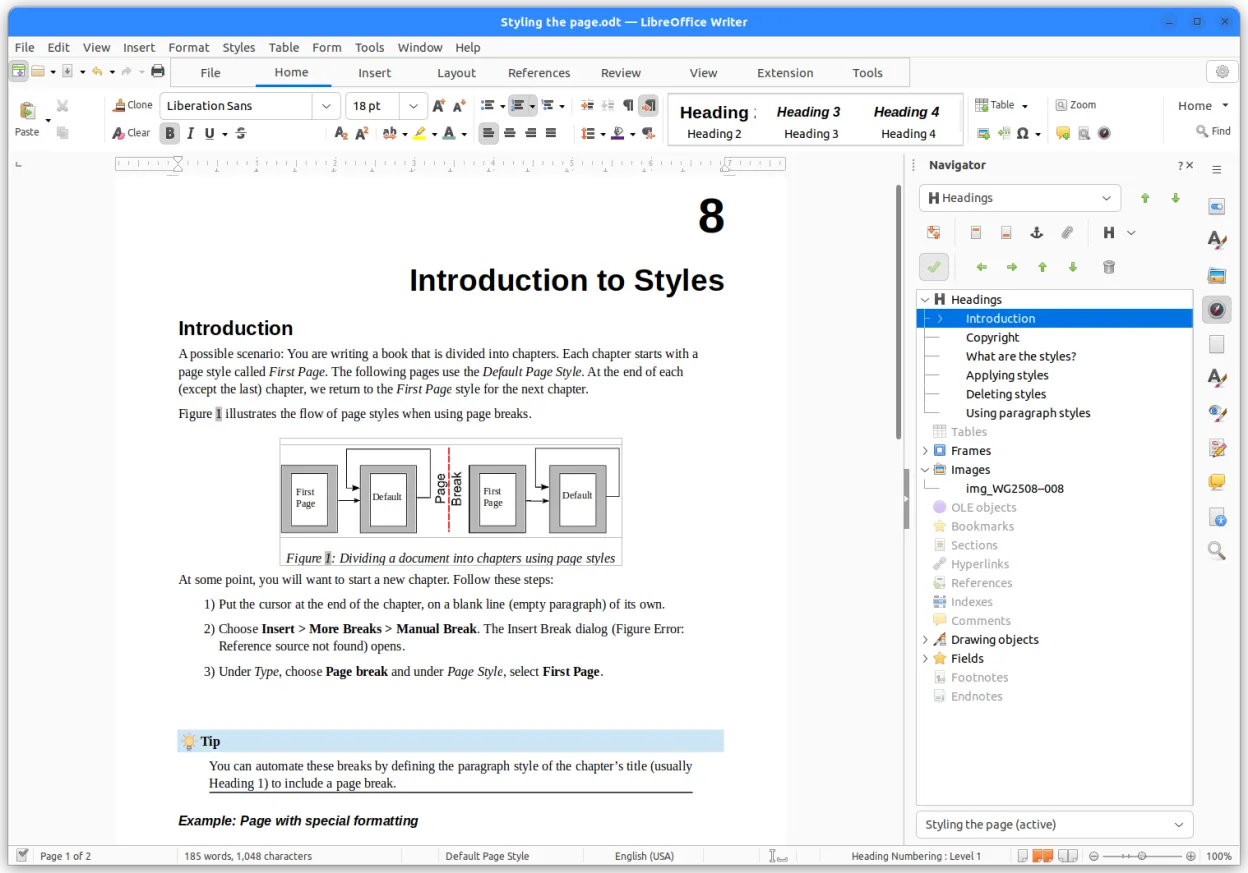
LibreOffice is a free, open‑source office suite with Writer, Calc, Impress, Draw, Base and Math.
LibreOffice is a solid replacement for Microsoft Office for most home users, students, and small businesses. Writer, Calc, and Impress handle everyday word processing, spreadsheets, and presentations well, with strong formatting and formula support. It lacks real-time collaboration and deep Outlook…
Feature parity90% -

KOffice was KDE's original free office suite, now succeeded by the Calligra Suite.
KOffice is not a viable replacement for Microsoft Office in 2024. It is discontinued and has been superseded by Calligra Suite. While it covers basic word processing, spreadsheets, and presentations, it lacks modern features, active development, and reliable complex file compatibility. For new…
Feature parity40% -

Open-source office suite descended from StarOffice, now largely superseded by LibreOffice.
OpenOffice.org can serve as a replacement for Microsoft Office for users who need basic word processing, spreadsheets, and presentations without advanced features like deep macro compatibility or tight Outlook integration. It works well in education, small businesses, and for personal use where…
Feature parity70%




What is Microsoft Office?
Microsoft Office is the standard productivity suite for creating documents, managing data, and presenting ideas. It serves students, professionals, and enterprises who need reliable tools for daily tasks. The core applications handle text, numbers, and slides, forming the backbone of most office workflows globally.
The suite operates on a subscription model for most users, though perpetual licenses exist for older versions. It is proprietary software, meaning users pay for the right to use it rather than owning it outright. This pricing structure can be a barrier for individuals or organizations seeking lower long-term costs.
People seek Linux alternatives primarily to avoid subscription fees and support open-source ecosystems. Linux users often prefer software that integrates deeply with their operating system without proprietary dependencies. Switching also aligns with privacy concerns and the desire for transparent, community-driven development.
What a replacement for Microsoft Office must do
- Word processing with rich formatting
- Spreadsheet calculations and charts
- Presentation creation with slides
- Email client integration
- Note-taking capabilities
- Macro support for automation
- Cross-platform file compatibility
Can you run Microsoft Office on Linux?
Microsoft Office does not have a native Linux version. While the web-based Microsoft 365 apps run in browsers on Linux, they lack full offline functionality and advanced features. Running the desktop suite via Wine or Proton is possible but often unstable and requires significant configuration. Most users find these methods impractical for daily professional use due to performance issues and missing features.
Which alternative should you choose?
LibreOffice is the most complete replacement, offering a full suite that closely mirrors Office features and is actively maintained. OpenOffice.org is similar but has slower development cycles and fewer recent updates. KOffice is a solid option if you are already in the KDE ecosystem, providing a cohesive desktop experience with its own set of applications. For most users, LibreOffice is the safest bet for feature parity and community support.
Moving your Microsoft Office files and habits
Transferring data is straightforward because LibreOffice and OpenOffice support opening and saving standard Office formats like .docx, .xlsx, and .pptx. You can import existing files directly, though complex layouts or advanced macros may require manual adjustment. Exporting to these formats ensures compatibility if you need to share files with Windows users. Always keep backups of original files during the transition to catch any formatting glitches.
Side-by-side comparison
| App | License | Flatpak | Latest version | Feature parity | Rating |
|---|---|---|---|---|---|
| ONLYOFFICE Desktop Editors | AGPL-3.0-only | ✓ | 10.0.0 | 80% | — |
| LibreOffice | MPL-2.0 | ✓ | 26.8.2.2 | 90% | — |
| KOffice | GPL-2.0 | — | — | 40% | — |
| OpenOffice.org | Apache-2.0 | — | — | 70% | — |
Microsoft Office: frequently asked questions
Will my Office files open in LibreOffice?
Yes, LibreOffice supports standard Office formats. Most documents open correctly, but complex macros or specific layout elements might need tweaking.
Can I use Microsoft 365 on Linux?
You can use the web version in a browser, but it lacks offline access and full desktop features. The desktop app does not run natively.
Is LibreOffice free?
Yes, LibreOffice is free and open-source. There are no subscription fees or usage limits for individual or commercial use.
Which app is better, KOffice or LibreOffice?
LibreOffice has a larger user base and more frequent updates. KOffice is better if you prefer the KDE desktop environment for visual consistency.
How important is Microsoft Office to you?
Know a better alternative? Suggest an alternative