
Windows · System Tools
Best Linux alternatives to MSI Mystic Light
MSI Mystic Light controls RGB lighting on MSI hardware like motherboards and graphics cards, letting users customize colors and effects.
Updated
Quick answer
The best Linux alternative to MSI Mystic Light is OpenRGB.
1 Linux alternatives to MSI Mystic Light
-
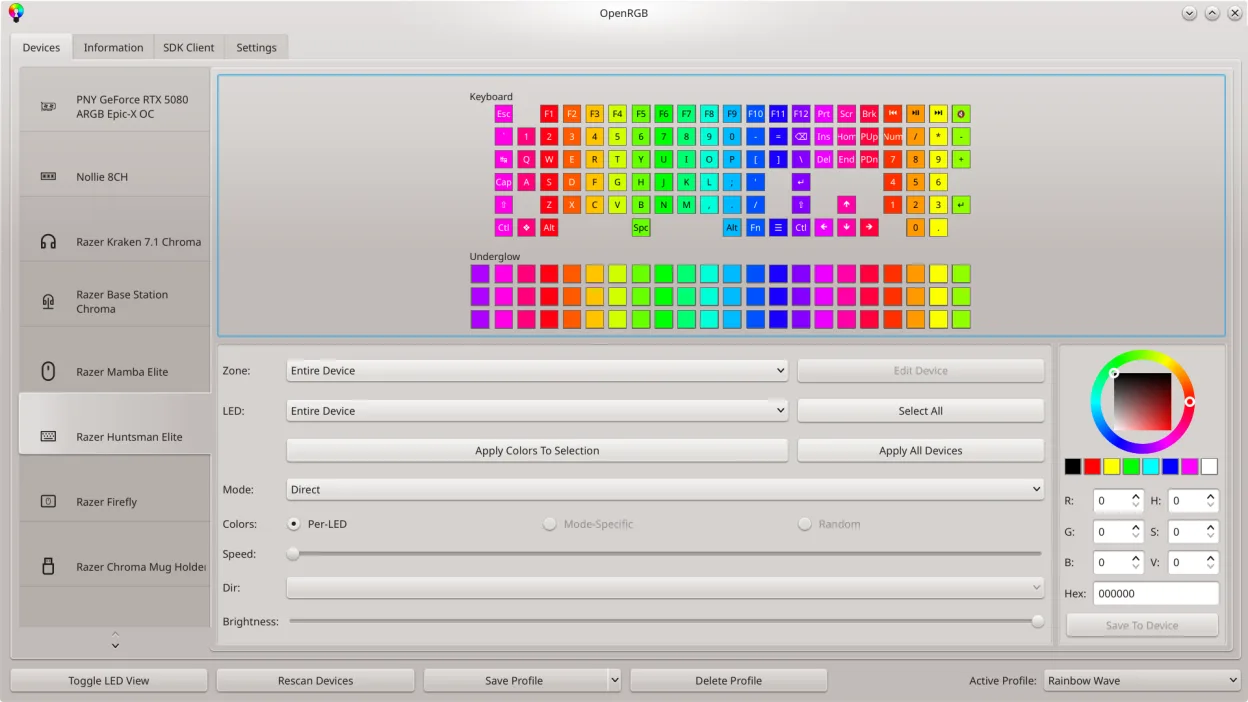
OpenRGB lets you control RGB lighting on Linux without vendor apps.
OpenRGB is a good replacement for MSI Mystic Light if you're running Linux and want full control over MSI RGB hardware without relying on Windows. It supports MSI motherboards and graphics cards, allows real-time color and effect customization, and syncs lighting across devices—just like Mystic…
Feature parity90%

What is MSI Mystic Light?
MSI Mystic Light is used primarily by PC builders and enthusiasts who want to customize RGB lighting on MSI components. It allows synchronization of lighting effects across compatible motherboards, graphics cards, and peripherals. The software is aimed at users who value aesthetics and system personalization.
The program is proprietary and free to download, but only works with MSI hardware and is limited to Windows. There is no subscription or purchase cost, but functionality is tied to specific hardware support. Updates are provided by MSI, though infrequently.
People seek Linux alternatives because Mystic Light does not run on Linux, and many Linux users run high-end hardware with RGB components. As Linux desktop use grows among enthusiasts, the demand for lighting control without dual-booting Windows increases. Native tools are needed for full system integration.
What a replacement for MSI Mystic Light must do
- Control RGB lighting on MSI motherboards
- Sync lighting effects across multiple devices
- Support for MSI graphics cards
- Customizable lighting modes and colors
- Real-time control without rebooting
- Hardware-level compatibility
- No reliance on Windows
Can you run MSI Mystic Light on Linux?
MSI Mystic Light does not run natively on Linux and has no official web or Linux version. It does not work reliably under Wine, Proton, or Bottles due to driver-level hardware access requirements. There is no known workaround for running the original Windows version on Linux systems. Users must rely on alternative software that supports the hardware directly.
Which alternative should you choose?
OpenRGB is the best choice for most Linux users, as it supports MSI motherboards, graphics cards, and other RGB devices with active development and real-time control. plasma-nm is not a lighting tool and likely listed in error — it’s a KDE network manager plugin. Users should ignore plasma-nm for RGB control and rely solely on OpenRGB for this use case.
Moving your MSI Mystic Light files and habits
There is no direct way to export Mystic Light profiles to OpenRGB, as both use different configuration formats. Users must recreate lighting effects manually in OpenRGB. OpenRGB can detect and control many MSI devices directly, so no data migration is needed beyond reconfiguring preferred lighting modes. Firmware-level settings may persist, but software profiles do not transfer.
MSI Mystic Light: frequently asked questions
Can I control MSI RGB hardware on Linux?
Yes, OpenRGB supports many MSI motherboards and graphics cards directly, allowing full color and effect control.
Does OpenRGB work with all MSI devices?
Support varies by model and chipset. OpenRGB's website lists compatible devices; older or niche models may not be fully supported.
Is OpenRGB safe to use on Linux?
Yes, it communicates with hardware through standard interfaces and has safeguards to prevent damage or instability.
Can I sync RGB across MSI and non-MSI devices?
Yes, OpenRGB supports multiple brands and can synchronize lighting across different hardware if they are all supported.
How important is MSI Mystic Light to you?
Know a better alternative? Suggest an alternative