Nextcloud Desktop ClientLinux
vs
BoxWindows
Nextcloud Desktop ClientLinux
vs
BoxWindows
Nextcloud Desktop Client as a Linux alternative to Box
Updated
Our verdict
The Nextcloud Desktop Client can replace Box for users who already run a Nextcloud server or are willing to host one. It syncs local folders, offers selective sync, file versioning, sharing links, and cross‑platform access. Enterprise‑grade security depends on the server configuration, not the client. For small teams or individuals using a self‑hosted Nextcloud, it is a solid alternative. For large enterprises that rely on Box’s managed cloud, the client alone is insufficient.
- License
- GPL-2.0+
- Price
- Free
- Latest version
- 35.0.0 (October 12, 2026)
- Rating
- —
What works the same
- Two‑way file sync between local folders and cloud
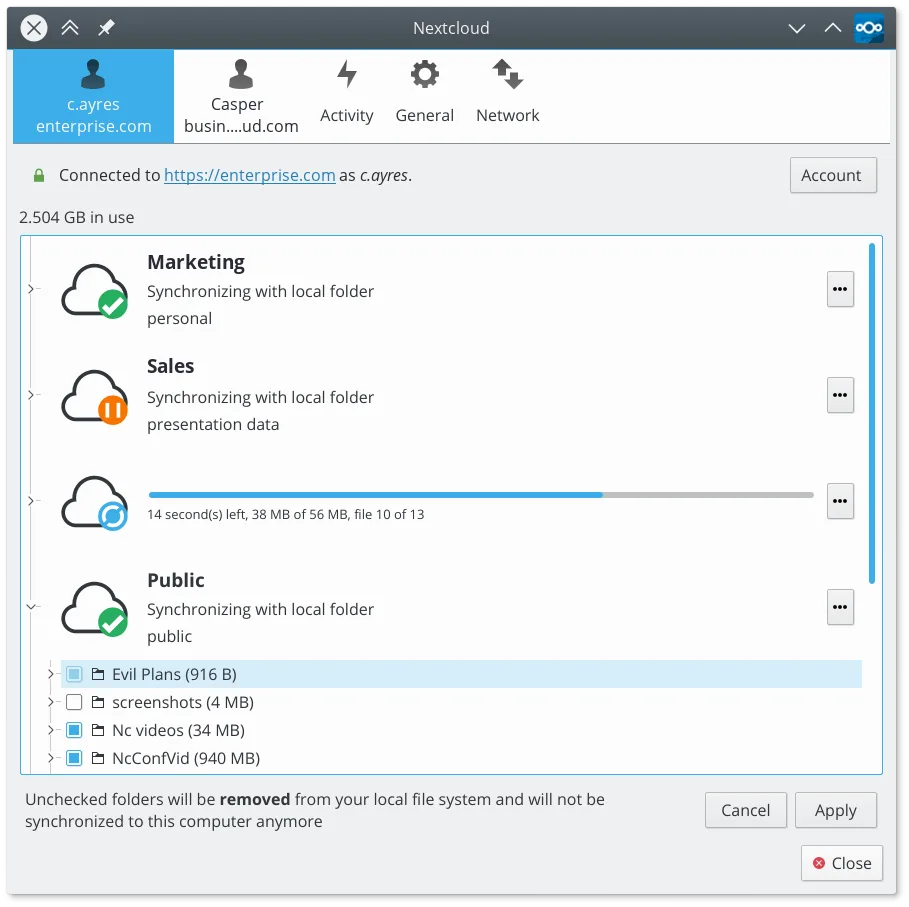
- Selective sync of chosen directories
- File versioning and recovery of deleted files
- Sharing links with permission controls
- Cross‑platform access via web, mobile, and desktop
What is different
- Nextcloud requires a server (self‑hosted or hosted) whereas Box is a fully managed service
- Enterprise‑grade security features (encryption, access logs) are provided by the server, not the client
- Nextcloud Desktop Client does not include built‑in file conversion or Office‑suite integration like Box
- Box offers a paid tier with dedicated support and SLAs; Nextcloud relies on community or paid hosting
- Nextcloud’s client is open source; Box’s client is proprietary
Opening your Box files
Box files are stored as normal files in the cloud; the Nextcloud client will download and sync them just like any other file. Opening or editing them depends on the file type and installed applications on the Linux system; no special conversion is required.
Switching from Box to Nextcloud Desktop Client, step by step
- 1. Export your Box data via the web interface or Box Sync to a local folder.
- 2. Install the Nextcloud Desktop Client from your distribution’s package manager or Flathub.
- 3. Create or connect to a Nextcloud server (self‑hosted or hosted).
- 4. In the client, add the folder containing the exported Box data as a sync folder.
- 5. Verify that files appear on the server and that sharing links work as expected.
Key features of Nextcloud Desktop Client
- Two-way file synchronization between local folders and the server
- Support for file versioning and recovery of deleted files
- Integration with Nextcloud server for sharing and collaboration
- Available as a Flatpak and native packages for major distros
- Works with any Nextcloud-compatible backend, including self-hosted instances
- Background operation with minimal resource usage
- Support for large files and high-volume sync operations
How to install Nextcloud Desktop Client on Linux
flatpak install flathub com.nextcloud.desktopclient.nextcloudsudo apt install nextcloud-desktopsudo apt install nextcloud-desktopsudo dnf install nextcloud-clientsudo pacman -S nextcloud-clientsudo zypper install nextcloud-desktopFrequently asked questions
Does the Nextcloud Desktop Client support selective sync like Box?
Yes, you can choose which folders to sync during setup and later adjust the selection in the client settings.
Can I use the same sharing links from Box in Nextcloud?
Nextcloud generates its own share links; they are not compatible with Box links, but you can recreate them in the Nextcloud web interface.
Is the Nextcloud client secure for enterprise use?
Security depends on the server configuration: end‑to‑end encryption, two‑factor authentication, and audit logs can be enabled on the server side, but the client itself only transmits data over HTTPS.