
 PiTiViLinux
vs
CyberLink PowerDirectorWindows
PiTiVi as a Linux alternative to CyberLink PowerDirector
Updated
Our verdict
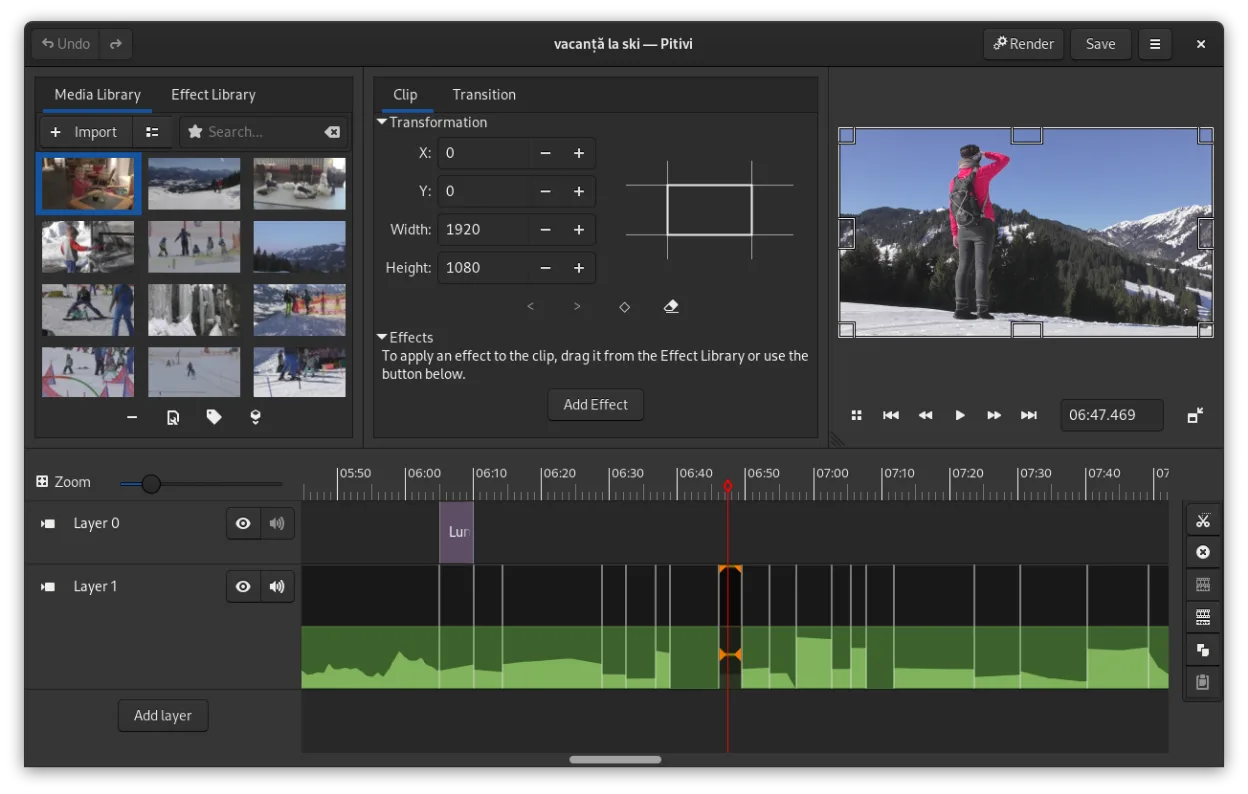
PiTiVi is a decent replacement for CyberLink PowerDirector if you value simplicity, open-source software, and GNOME integration. It handles basic to intermediate editing tasks well—cutting, trimming, transitions, color correction, and exporting to common formats like MP4 and WebM. However, it lacks some of the advanced effects, 4K performance polish, and guided workflows that PowerDirector offers. It's best suited for hobbyists, educators, or light content creators who don’t need Hollywood-grade effects or multi-cam editing.
- License
- LGPL-2.0+
- Price
- Free
- Latest version
- 2023.03 (March 26, 2023)
- Rating
- —
What works the same
- Both support multi-track timeline editing and non-linear workflows
- Offer video cutting, trimming, and ripple editing
- Support color correction and basic grading
- Include visual transitions like crossfades and SMPTE-standard effects
- Export to common formats including MP4 and WebM
What is different
- PiTiVi lacks PowerDirector’s AI-powered effects and motion tracking
- No built-in royalty-free stock media or template library
- Fewer presets and guided editing tools for beginners
- PowerDirector supports more advanced 4K and HDR workflows
- PiTiVi has fewer third-party plugin integrations
Opening your CyberLink PowerDirector files
PiTiVi cannot open CyberLink PowerDirector project files (.PDS, .PDR). There is no direct import support, and no known converter tools exist. You’ll need to re-edit your footage manually in PiTiVi. However, PiTiVi can read most video formats via GStreamer, so your original media files (MP4, AVI, MOV, etc.) will likely import without issue. Exported videos from PowerDirector can be re-edited in PiTiVi as long as you have the source clips.
Switching from CyberLink PowerDirector to PiTiVi, step by step
- Export your original media files from PowerDirector if not already accessible
- Install PiTiVi via Flathub or your distribution’s package manager
- Import media directly into PiTiVi; organize clips in the project view
- Rebuild your timeline using PiTiVi’s ripple and roll editing tools
- Use keyframes for effects and transitions, then export using built-in presets
Key features of PiTiVi
- Non-linear editing with a framerate-independent timeline
- Supports any format handled by GStreamer
- Keyframe animation for effects and filters
- Ripple and roll editing for efficient timeline adjustments
- Custom aspect ratios, framerates, and render presets
- Crossfades and SMPTE-standard transitions
- Detachable UI panels for multi-monitor setups
- Non-modal editing workflow with playhead-centric design
How to install PiTiVi on Linux
flatpak install flathub org.pitivi.Pitivisudo apt install pitivisudo apt install pitivisudo dnf install pitivisudo pacman -S pitivisudo zypper install pitiviFrequently asked questions
Can PiTiVi handle 4K footage?
Yes, PiTiVi supports 4K footage through GStreamer, but performance depends on your hardware and system setup. It may not be as smooth as PowerDirector on lower-end systems.
Is PiTiVi stable for long editing sessions?
It’s generally stable, especially in the 2023.03 release, but some users report occasional crashes with complex timelines. Save frequently.
Does PiTiVi support color grading?
Yes, it supports basic color correction and grading via effects with keyframeable properties, though not as advanced as PowerDirector’s tools.
3 other alternatives to CyberLink PowerDirector
 KdenliveKdenlive is a free, feature‑rich non‑linear video editor built on the MLT framework.Open sourceFreeFlatpakKdenlive vs CyberLink PowerDirector
 ShotcutShotcut is a free, open-source video editor for Linux with support for a wide range of formats via FFmpeg.Open sourceFreeFlatpakShotcut vs CyberLink PowerDirector
 OpenShotOpenShot is a free, open-source, non-linear video editor for Linux and other platforms, built with Python and…Open sourceFreeFlatpakOpenShot vs CyberLink PowerDirector