
Windows · Sound & Video
Best Linux alternatives to PowerDirector
PowerDirector is a consumer‑grade video editor for Windows, offering timeline editing, effects, and export presets.
Updated
Quick answer
The best Linux alternative to PowerDirector is Kdenlive. Other strong options: Shotcut, Olive, Flowblade.
5 Linux alternatives to PowerDirector
-

Kdenlive is a free, feature‑rich non‑linear video editor built on the MLT framework.
Kdenlive is a strong, free replacement for PowerDirector for users who need serious non-linear editing without paying for a subscription. It handles multi-track timelines, color correction, and audio mixing effectively. The interface is more complex than PowerDirector's, requiring a steeper…
Feature parity85% -

Shotcut is a free, open-source video editor for Linux with support for a wide range of formats via FFmpeg.
Shotcut is a solid, free replacement for PowerDirector if you are comfortable with a less polished interface. It handles multi-track timelines, GPU-accelerated scrubbing, and a wide array of FFmpeg codecs well. However, it lacks the guided, one-click workflow and extensive preset library that…
Feature parity75% -
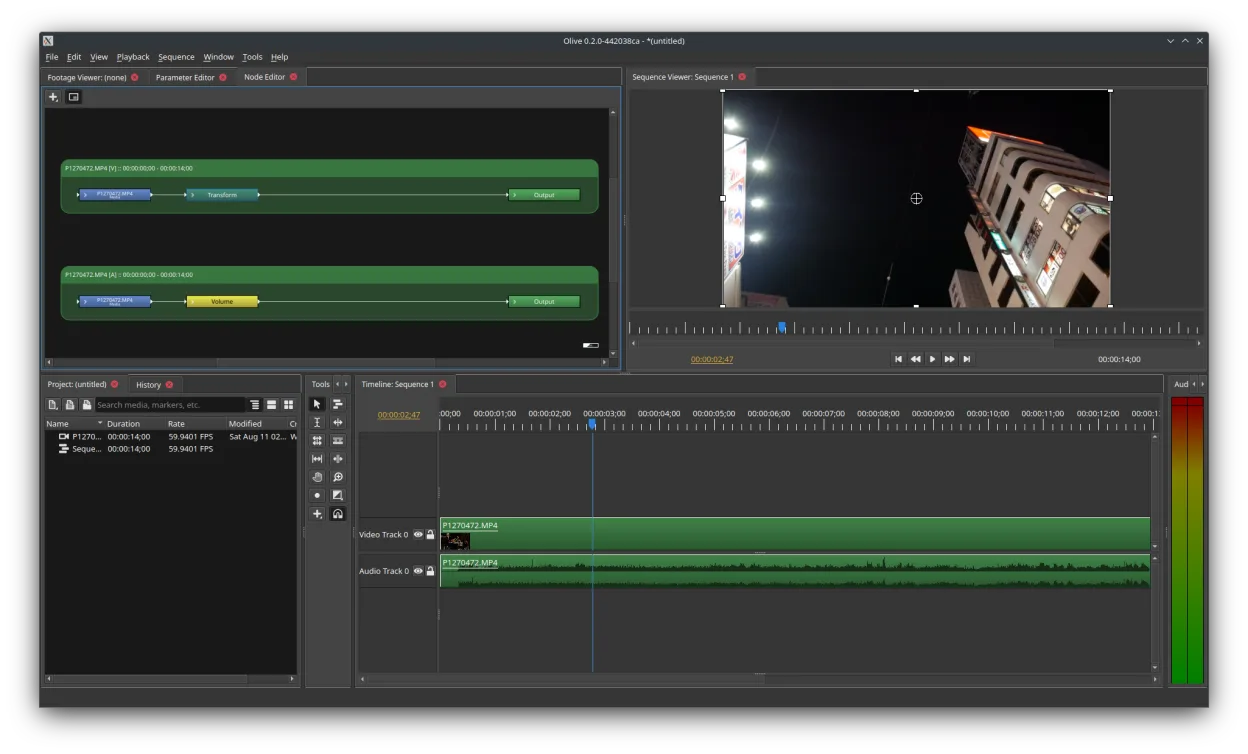
Olive is a free, open‑source non‑linear video editor for Linux.
Olive is a partial replacement for PowerDirector, best suited for users who need basic non-linear editing on Linux and value open-source software. It handles multi-track timelines, keyframing, and standard export formats, but lacks polish and advanced features. While it supports common codecs and…
Feature parity60% -

Flowblade is a fast, stable, multitrack non-linear video editor for Linux, suitable for beginners to professionals.
Flowblade can replace PowerDirector for users who need a free, open‑source Linux video editor with a multitrack timeline, audio mixing, and keyframe‑based effects. It covers most basic editing tasks, but lacks the polished export presets, GPU acceleration, and some advanced color grading tools that…
Feature parity70% -

OpenShot is a free, open-source, non-linear video editor for Linux and other platforms, built with Python and MLT.
OpenShot can serve as a replacement for PowerDirector for hobbyists and occasional video creators who need a free, cross‑platform editor with basic multi‑track editing, keyframe animation, and a decent set of effects. It lacks the polished UI, deep GPU‑accelerated rendering options, and the…
Feature parity55%





What is PowerDirector?
PowerDirector is a desktop video‑editing suite aimed at hobbyists and semi‑professionals who need an easy‑to‑learn interface for cutting clips, adding transitions, and publishing to social platforms. It is sold as a commercial product with a one‑time purchase option and a subscription tier that unlocks additional effects and cloud services. Users often look for a Linux alternative because they have switched OSes or run dual‑boot setups and want comparable editing capabilities without relying on Windows.
The program is known for its drag‑and‑drop workflow, built‑in motion graphics, and fast rendering using GPU acceleration. It targets creators who produce YouTube videos, family movies, or short marketing clips, and it ships with a library of royalty‑free media. Pricing is typically a paid license, with occasional upgrades bundled into a subscription model.
Linux users who need a similar feature set—timeline editing, multi‑track audio, effects, and export presets—search for native Linux editors that avoid the overhead of Wine or virtualization. Open‑source options provide comparable tools while keeping the workflow on the same OS as the rest of their workflow.
What a replacement for PowerDirector must do
- Non‑linear timeline editing
- Multi‑track audio mixing
- Video effects and transitions
- GPU‑accelerated rendering
- Export presets for common formats
- Support for popular codecs
- Basic color correction tools
Can you run PowerDirector on Linux?
There is no native Linux version of PowerDirector. It can be run under Wine or in a Windows VM, but performance and hardware acceleration are not guaranteed. No official web or cloud version exists that fully replaces the desktop app.
Which alternative should you choose?
Kdenlive is a good fit for users who want a full‑featured, KDE‑integrated editor with strong community support. Shotcut offers a straightforward UI and works well for quick edits. Olive is still maturing but provides a modern, node‑based workflow. Flowblade focuses on precision editing with a classic timeline. OpenShot is the simplest, suitable for occasional edits and beginners.
Moving your PowerDirector files and habits
PowerDirector projects are stored in proprietary .pds files, which cannot be directly opened in Linux editors. Export the final video from PowerDirector in a common format such as MP4 (H.264) before moving to Linux. Most Linux editors can import that video for further tweaking, and they support the same codecs for re‑export.
Side-by-side comparison
PowerDirector: frequently asked questions
Can I run PowerDirector on Linux with Wine?
It may launch, but GPU acceleration and some effects often fail; a native Linux editor is usually a better choice.
Do Linux editors support PowerDirector's effect presets?
No, effect presets are proprietary. You’ll need to recreate similar looks using the Linux editor’s built‑in effects.
Is there a free alternative with comparable features?
Kdenlive and Shotcut are free and provide most of the core editing features found in PowerDirector.
Will my existing media library work in Linux editors?
Yes, as long as the media files are in standard formats (MP4, MOV, AVI, etc.).
How important is PowerDirector to you?
Know a better alternative? Suggest an alternative