

Linux · Sound & Video
Olive
Olive is a free, open‑source non‑linear video editor for Linux.
- License
- GPL-3.0
- Latest version
- 0.1.2 (November 11, 2019)
- Developer
- Olive Team
- Installs
- 620 (Flathub, 30 days)
What is Olive?
Olive started as a hobby project in 2019 and quickly grew into a usable alternative to commercial video editors. It is still early‑stage but functional, with a stable 0.1.2 release that ships in Fedora and via Flathub. The project is maintained by the Olive Team under GPL‑3.0.
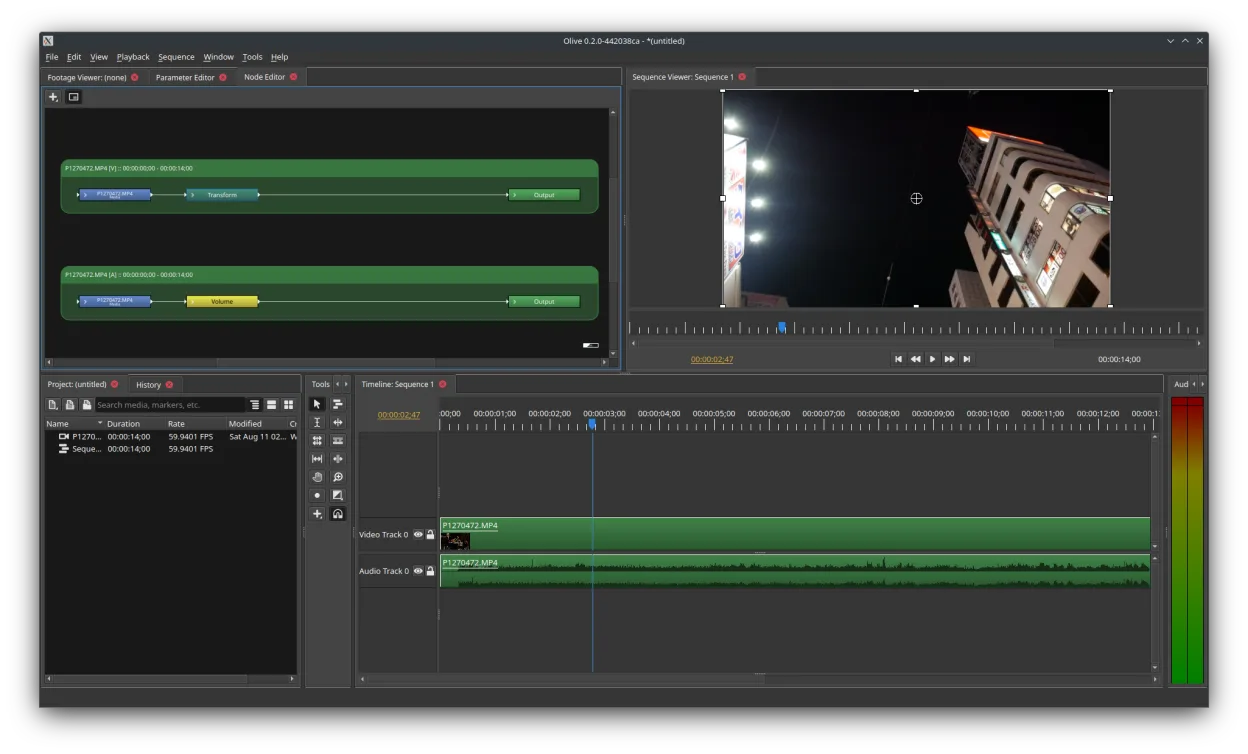
Olive targets hobbyists, YouTubers, and small‑scale creators who need multi‑track editing without paying for a suite like PowerDirector. Its interface mimics traditional NLE layouts, offering a timeline, preview window, and basic effects.
Compared with PowerDirector, Olive feels more lightweight and less polished, but it avoids lock‑in and runs natively on Linux. It lacks some advanced color grading tools, yet it covers the core editing workflow well enough for most personal projects.
Best for: Casual video creators who need a straightforward editor without paying for Windows‑only software.
Key features of Olive
- Multi‑track timeline
- Basic video transitions and effects
- Keyframe animation
- Audio mixing and volume envelopes
- Support for common formats (MP4, MOV, AVI)
- Undo/redo history
- Export to H.264 and other codecs
Pros
- Completely free and open source
- Runs natively on Linux via Flatpak or distro packages
- Simple, uncluttered UI
- Low system requirements
Cons
- Still in early development; some features are missing
- Limited advanced color correction tools
- Export presets are basic
Windows programs Olive replaces
How to install Olive on Linux
flatpak install flathub org.olivevideoeditor.Olivesudo dnf install oliveTips for Windows users
Olive accepts the same container formats you used in PowerDirector (MP4, MOV, AVI), so you can import existing projects directly. Keyboard shortcuts differ; familiarize yourself with the default bindings in Olive's Settings, or import a custom keymap. Expect a more manual workflow for effects—there’s no drag‑and‑drop “one‑click” export wizard, but the export dialog is simple and lets you choose codec and bitrate.
Recent releases
- 0.1.2 —
Olive: frequently asked questions
Can Olive edit 4K video?
Yes, Olive can handle 4K footage, but performance depends on your hardware.
Is there a stable release for Windows?
Olive is primarily packaged for Linux; Windows builds exist but are less maintained.
How do I install Olive on Fedora?
Use dnf: sudo dnf install olive or install the Flatpak from Flathub.
Can I add third‑party plugins?
Olive does not currently support external plugin frameworks; you must rely on built‑in effects.
Updated