
 SkroogeLinux
vs
GnuCashWindows
Skrooge as a Linux alternative to GnuCash
Updated
Our verdict
Skrooge can replace GnuCash for users who need a simple, single‑entry bookkeeping tool with good import/export options and a visual interface. It covers most everyday tasks such as tracking income, expenses, budgeting, and generating reports. However, it lacks true double‑entry bookkeeping, which is essential for small‑business accounting. If you only need personal finance management and prefer a KDE‑style UI, Skrooge is a solid choice; for small‑business or detailed double‑entry work, GnuCash remains preferable.
- License
- GPL-2.0+
- Price
- Free
- Latest version
- 25.4.0 (April 24, 2025)
- Rating
- —
What works the same
- Both import QIF, OFX, CSV and other common formats
- Both support multiple currencies
- Both provide scheduled/recurring transactions
- Both offer budgeting tools and basic financial reports
What is different
- Skrooge uses single‑entry bookkeeping; GnuCash uses double‑entry
- Skrooge lacks full ledger and journal entry management
- Skrooge does not support complex multi‑user or multi‑company setups
- Skrooge’s interface is KDE‑centric; GnuCash is cross‑platform GUI
- Skrooge’s reporting is more graphical, GnuCash offers more traditional reports
Opening your GnuCash files
Skrooge can import GnuCash’s XML (.gnucash) files, but the import may lose some ledger details due to the single‑entry model. Exporting from Skrooge to GnuCash is not supported directly; you would need to export to a common format like CSV and then import into GnuCash.
Switching from GnuCash to Skrooge, step by step
- Export your GnuCash data to CSV or QIF from GnuCash.
- Open Skrooge and use the import wizard to bring in the CSV/QIF files.
- Verify that all accounts and transactions appear correctly in Skrooge’s ledger.
- Adjust any missing categories or budgets manually in Skrooge.
- Set up scheduled transactions in Skrooge if you used them in GnuCash.
- Back up your Skrooge file regularly and keep a copy of the original GnuCash data.
- faq
Key features of Skrooge
- Import/export many formats (QIF, CSV, OFX, Money‑Manager‑Ex, etc.)
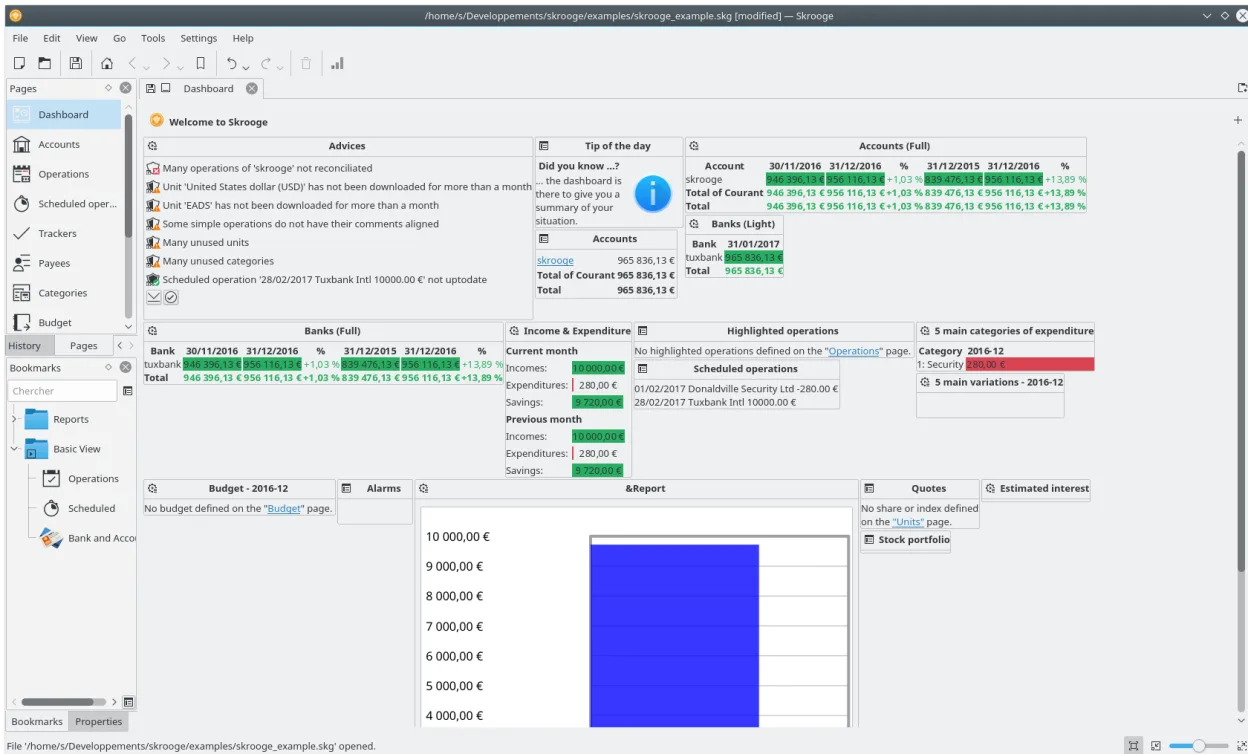
- Advanced graphical reports and dashboards
- Infinite undo/redo, even after closing a file
- Instant filtering of transactions and reports
- Scheduled and recurring transactions
- Multiple currencies and budgeting tools
- Mass update of transactions
- Customizable advice and alerts
How to install Skrooge on Linux
flatpak install flathub org.kde.skroogesudo apt install skroogesudo apt install skroogesudo dnf install skroogesudo pacman -S skroogesudo zypper install skrooge3 other alternatives to GnuCash
 KMyMoneyKMyMoney is a free, double‑entry personal finance manager for Linux.Open sourceFreeFlatpakKMyMoney vs GnuCash
 HomeBankHomeBank is a free, open‑source personal finance manager for Linux.Open sourceFreeFlatpakHomeBank vs GnuCashLedgerLedger is a plain‑text double‑entry accounting tool for the command line.Open sourceFreeLedger vs GnuCash