
 SmartGitLinux
vs
GitKrakenWindows
SmartGit as a Linux alternative to GitKraken
Updated
Our verdict
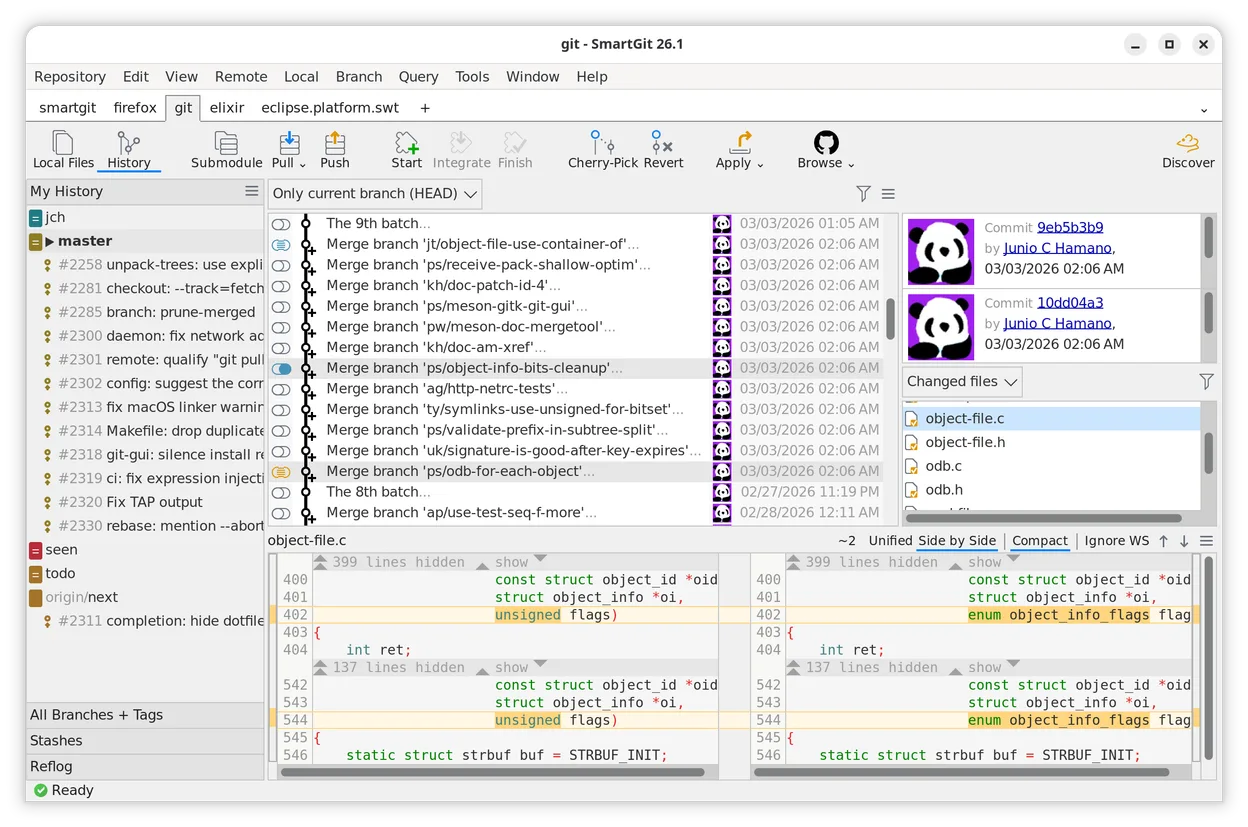
SmartGit is a solid replacement for GitKraken, especially for developers who value precise control over Git operations and work in Linux environments. It handles visual history, branching, merging, and conflict resolution well, with strong support for submodules and worktrees. The interface is customizable but less flashy than GitKraken’s. It’s particularly suitable for open-source or academic users, who get it for free. While it lacks GitKraken’s built-in collaboration features, it covers core Git workflows reliably.
- License
- LicenseRef-proprietary=https://www.smart…
- Price
- freemium
- Latest version
- 26_1_059 (November 20, 2026)
- Rating
- —
What works the same
- Both offer cross-platform Git GUIs with Linux support
- Visual commit history and branching tools
- Interactive rebase and commit rewriting capabilities
- Integrated diff viewer with side-by-side comparison
- Support for Git submodules and remote repositories
What is different
- SmartGit lacks GitKraken’s real-time collaboration and team features
- No built-in Git hosting integration like GitKraken’s direct GitHub/GitLab dashboards
- Interface is functional but less modern and animated than GitKraken’s
- SmartGit does not include a terminal emulator
- GitKraken has a built-in merge conflict editor; SmartGit uses external tools or its own solver with less visual flair
Opening your GitKraken files
SmartGit works directly with standard Git repositories and can open any repo created by GitKraken without conversion, since both use native Git formats. There are no proprietary project files to import or export. Any .git folder created by GitKraken is fully readable by SmartGit. Configuration and layout settings are not transferable, but that’s expected between different GUIs.
Switching from GitKraken to SmartGit, step by step
- Install SmartGit via Flathub or download from smartgit.dev
- Launch SmartGit and set Git executable path if prompted
- Use 'Clone' to import repositories from remote URLs
- Open existing local repositories using 'Open' in SmartGit
- Enable submodule support in preferences if needed
- Customize layout and keybindings to match your workflow
Key features of SmartGit
- Cross-platform support for Linux, macOS, and Windows
- Intuitive conflict solver for merging branches
- Interactive rebase for splitting, rewriting, and squashing commits
- Customizable interface to fit specific workflows
- Full support for Git submodules and worktrees
- Integrated diff viewer with side-by-side comparison
- Support for multiple Git repositories in a single window
- Free license for open-source developers and academic institutions
How to install SmartGit on Linux
flatpak install flathub com.syntevo.SmartGitFrequently asked questions
Is SmartGit free for all users?
No, but it's free for open-source developers, students, and employees of qualifying academic or charitable organizations. Others need a paid license.
Does SmartGit support GitHub and GitLab integration?
Yes, it supports authentication and basic operations with GitHub, GitLab, and Bitbucket, though not as deeply as GitKraken’s built-in UI.
Can I use SmartGit offline?
Yes, all core Git operations including commit, branch, rebase, and merge work fully offline.
3 other alternatives to GitKraken
 GitKrakenGitKraken is a cross‑platform Git client with integrated issue tracking and code editing.FlatpakGitKraken vs GitKraken
 gitgGitg is a lightweight graphical interface for Git that visualizes commit history and manages repositories.Open sourceFreeFlatpakgitg vs GitKraken
 Git ColaGit Cola is a lightweight, feature‑rich graphical Git client for Linux.Open sourceFreeFlatpakGit Cola vs GitKraken