
 SpotifyLinux
vs
Spotify DesktopWindows
SpotifyLinux
vs
Spotify DesktopWindows
Spotify as a Linux alternative to Spotify Desktop
Updated
Our verdict
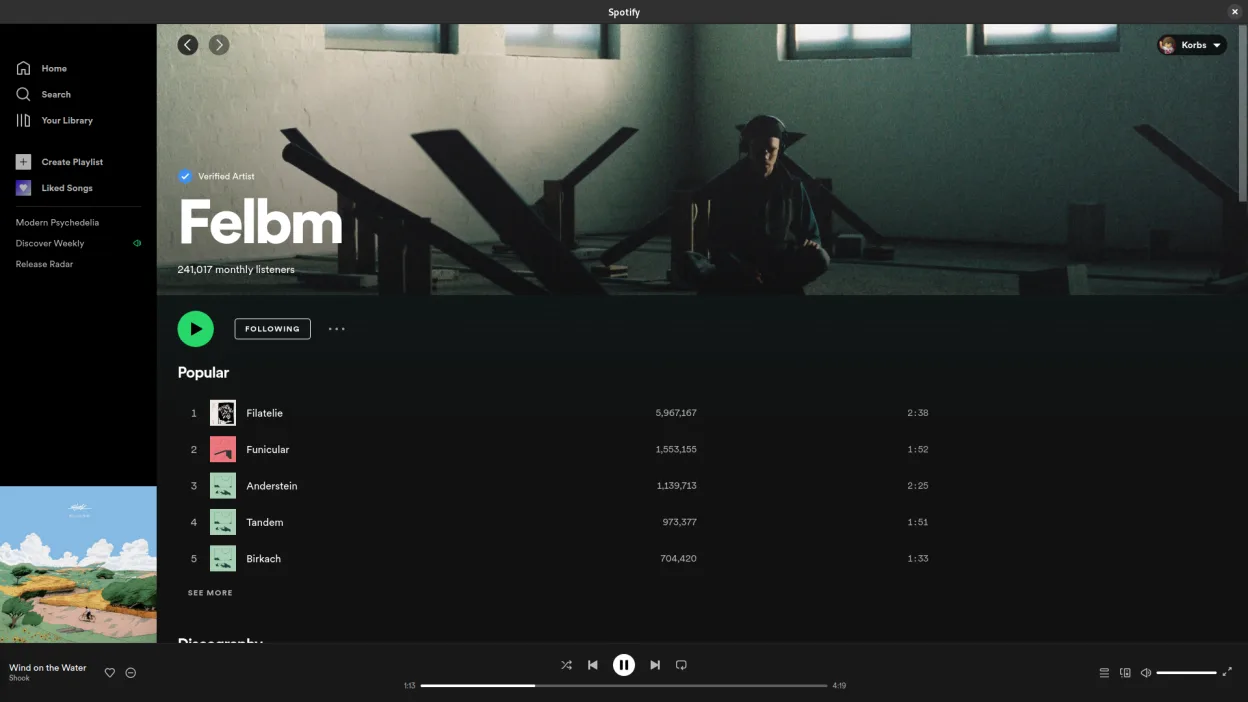
Spotify is a good replacement for Spotify Desktop on Linux, especially since it is the same application. The Linux version supports streaming, playlist sync, offline playback for Premium users, and background operation. It integrates well with Linux desktop environments and follows native UI conventions reasonably well. Performance is acceptable, though it's still Electron-based and can be memory-heavy. If you're switching from Windows, your experience will be nearly identical, which is good if you rely on core features like cross-device sync and offline listening.
- License
- LicenseRef-proprietary=https://www.spoti…
- Price
- freemium
- Latest version
- 1.2.95.453.g0eeebbed (August 12, 2026)
- Rating
- —
What works the same
- Same core interface and feature set as Spotify Desktop
- Full sync of playlists, listening history, and user account
- Supports offline playback for Premium subscribers
- Background playback and system tray integration
- High-quality audio streaming up to 320 kbps
What is different
- Slight performance differences due to Linux-specific optimizations
- Menu bar integration varies by desktop environment
- Some keyboard shortcuts may differ depending on the window manager
- No native MPRIS support in older versions (now generally resolved)
Opening your Spotify Desktop files
Spotify does not use user-accessible local files for playlists or library data — everything is stored in the cloud. Your playlists, saved songs, and preferences sync automatically through your account. There is no need to import or export files when switching between installations. Local cache is managed internally and not exposed, so manual file migration is neither possible nor necessary.
Switching from Spotify Desktop to Spotify, step by step
- Install Spotify via Flathub or official repository
- Log in with your existing Spotify account
- Wait for playlists and library to sync
- Enable offline mode in settings if needed
- Adjust audio output and shortcut settings as needed
Key features of Spotify
- Access to millions of songs and podcasts
- Algorithmic music discovery and recommendations
- Social features including shared playlists and artist following
- High-quality audio streaming (up to 320 kbps for Premium)
- Cross-platform sync for playlists and listening history
- Offline listening for Premium subscribers
- Integration with other devices and smart speakers
How to install Spotify on Linux
flatpak install flathub com.spotify.ClientFrequently asked questions
Is the Linux version of Spotify the same as the Windows version?
Yes, it's functionally identical, built on the same Electron base, with the same features and interface.
Does Spotify for Linux support offline playback?
Yes, but only if you have a Premium subscription. Downloaded tracks are stored in a protected cache.
Can I use Spotify on Linux without installing third-party tools?
Yes, Spotify provides an official Linux client available through Flathub and their website.
4 other alternatives to Spotify Desktop
 FerdiumFerdium is a desktop browser for managing multiple web apps like messaging and music services in one place.Open sourceFreeFlatpakFerdium vs Spotify Desktop
 Clementine Music PlayerClementine is a cross‑platform music player that plays local files, internet radio, and supports cloud…Open sourceFreeFlatpakClementine Music Player vs Spotify Desktop
 Strawberry Music PlayerStrawberry is a free, open-source Qt-based music player and collection organizer for Linux.Open sourceFreeFlatpakStrawberry Music Player vs Spotify Desktop
 LollypopLollypop is a lightweight, modern music player for GNOME that lets you play, organize, and enjoy your music…Open sourceFreeFlatpakLollypop vs Spotify Desktop