 SpotifyLinux
vs
TidalWindows
SpotifyLinux
vs
TidalWindows
Spotify as a Linux alternative to Tidal
Updated
Our verdict
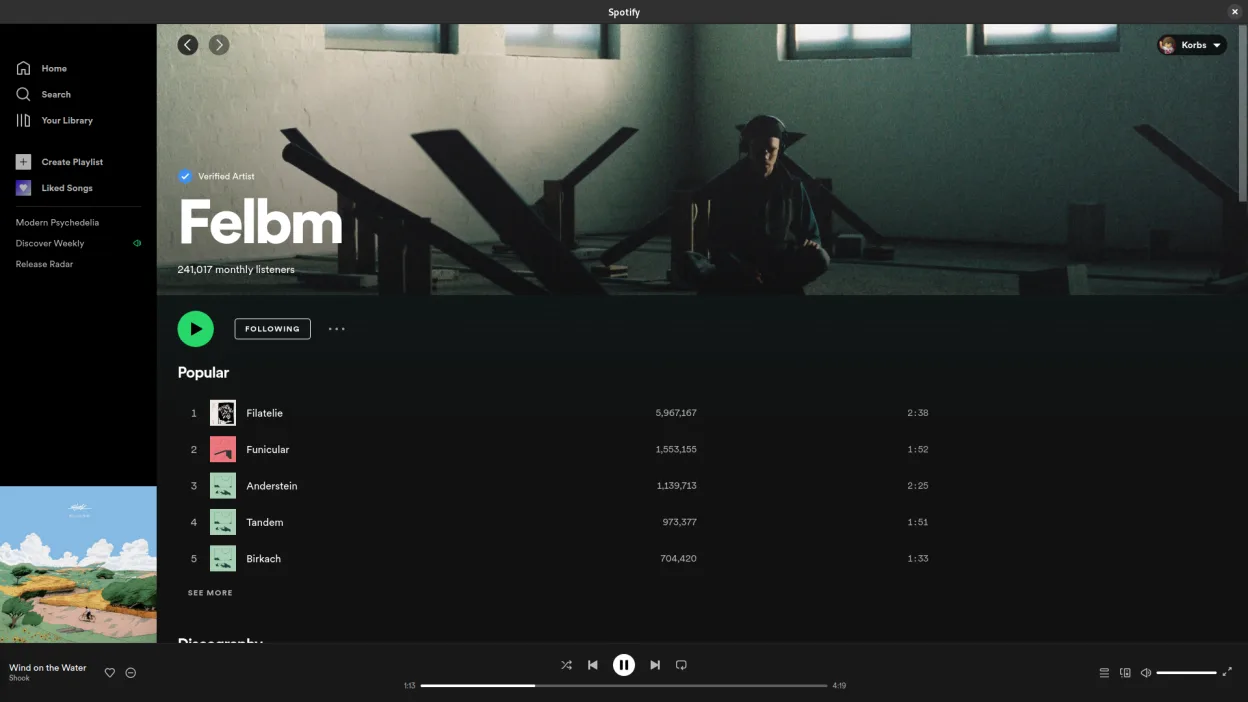
Spotify is a functional replacement for Tidal if you prioritize catalog size, social features, and native Linux support over audio fidelity. It offers a stable desktop app via Flathub with offline downloads and cross-device sync. However, it caps audio quality at 320 kbps, which is significantly lower than Tidal’s lossless and Hi-Res offerings. If you are an audiophile who relies on high-resolution streaming, Spotify will feel like a downgrade. For casual listeners who value convenience, playlist sharing, and a vast library, it is a solid, well-integrated choice.
- License
- LicenseRef-proprietary=https://www.spoti…
- Price
- freemium
- Latest version
- 1.2.95.453.g0eeebbed (August 12, 2026)
- Rating
- —
What works the same
- Access to a massive music catalog with millions of tracks
- Offline listening and download capabilities for Premium users
- Cross-platform account synchronization for playlists and history
- Native Linux desktop application available via Flathub
What is different
- Audio quality is capped at 320 kbps, lacking Tidal’s lossless and Hi-Res options
- No high-fidelity audio streaming support for critical listening
- Proprietary service with different licensing and privacy terms
- Lacks specific hi-res metadata and audio format support found in Tidal
Opening your Tidal files
Spotify does not import Tidal playlists or local files directly. You can export playlists from Tidal as an M3U or CSV file and import them into Spotify, though some metadata or ordering may be lost. There is no direct file compatibility for audio streams, as both services use proprietary streaming protocols.
Switching from Tidal to Spotify, step by step
- Export your Tidal playlists as M3U or CSV files from the Tidal app
- Install Spotify via Flathub or your package manager
- Create a Spotify Premium account to enable offline downloads
- Import the exported playlist files into Spotify
- Verify that tracks are available in Spotify’s catalog and fix any missing songs
- Configure system media keys to work with the Spotify desktop app
Key features of Spotify
- Access to millions of songs and podcasts
- Algorithmic music discovery and recommendations
- Social features including shared playlists and artist following
- High-quality audio streaming (up to 320 kbps for Premium)
- Cross-platform sync for playlists and listening history
- Offline listening for Premium subscribers
- Integration with other devices and smart speakers
How to install Spotify on Linux
flatpak install flathub com.spotify.ClientFrequently asked questions
Does Spotify support lossless audio on Linux?
No, Spotify streams at up to 320 kbps AAC on all platforms, including Linux. It does not offer lossless or high-resolution audio.
Can I use my Tidal account on Spotify?
No, they are separate services. You need a new Spotify subscription to access Premium features like offline downloads.
Is the Spotify Linux app stable?
Yes, the Flathub build is generally stable and receives regular updates. It integrates well with system media keys and background playback.