
Windows · Office
Best Linux alternatives to Tableau
Tableau is a commercial data‑visualisation platform for building interactive dashboards and reports from many data sources.
Updated
Quick answer
The best Linux alternative to Tableau is Grafana. Other strong options: Kst, LibreOffice Calc.
3 Linux alternatives to Tableau
-
Open-source analytics and monitoring platform for visualizing time-series data and building dashboards.
Grafana is a solid replacement for Tableau only if your focus is time-series data and real-time monitoring. It excels at visualizing metrics from databases like Prometheus, InfluxDB, or PostgreSQL with live-updating dashboards and strong alerting. However, it lacks Tableau’s intuitive drag-and-drop…
Feature parity45% -
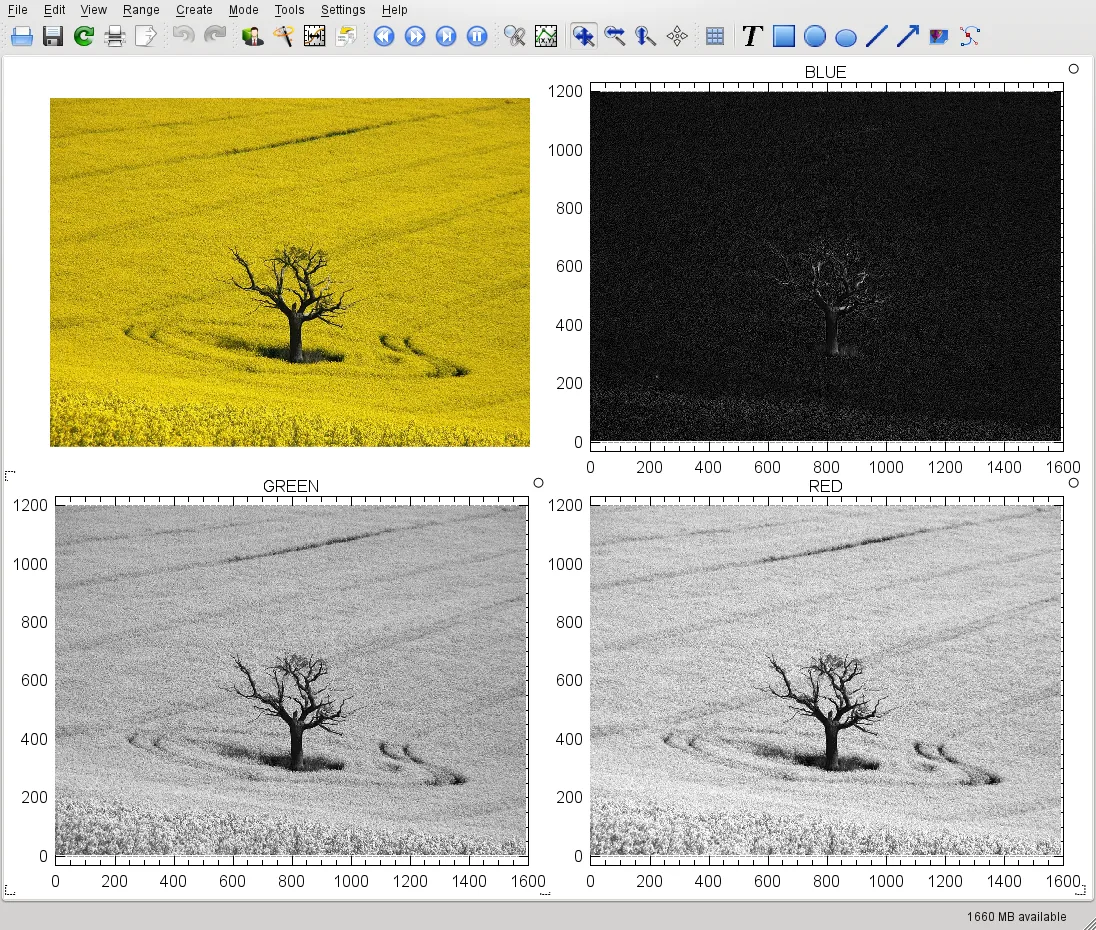
Kst is a KDE application for visualizing and analyzing scientific data sets, offering a lightweight alternative to heavy BI tools.
Kst is not a good replacement for Tableau. It is a lightweight scientific plotter that can read CSV and HDF5 files and export PNG/PDF, but it lacks Tableau’s drag‑and‑drop dashboard builder, real‑time data‑source connectors, calculated fields, and web publishing. It may suit researchers who need…
Feature parity20% -
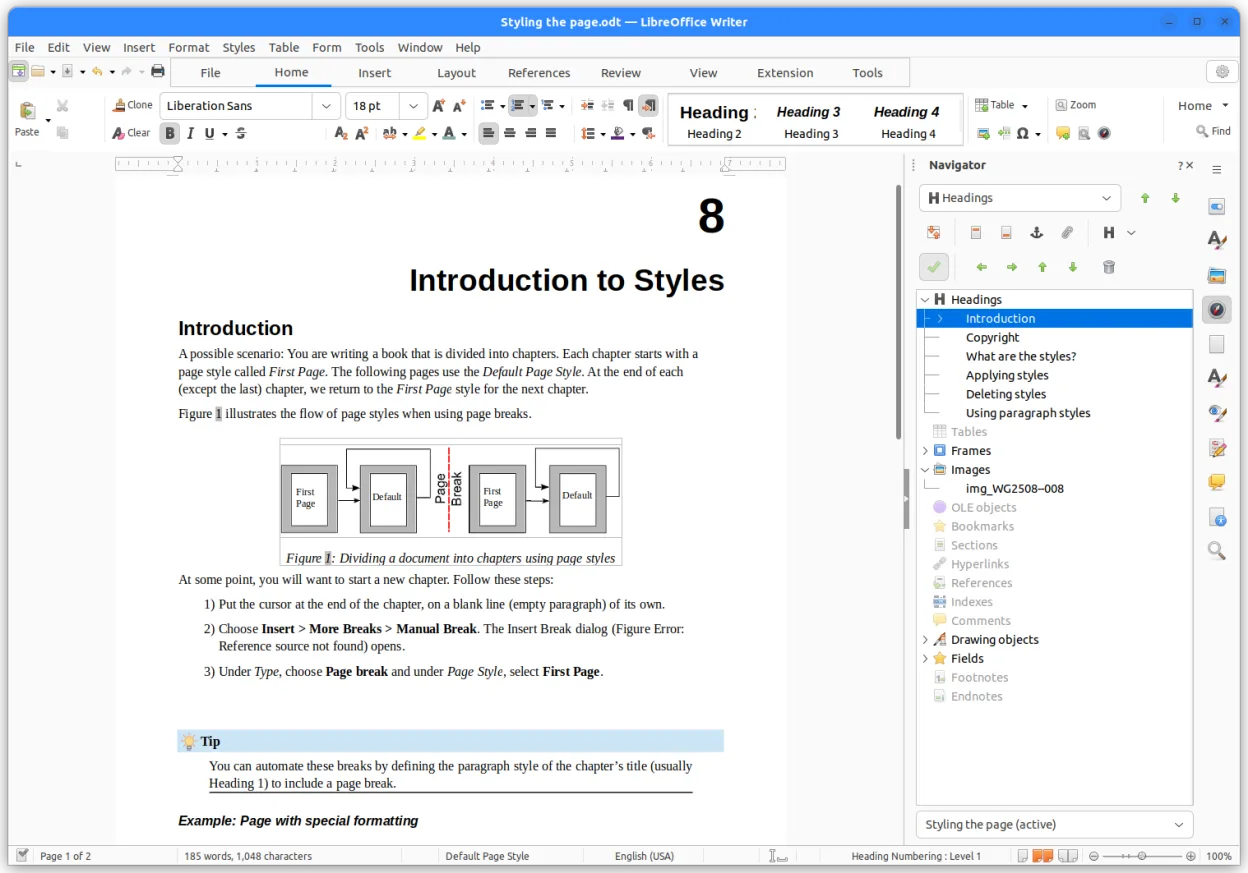
LibreOffice Calc is a free spreadsheet program that replaces Microsoft Excel on Linux.
LibreOffice Calc is not a good replacement for Tableau. It can handle basic charts and pivot tables, but it lacks Tableau’s interactive dashboards, drag‑and‑drop visual design, live database connections, calculated fields, and scheduling. It is suitable for users who only need simple…
Feature parity20%


What is Tableau?
Tableau is widely used by analysts, business intelligence teams and managers to turn raw data into visual stories that can be explored in a browser or desktop client. It connects to databases, spreadsheets and cloud services, offering drag‑and‑drop charting and a publishing server for sharing dashboards.
The product is sold under a subscription model, with separate pricing tiers for individuals, teams and enterprises; a free public version exists but stores work publicly. Licences are proprietary and tied to the vendor’s cloud or on‑premise server.
Because Tableau runs only on Windows and macOS, Linux users who need comparable BI capabilities look for native or open‑source replacements that can read the same data sources and produce interactive visualisations without a Windows layer.
What a replacement for Tableau must do
- Connect to relational databases and CSV/Excel files
- Create interactive charts, maps and dashboards
- Support drag‑and‑drop visual design
- Publish or share visualisations via web or server
- Apply filters, parameters and calculated fields
- Schedule data refreshes
- Export to common formats (PDF, PNG, CSV)
Can you run Tableau on Linux?
Tableau does not provide a native Linux client. A web‑based Tableau Viewer can be accessed from Linux browsers, but the full authoring tools require Windows or macOS. Some users run the Windows desktop version through Wine or a container, though stability varies and official support is lacking.
Which alternative should you choose?
For users who need a full‑featured, web‑ready BI stack, Grafana is a solid choice; it excels at time‑series dashboards and integrates with many data sources. If the focus is on scientific plotting and quick data exploration, Kst works well. QGIS Desktop is appropriate when geographic data and map visualisation are central. LibreOffice Calc can replace simple charting and spreadsheet‑driven reports but lacks advanced dashboarding.
Moving your Tableau files and habits
Tableau workbooks are saved as .twb or .twbx files, which are proprietary. Export dashboards to PDF, PNG or CSV where possible, then import the raw data into the new tool. Most Linux alternatives can read the original data sources directly, so rebuilding visualisations from the source files is usually the cleanest path.
Side-by-side comparison
| App | License | Flatpak | Latest version | Feature parity | Rating |
|---|---|---|---|---|---|
| Grafana | AGPL-3.0 | — | 13.2.4 | 45% | — |
| Kst | GPL-3.0 | ✓ | 3.0.0 | 20% | — |
| LibreOffice Calc | MPL-2.0 | ✓ | 26.8.1.1 | 20% | — |
Tableau: frequently asked questions
Can I run Tableau Desktop on Linux?
Not officially; you need Windows or macOS, or rely on Wine with limited success.
Is there a free open‑source alternative?
Grafana and Kst are free and open source, though they target slightly different use cases.
Will my Tableau Server dashboards work on Linux?
Tableau Server can be accessed via a browser from Linux, but the server itself runs on Windows or Linux only in newer cloud offerings.
How do I move my data sources?
Export the underlying data (CSV, Excel, database extracts) and reconnect them in the new tool; the visual layout must be rebuilt.
How important is Tableau to you?
Know a better alternative? Suggest an alternative