
 Trilium NotesLinux
vs
AnytypeWindows
Trilium NotesLinux
vs
AnytypeWindows
Trilium Notes as a Linux alternative to Anytype
Updated
Our verdict
Trilium Notes can replace Anytype for users who need a local‑first, block‑based knowledge base with strong encryption and a hierarchical structure. It offers rich editing, note cloning, and a self‑hosted sync server, which covers most of Anytype’s core features. Users who rely heavily on Anytype’s object‑oriented data model and cross‑platform file format compatibility may find Trilium’s hierarchy and cloning less flexible. Overall, it is a solid alternative for power users who prefer a Linux‑native, self‑hosted solution.
- License
- AGPL-3.0-only
- Price
- Free
- Latest version
- 0.106.0 (September 25, 2026)
- Rating
- —
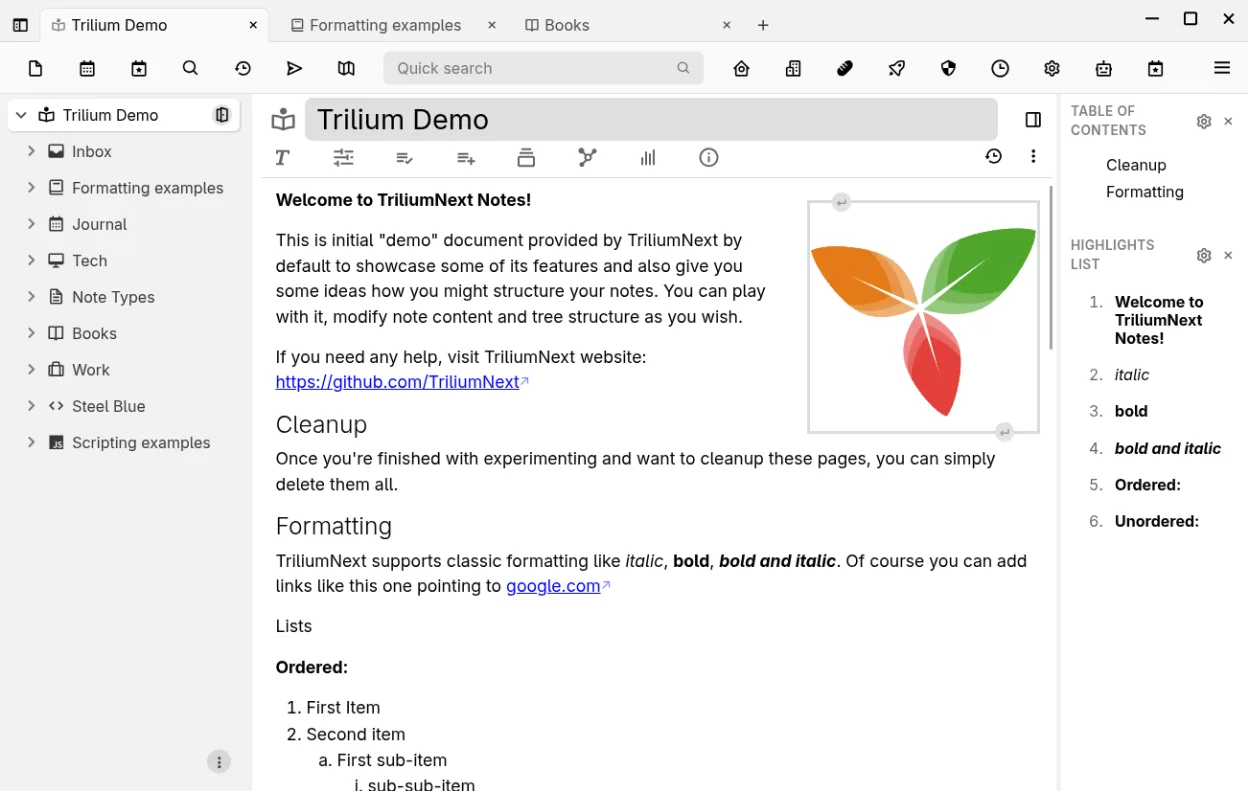
What works the same
- Both are local‑first and open‑source knowledge bases
- Both support block‑based editing with drag‑and‑drop
- Both provide a way to link or clone items and visualize relations
- Both allow export/import of notes (Evernote/Markdown)
- Both offer encryption and privacy‑first architecture
What is different
- Trilium uses a hierarchical tree instead of an object‑oriented model
- Anytype’s blocks can be reordered freely; Trilium’s blocks are part of a note body
- Trilium lacks a native cross‑platform file format; Anytype’s format is designed for interoperability
- Trilium’s sync is self‑hosted; Anytype offers cloud sync options
- Trilium’s UI is more traditional note‑taking; Anytype’s UI is block‑centric
Opening your Anytype files
Opening Anytype files directly in Trilium is not supported. You would need to export the data from Anytype (e.g., as Markdown or Evernote ENEX) and then import that into Trilium. Trilium can export notes to Markdown or Evernote format, but there is no round‑trip support for Anytype’s proprietary format.
Switching from Anytype to Trilium Notes, step by step
- Export your Anytype data to Markdown or Evernote ENEX using Anytype’s export feature.
- Install Trilium Notes from Flathub or your distribution’s package manager.
- Launch Trilium and use the import wizard to bring in the exported files.
- Re‑create any custom tags or attributes in Trilium by setting note attributes or using the search query system.
- Verify that links and relations are preserved; adjust any broken references manually.
- Set up the self‑hosted sync server if you need multi‑device access.
Key features of Trilium Notes
- Rich WYSIWYG editor with tables, images, math and markdown auto‑format
- Arbitrarily deep hierarchical tree with note cloning
- Full‑text search, note hoisting and relation/link maps
- Per‑note versioning and granular encryption
- Self‑hosted sync server and public publishing
- Syntax‑highlighted code editing and scripting support
- Evernote/Markdown import‑export and web clipper
- REST API for automation
How to install Trilium Notes on Linux
flatpak install flathub org.triliumnotes.TriliumFrequently asked questions
Does Trilium support block‑based editing like Anytype?
Trilium’s editor is WYSIWYG and supports Markdown, tables, images, and math. It does not provide a true block‑based interface, but you can create separate notes and clone them to simulate blocks.
Can I sync Trilium across devices?
Yes. Trilium offers a self‑hosted sync server that can be set up on any machine or cloud instance. It also has a web client for remote access.
Is Trilium’s data encrypted?
Trilium supports per‑note encryption with a master password. You can also encrypt the entire database if you prefer.
5 other alternatives to Anytype
 JoplinJoplin is an open‑source, cross‑platform note‑taking and to‑do app that stores data in Markdown.Open sourceFreeFlatpakJoplin vs Anytype
 Standard NotesStandard Notes is a cross‑platform, end‑to‑end encrypted notes app that syncs securely across devices.Open sourceFreeFlatpakStandard Notes vs Anytype
 ObsidianObsidian is a markdown‑based knowledge‑base app that stores notes as plain‑text files in a local folder.FlatpakObsidian vs Anytype
 LogseqLogseq is a local‑first, non‑linear knowledge base tool that stores notes as plain text Markdown or Org files.Open sourceFreeFlatpakLogseq vs Anytype
 ZettlrZettlr is a fast, open‑source Markdown editor with Zettelkasten and citation support.Open sourceFreeFlatpakZettlr vs Anytype