
Windows · System Tools
Best Linux alternatives to Alienware Command Center
Alienware Command Center controls RGB, fans, and performance on Alienware laptops.
Updated
Quick answer
The best Linux alternative to Alienware Command Center is OpenRGB. Other strong options: TLP, fancontrol.
3 Linux alternatives to Alienware Command Center
-
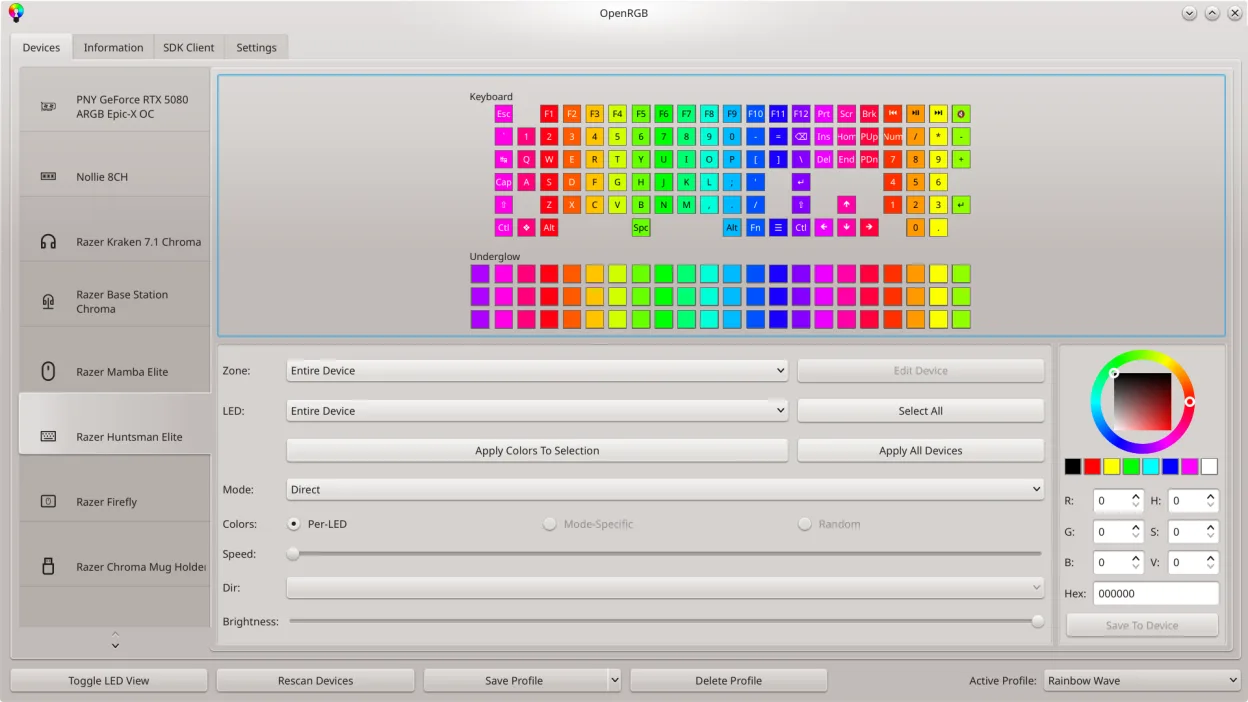
OpenRGB lets you control RGB lighting on Linux without vendor apps.
OpenRGB can replace Alienware Command Center for most users who need RGB lighting control on a Linux system. It covers color and effect settings, profile saving, and basic fan‑speed monitoring through its device‑info viewer, but it lacks the integrated performance‑profile selection and the deep…
Feature parity70% -
TLP is a command-line power management tool that optimizes battery life and system performance on Linux laptops.
TLP is not a direct replacement for Alienware Command Center. While both manage laptop hardware, TLP focuses exclusively on power management via the command line, optimizing battery life and CPU governors. It lacks any GUI, RGB lighting control, or fan speed adjustment capabilities. If your primary…
Feature parity25% -

fancontrol is a Linux utility for automatically adjusting fan speeds based on system temperature sensors.
fancontrol can replace Alienware Command Center for users who only need fan speed control and basic temperature monitoring. It does not handle RGB lighting or performance profile selection, so it is suitable for Linux users who want to keep their system cool but are not concerned with lighting or…
Feature parity45%


What is Alienware Command Center?
Alienware Command Center is a Windows‑only utility that lets owners tweak RGB lighting, fan curves, and performance profiles on Alienware laptops.
The tool is free for owners of Alienware hardware, but it is bundled with the machine and not sold separately.
Linux users need a replacement because the proprietary software is unavailable on Linux, yet they still want to control hardware settings and keep their gaming rigs running efficiently.
What a replacement for Alienware Command Center must do
- RGB lighting control
- Fan speed and temperature monitoring
- Performance profile selection
- Hardware sensor access
- User‑friendly interface
Can you run Alienware Command Center on Linux?
There is no native Linux version of Alienware Command Center. It does not run under Wine or Proton. No web interface is provided. Linux users must rely on separate tools such as OpenRGB for RGB, TLP or powertop for power management, and fancontrol with lm‑sensors for fan curves.
Which alternative should you choose?
For RGB lighting, OpenRGB is the most complete choice. If you need fan control and temperature monitoring, fancontrol combined with lm‑sensors is best. For power management and battery life tweaks, TLP or powertop are suitable. No single tool covers all features, so users often combine them.
Moving your Alienware Command Center files and habits
There is no export format from Command Center; settings are stored in proprietary binaries. Linux users cannot import them directly. Instead, they must re‑configure each tool manually using the hardware sensors exposed by the kernel.
Side-by-side comparison
| App | License | Flatpak | Latest version | Feature parity | Rating |
|---|---|---|---|---|---|
| OpenRGB | GPL-2.0-or-later | ✓ | 1.1 | 70% | — |
| TLP | GPL-2.0 | — | 1.10.2 | 25% | — |
| fancontrol | GPL-3.0-only | ✓ | 26.01 | 45% | — |
Alienware Command Center: frequently asked questions
Can I run Alienware Command Center on Linux via Wine?
No, it does not launch under Wine, Proton, or Bottles.
Is there a command‑line version?
No, the Windows GUI is the only interface.
Does OpenRGB support all Alienware RGB devices?
OpenRGB supports many Alienware RGB components, but compatibility varies by model.
What about fan control?
Use fancontrol with lm‑sensors; this requires manual fan curve configuration.
How important is Alienware Command Center to you?
Know a better alternative? Suggest an alternative