

Windows · Graphics
Best Linux alternatives to CorelDRAW
CorelDRAW is a commercial vector graphics editor used for illustration, design, and production workflows, often in professional and industrial settings.
Updated
Quick answer
The best Linux alternative to CorelDRAW is Inkscape. Other strong options: Karbon, sK1.
3 Linux alternatives to CorelDRAW
-

Inkscape is a free, open‑source vector graphics editor that rivals Adobe Illustrator and CorelDRAW.
Inkscape is a solid replacement for CorelDRAW for hobbyists, students, and small studios focused on vector illustration, logos, and technical diagrams. It handles core vector tasks well—node editing, path operations, SVG workflows, and basic typography. While it lacks some professional polish and…
Feature parity75% -
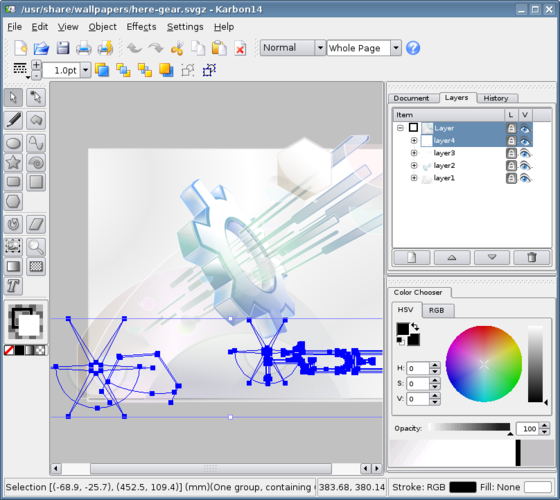
Karbon is a free vector graphics editor in the KDE Calligra Suite.
Karbon can serve as a replacement for CorelDRAW for hobbyists, small‑business designers, and educators who need basic to moderate vector illustration capabilities. It offers essential Bézier tools, layer handling, and SVG/EPS export, but it lacks the depth of industry‑grade features found in…
Feature parity55% -

sK1 is a free, open-source vector graphics editor for prepress workflows, serving as a Linux alternative to CorelDRAW and Adobe Illustrator.
sK1 is a niche, discontinued tool that handles basic vector editing but lacks the depth of CorelDRAW. It is not a viable replacement for professional production workflows, signmaking, or complex layout design. The project is abandoned, meaning no security patches or feature updates. While it can…
Feature parity25%


What is CorelDRAW?
CorelDRAW is widely used by graphic designers, sign makers, and print professionals for creating vector illustrations, layouts, and production-ready artwork. It supports complex design projects including logos, brochures, vinyl cutting, and engraving workflows. Its integration with Corel Photo-Paint and other suite tools makes it a staple in Windows-based design environments.
The software is proprietary and sold through perpetual licenses or subscription plans, with lower-cost Standard and Essentials editions available. There is no native Linux version, and the licensing model ties it closely to Windows. This limits access for users who prefer or require Linux systems.
People seek Linux alternatives because they want similar vector editing capabilities without relying on Windows. Many prefer open-source tools that integrate well with Linux desktops and workflows. The lack of a Linux version and the cost of CorelDRAW drive interest in capable, freely available replacements.
What a replacement for CorelDRAW must do
- Vector illustration with Bézier tools
- Support for professional design layouts
- Compatibility with common vector formats (AI, EPS, SVG)
- Integration with bitmap editing workflows
- Precision tools for cutting, engraving, and signmaking
- Text and typography handling
- Multi-page document support
Can you run CorelDRAW on Linux?
There is no native Linux version of CorelDRAW. It does not run reliably under Wine, Proton, or Bottles — most users report crashes or missing features. There is no web-based version. Users on Linux must rely on alternative software rather than running CorelDRAW directly.
Which alternative should you choose?
Inkscape is best for most users needing a full-featured, actively maintained vector editor with strong SVG support. Karbon, part of the Calligra suite, suits KDE users who want tighter desktop integration. sK1 targets users needing CMYK and prepress features, especially those migrating from professional CorelDRAW workflows in publishing or print production.
Moving your CorelDRAW files and habits
CorelDRAW files (.cdr) are not natively readable in most Linux apps. Export to SVG, EPS, or PDF on Windows first. Inkscape handles SVG well but may struggle with complex CDR exports. sK1 has the best CDR import support among the listed tools, though results vary with file complexity. Always test conversion with critical files before full migration.
Side-by-side comparison
CorelDRAW: frequently asked questions
Can Inkscape open CorelDRAW files?
Not directly. You must export from CorelDRAW to SVG, EPS, or PDF first. Inkscape handles these formats reasonably well, but complex layouts may need manual fixes.
Is there a free version of CorelDRAW for Linux?
No. CorelDRAW is proprietary and only available for Windows. No free or paid version runs natively on Linux.
Which Linux app is closest to CorelDRAW in features?
sK1 offers the closest match for CMYK workflows and prepress features. Inkscape is more versatile for general vector work and has broader community support.
Can I run CorelDRAW on Linux using Wine?
Generally no. CorelDRAW fails to run reliably under Wine, Bottles, or Proton. Users report installation issues, crashes, and missing functionality. Native alternatives are recommended.
How important is CorelDRAW to you?
Know a better alternative? Suggest an alternative