
 darktableLinux
vs
Microsoft PhotosWindows
darktable as a Linux alternative to Microsoft Photos
Updated
Our verdict
darktable is a capable replacement for Microsoft Photos if you want deeper editing and raw support, but it's overkill for simple viewing. It handles basic edits like crop, rotate, and lighting well, and organizes photos by date and folder. However, its interface is denser and geared toward photographers, not casual users. If you only need to view and lightly edit JPEGs or PNGs, something like GPICView or Nomacs would be faster and simpler. darktable excels when you want more control, not minimalism.
- License
- GPL-3.0+
- Price
- Free
- Latest version
- 5.6.2 (October 4, 2026)
- Rating
- —
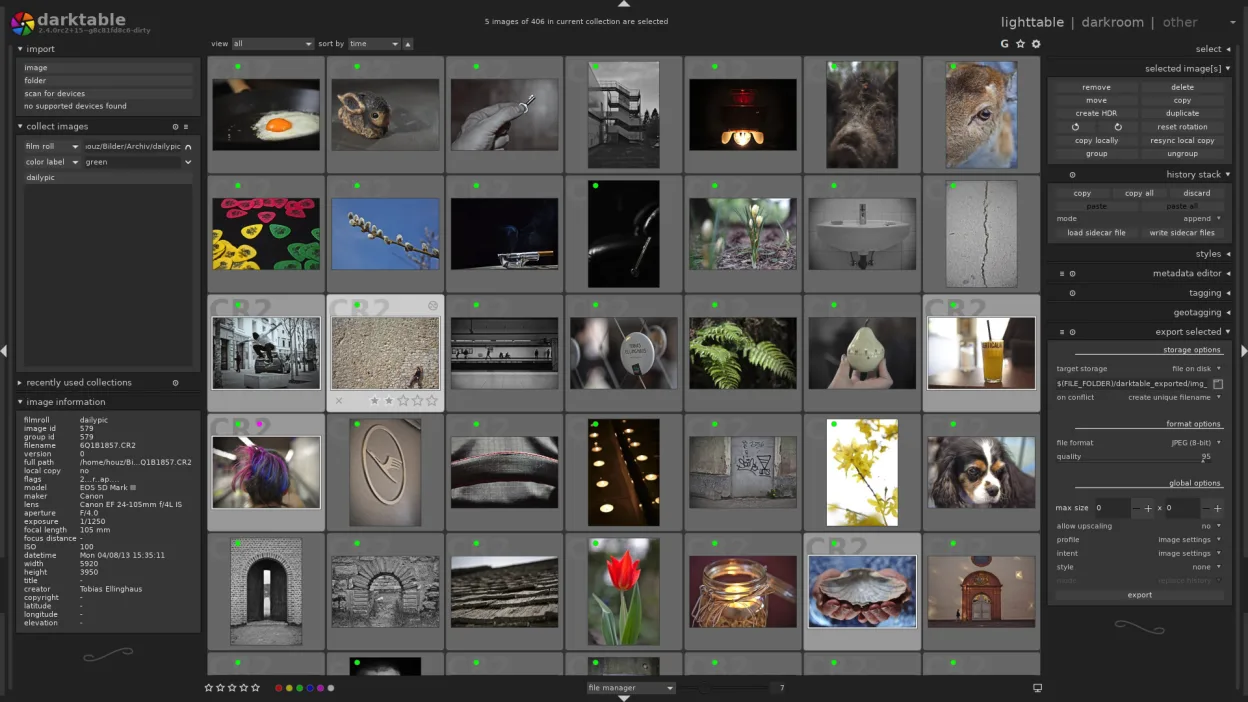
What works the same
- Supports common formats like JPEG and PNG
- Can crop, rotate, and adjust brightness/contrast
- Organizes images by folder and date
- Generates thumbnails quickly for browsing
- Preserves and reads metadata (EXIF, XMP)
What is different
- darktable has a steeper learning curve and busier interface
- No built-in HEIC support unless your system has the codec
- Lacks the 'quick edit' simplicity of Microsoft Photos
- Heavyweight compared to lightweight viewers
- No facial recognition or AI tagging
Opening your Microsoft Photos files
darktable opens JPEG, PNG, and many raw formats directly. It can import and edit the same files used in Microsoft Photos without conversion. Exporting to standard formats like JPEG or PNG is straightforward. HEIC support depends on your system having libheif; without it, HEIC files won't open. You can export edits and save sidecar XMP files, keeping originals untouched. All edits are non-destructive and stored in the database or sidecar files.
Switching from Microsoft Photos to darktable, step by step
- Install darktable via your package manager or Flatpak
- Import your photo folders using the lighttable mode
- Enable thumbnails and let the library index your files
- Use darkroom mode for edits: adjust exposure, crop, rotate
- Export edited versions to JPEG or PNG as needed
Key features of darktable
- Non‑destructive editing with a history stack
- Lighttable and darkroom modes
- High‑precision raw processing
- Geotagging map view
- Tethering support
- Print and slideshow modes
- Extensible via Python scripts
How to install darktable on Linux
flatpak install flathub org.darktable.Darktablesudo apt install darktablesudo apt install darktablesudo dnf install darktablesudo pacman -S darktablesudo zypper install darktableFrequently asked questions
Can darktable replace Microsoft Photos for simple photo viewing?
Not ideally. Use it if you also edit photos. For pure viewing, try a lightweight viewer like GPICView or Nomacs.
Does darktable support HEIC files from iPhones?
Yes, if your system has libheif installed. On Ubuntu, install the libheif1 package. Otherwise, HEIC won't open.
Is darktable safe for organizing personal photo collections?
Yes. It stores edits in a database or sidecar files, never alters originals by default, and handles metadata correctly.
4 other alternatives to Microsoft Photos
 ShotwellShotwell is a GNOME photo manager for importing, organizing, and lightly editing images.Open sourceFreeFlatpakShotwell vs Microsoft Photos
 nomacs - Image LoungeNomacs is a free, open‑source image viewer that supports thumbnails, metadata, histograms and browsing inside…Open sourceFreeFlatpaknomacs - Image Lounge vs Microsoft Photos
 GwenViewGwenView is KDE's fast image viewer with basic editing and annotation tools, ideal for browsing photo…Open sourceFreeFlatpakGwenView vs Microsoft Photosfehfeh is a lightweight, command-line image viewer for Linux, often used to set wallpapers or browse images…Open sourceFreefeh vs Microsoft Photos