
Windows · Graphics
Best Linux alternatives to Microsoft Photos
Microsoft Photos is a basic image viewer and editor included with Windows 10 and 11, supporting common formats and simple edits.
Updated
Quick answer
The best Linux alternative to Microsoft Photos is Shotwell. Other strong options: nomacs - Image Lounge, GwenView, feh.
5 Linux alternatives to Microsoft Photos
-
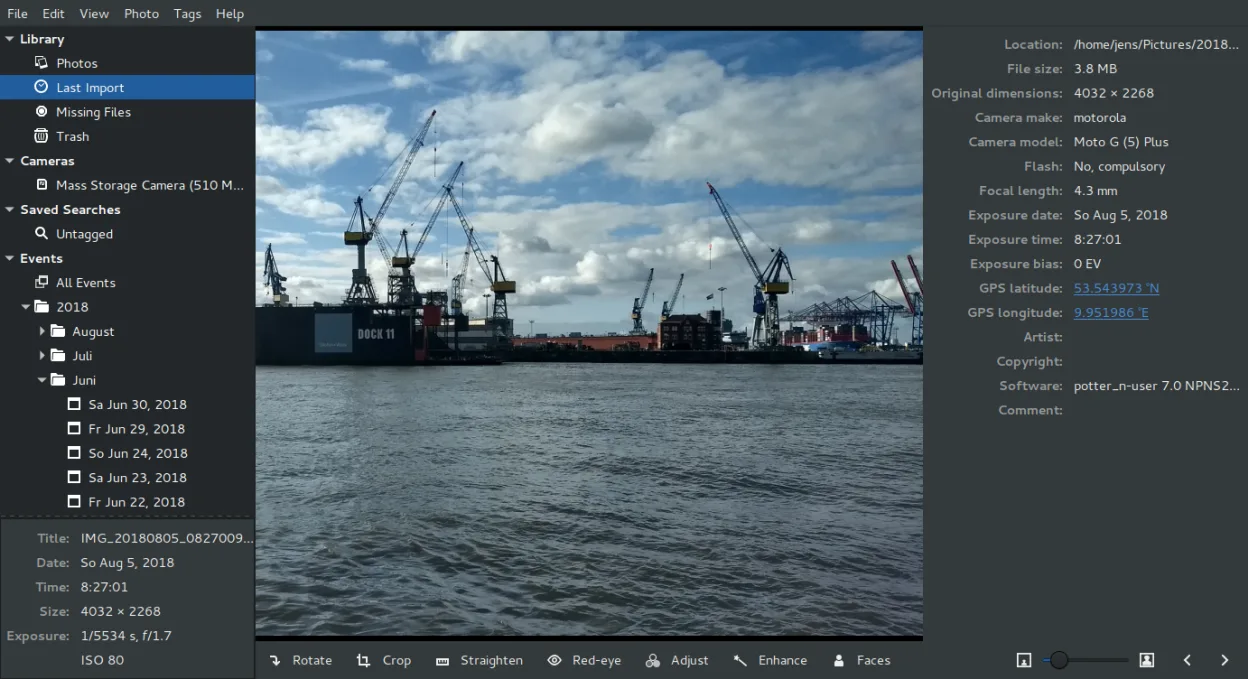
Shotwell is a GNOME photo manager for importing, organizing, and lightly editing images.
Shotwell is a solid replacement for Microsoft Photos if you're on a GNOME-based Linux system and want simple photo management with basic editing. It handles common formats like JPEG and PNG well, browses quickly, and organizes by date or tags without bloat. The non-destructive editing is reliable…
Feature parity85% -
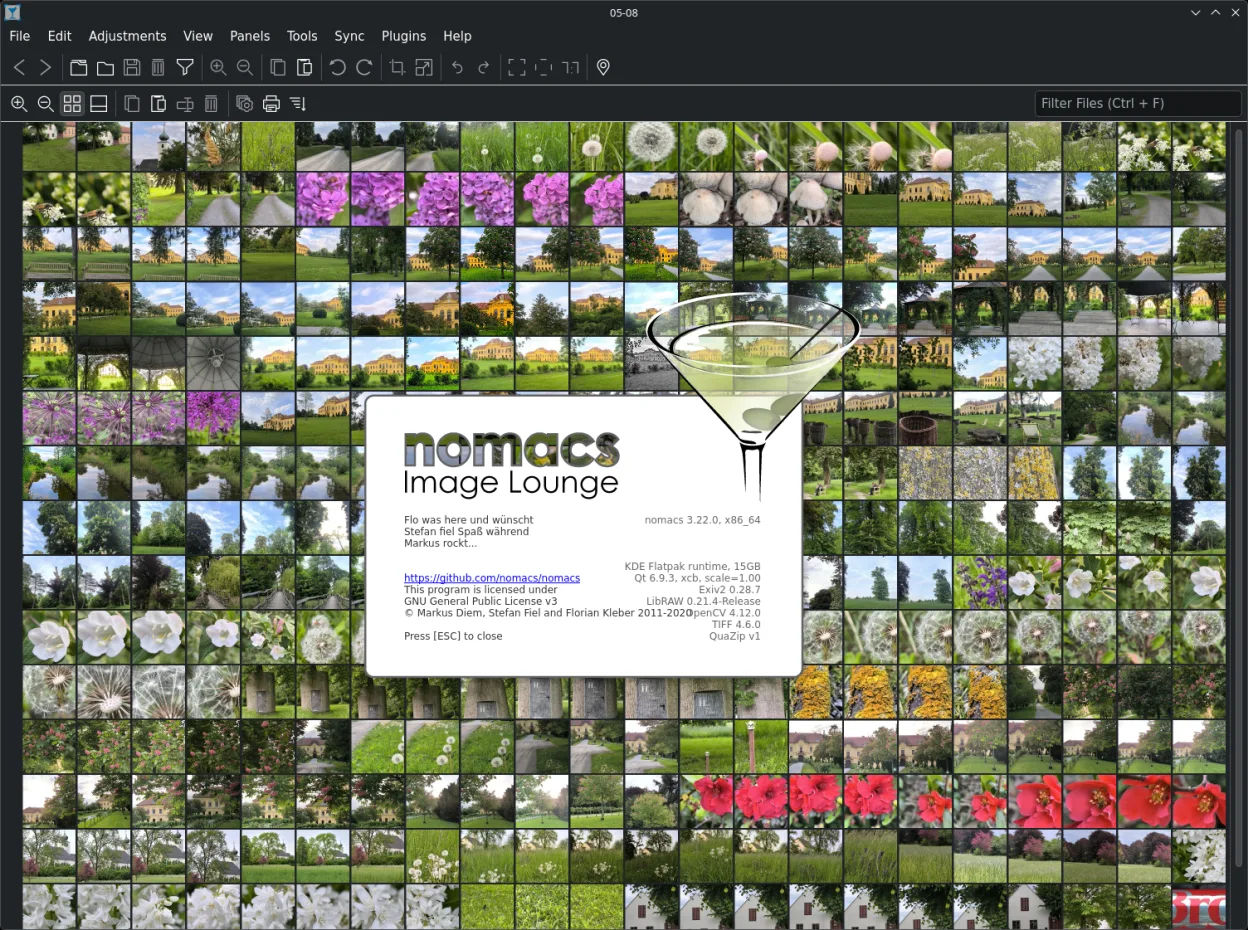
Nomacs is a free, open‑source image viewer that supports thumbnails, metadata, histograms and browsing inside archives.
nomacs is a solid replacement for Microsoft Photos if you prioritize fast viewing, folder browsing, and basic metadata over polished editing. It handles common formats including JPEG, PNG, and HEIC (with proper codecs), loads thumbnails quickly, and supports basic navigation and rotation. The…
Feature parity75% -

GwenView is KDE's fast image viewer with basic editing and annotation tools, ideal for browsing photo collections.
GwenView is a solid replacement for Microsoft Photos for Linux users who want a lightweight, fast image viewer with basic editing and organization tools. It handles common formats, supports fast thumbnail browsing, and offers non-destructive edits with undo—something Microsoft Photos lacks. The…
Feature parity90% -
feh is a lightweight, command-line image viewer for Linux, often used to set wallpapers or browse images quickly.
-
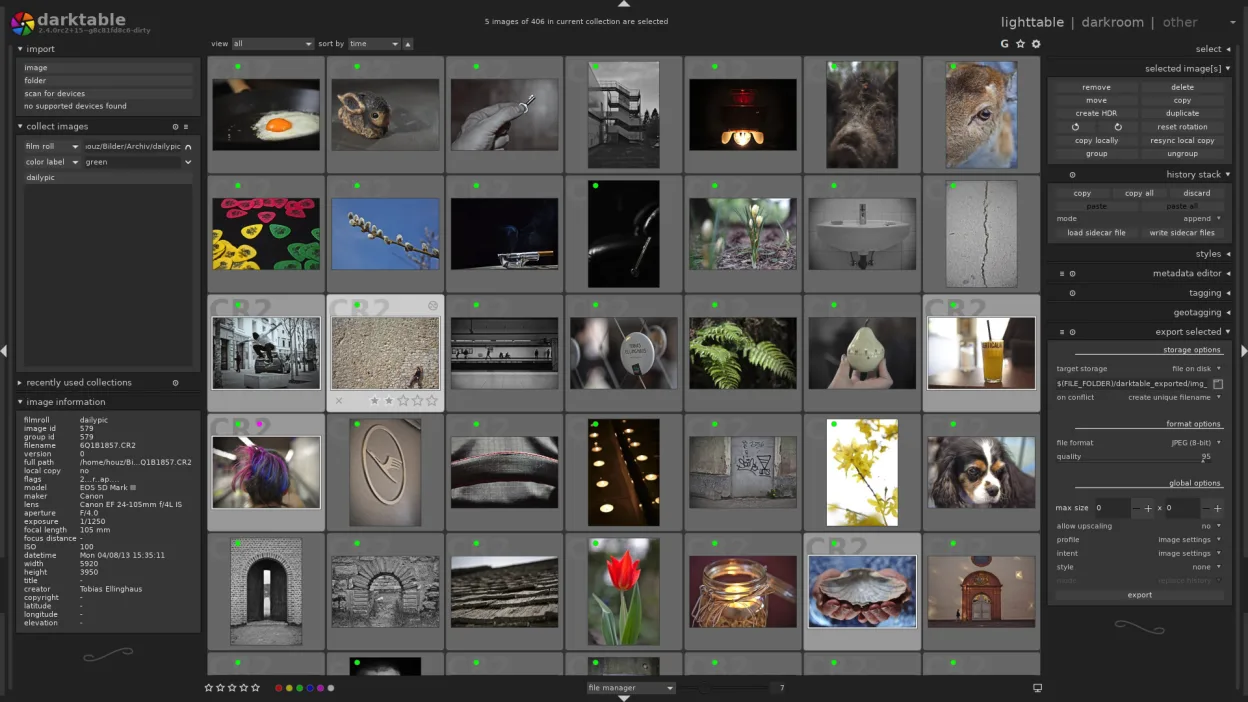
darktable is a free, open‑source photo editor that manages raw files and offers a full non‑destructive workflow.
darktable is a capable replacement for Microsoft Photos if you want deeper editing and raw support, but it's overkill for simple viewing. It handles basic edits like crop, rotate, and lighting well, and organizes photos by date and folder. However, its interface is denser and geared toward…
Feature parity65%



What is Microsoft Photos?
Microsoft Photos replaced the older Windows Photo Viewer and is designed for casual users who want to view, organize, and make quick edits to photos. It handles common formats like JPEG, PNG, and HEIC, and includes tools for cropping, filters, and basic adjustments. It’s aimed at users who don’t need advanced editing but want something simple and integrated.
The app is free and comes preinstalled with Windows 10 and 11. It does not require a subscription or separate download, though some features may rely on online services. There is no standalone paid version, and Microsoft has not released it for other platforms. Its functionality is limited compared to professional tools.
People look for Linux alternatives because Microsoft Photos doesn’t exist outside Windows. Linux users need tools that can view, organize, and edit images without relying on compatibility layers. Since photo management is a daily task for many, finding a native app that handles thumbnails, metadata, and common formats reliably is essential.
What a replacement for Microsoft Photos must do
- View common image formats (JPEG, PNG, HEIC)
- Organize photos by date or folder
- Perform basic edits (crop, rotate, adjust lighting)
- Fast thumbnail loading and browsing
- Minimalist, user-friendly interface
- Support for metadata and file tagging
- Lightweight resource usage
Can you run Microsoft Photos on Linux?
There is no native Linux version of Microsoft Photos, nor is there a web version. It does not work reliably under Wine, Proton, or Bottles — these tools are better suited for Windows games or complex apps. Some users have tried running it via Wine with limited success, but image handling and UI elements often break. It's not recommended. The app is Windows-only and not actively developed for cross-platform use.
Which alternative should you choose?
Shotwell fits users who want automatic organization and tagging, especially on GNOME desktops. nomacs - Image Lounge is ideal for fast, minimal viewing across many formats. GwenView works well for KDE users needing thumbnail previews and simple edits. feh suits advanced users comfortable with command-line tools and lightweight setups. darktable is better for those moving from editing-heavy workflows, though it's more complex than Microsoft Photos.
Moving your Microsoft Photos files and habits
To switch from Microsoft Photos, simply copy your image folders to Linux — no special export is needed. The app doesn’t use a proprietary database, so your files remain accessible. Most Linux viewers support JPEG, PNG, and HEIC (with optional codecs). If you used albums or tags in Photos, you’ll need to recreate them manually in Shotwell or GwenView, as tagging isn’t universally preserved across platforms.
Side-by-side comparison
| App | License | Flatpak | Latest version | Feature parity | Rating |
|---|---|---|---|---|---|
| Shotwell | LGPL-2.1+ | ✓ | 33.2 | 85% | — |
| nomacs - Image Lounge | GPL-3.0 | ✓ | 3.23 | 75% | — |
| GwenView | GPL-2.0+ | ✓ | 26.08.3 | 90% | — |
| feh | MIT | — | 3.13.1 | — | — |
| darktable | GPL-3.0+ | ✓ | 5.6.2 | 65% | — |
Microsoft Photos: frequently asked questions
Can I use Microsoft Photos on Linux with Wine?
No, it doesn't work reliably under Wine. The interface often breaks, and image loading fails. Use native Linux viewers instead.
Does Microsoft Photos store photos in a special format?
No, it uses standard formats like JPEG and PNG. Your files are not locked in and can be opened on any system.
Is there a cloud version of Microsoft Photos for Linux?
No, the app itself is not available on the web or in a browser. Microsoft's cloud photos are accessible via OneDrive in a browser, but editing features are limited.
Which Linux app is closest to Microsoft Photos in simplicity?
Shotwell and nomacs are the closest — both offer simple interfaces, basic editing, and fast browsing without clutter.
How important is Microsoft Photos to you?
Know a better alternative? Suggest an alternative