
 darktableLinux
vs
Nik CollectionWindows
darktable as a Linux alternative to Nik Collection
Updated
Our verdict
darktable can replace many of the Nik Collection’s core retouching and creative‑filter functions for photographers who work mainly with raw files and prefer a single, non‑destructive editor. It offers advanced colour grading, noise reduction, sharpening, black‑and‑white conversion, and a range of creative presets, all within a free, open‑source workflow. Users who rely on Nik plugins inside commercial editors like Lightroom or Photoshop may need to adjust their workflow, but for those who want a native Linux solution, darktable is a solid choice.
- License
- GPL-3.0+
- Price
- Free
- Latest version
- 5.6.2 (October 4, 2026)
- Rating
- —
What works the same
- Both provide advanced colour grading and retouch tools
- Both include noise reduction and sharpening options
- Both offer black‑and‑white conversion and creative stylisation filters
What is different
- Nik Collection plugins integrate directly into host editors (Lightroom, Photoshop, Capture One), while darktable is a standalone application
- Nik Collection includes a set of specialized plugins (e.g., Analog Efex, Color Efex Pro) that darktable does not replicate exactly
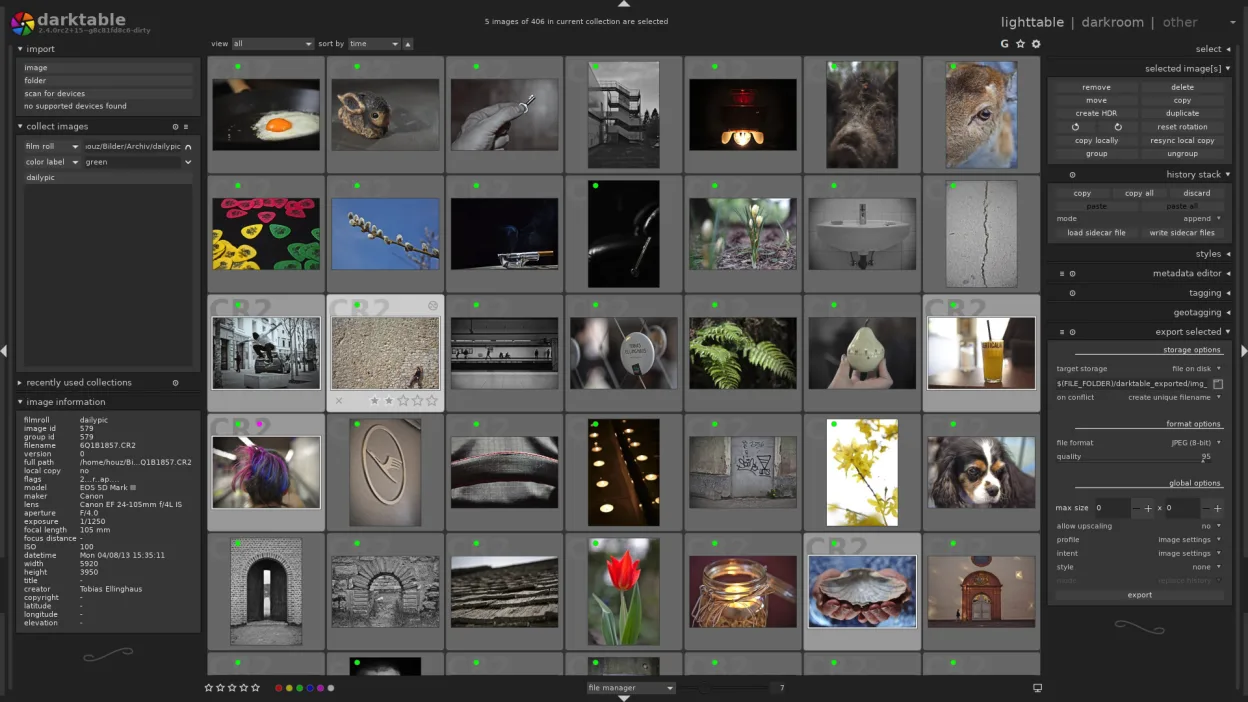
- Nik Collection’s interface is tightly coupled to the host editor’s UI, whereas darktable has its own lighttable/darkroom layout
- Nik Collection supports batch processing within host editors; darktable handles batches but not within other editors
- Nik Collection’s licensing is commercial; darktable is GPL‑3.0+ and free
Opening your Nik Collection files
darktable does not open Nik Collection plugin files (.plugin or .dcp). However, you can export images from darktable in common formats (JPEG, TIFF, PNG) and then import those into Photoshop or Lightroom to use Nik plugins, or you can use darktable’s native presets and scripts to achieve similar looks. Direct migration of plugin settings is not supported.
Switching from Nik Collection to darktable, step by step
- 1. Export your current images from the host editor as high‑quality JPEG or TIFF.
- 2. Import those files into darktable via the lighttable view.
- 3. Apply darktable’s colour grading, noise reduction, sharpening, and creative filters to match the look you had with Nik plugins.
- 4. If you need to continue using Nik plugins, export the processed images from darktable and re‑import them into the host editor for final touches.
Key features of darktable
- Non‑destructive editing with a history stack
- Lighttable and darkroom modes
- High‑precision raw processing
- Geotagging map view
- Tethering support
- Print and slideshow modes
- Extensible via Python scripts
How to install darktable on Linux
flatpak install flathub org.darktable.Darktablesudo apt install darktablesudo apt install darktablesudo dnf install darktablesudo pacman -S darktablesudo zypper install darktableFrequently asked questions
Can I use darktable to edit images that were previously processed with Nik Collection plugins?
Yes. Import the images into darktable, apply similar adjustments, and export the final files. Darktable does not read Nik plugin settings directly, so you’ll need to replicate the edits manually.
Does darktable support the same range of cameras as the Nik Collection?
darktable supports most modern camera raw formats, while Nik plugins typically work on JPEGs and TIFFs. If you work with raw files, darktable is preferable; if you only have JPEGs, both can handle them.
Will darktable give me the same creative filter look as Nik Collection’s Color Efex Pro?
darktable offers a set of creative presets and the ability to create custom filters, but the exact look of each Nik plugin is not identical. You can approximate many effects, but some proprietary filters may not be fully replicated.
4 other alternatives to Nik Collection
 GIMPGIMP is a free, open-source raster graphics editor for photo editing, digital painting, and image composition.Open sourceFreeFlatpakGIMP vs Nik Collection
 RawTherapeeRawTherapee is an open‑source, cross‑platform raw photo development program.Open sourceFreeFlatpakRawTherapee vs Nik Collection
 digiKamdigiKam is a comprehensive KDE photo manager for organizing, tagging, and editing digital photos with strong…Open sourceFreeFlatpakdigiKam vs Nik Collection
 LightZoneLightZone is a free, open‑source RAW photo editor with a non‑destructive tool‑stack workflow.Open sourceFreeFlatpakLightZone vs Nik Collection