

Linux · Graphics
RawTherapee
RawTherapee is an open‑source, cross‑platform raw photo development program.
- License
- GPL-3.0+
- Latest version
- 5.13 (July 26, 2026)
- Developer
- The RawTherapee Team
- Installs
- 2,217 (Flathub, 30 days)


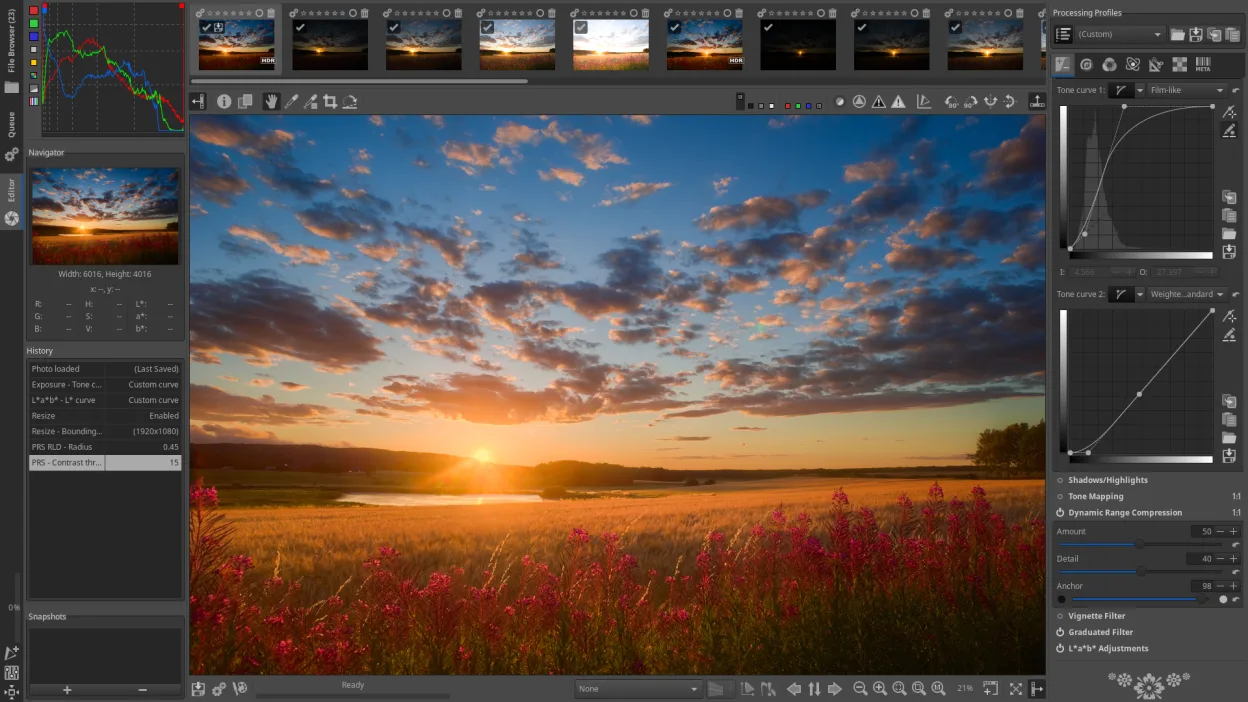

What is RawTherapee?
RawTherapee has been under active development for over a decade, written mainly in C++ with a GTK+ interface. It reads raw files via a patched dcraw engine and adds its own processing modules, making it suitable for a wide range of cameras and even HDR DNGs. The project releases frequent updates; the latest stable version is 5.13 as of mid‑2026.
The tool targets photography enthusiasts and semi‑professionals who want deep control over demosaicing, colour balance and tone curves. It assumes you are willing to read the documentation (RawPedia) and experiment, but it does not require expert knowledge to get decent results. Compared with Adobe Lightroom Classic, RawTherapee offers far more low‑level tweaking but lacks integrated cataloguing and cloud sync. Against Affinity Photo it feels more specialised for raw conversion rather than general image editing.
On Linux it installs from the usual repositories (Arch, Debian, Fedora, openSUSE, Ubuntu) and also as a Flathub flatpak. The UI is dense but logical; panels can be hidden, and changes are previewed in real time. If you are moving from Windows, expect a steeper learning curve but a workflow that rewards hands‑on adjustment and batch processing.
Best for: Enthusiasts and semi‑professionals who need granular raw processing without a subscription.
Key features of RawTherapee
- Non‑destructive raw editing with real‑time preview
- Advanced demosaicing algorithms and colour management
- Batch processing with custom scripts
- Support for HDR DNG, JPEG, TIFF and PNG
- Extensive lens correction and noise reduction tools
- Customizable UI panels and keyboard shortcuts
- Built‑in histogram, waveform and vectorscope
Pros
- Very high image quality and control
- Free and open source, no licence restrictions
- Cross‑platform, works on most Linux distros
- Active community and extensive documentation
Cons
- No built‑in digital asset management
- Steeper learning curve than Lightroom
- Limited integration with cloud services
Windows programs RawTherapee replaces
How to install RawTherapee on Linux
flatpak install flathub com.rawtherapee.RawTherapeesudo apt install rawtherapeesudo apt install rawtherapeesudo dnf install rawtherapeesudo pacman -S rawtherapeesudo zypper install rawtherapeeTips for Windows users
RawTherapee reads the same raw formats Lightroom and Affinity support, so you can open your existing .NEF, .CR2, .ARW files directly. Learn the default shortcuts (e.g., Ctrl+Z for undo, F5 to refresh preview) and map any custom ones you used in Lightroom. Use the batch editor to apply a preset to a folder, then export to TIFF or JPEG for further editing in GIMP or for archiving.
Recent releases
- 5.13 —
- 5.12 —
- 5.11 —
- 5.10 —
RawTherapee: frequently asked questions
Can RawTherapee import Lightroom catalogs?
No, it cannot read Lightroom's .lrcat files; you need to import raw files manually.
Is there GPU acceleration?
RawTherapee relies mainly on CPU processing; some operations can use OpenCL if enabled.
How do I install RawTherapee on Ubuntu?
Install via the official Ubuntu repository (sudo apt install rawtherapee) or use the Flathub flatpak for the latest version.
Does RawTherapee support tethered shooting?
Tethered capture is not built in, but you can import files from the camera folder after shooting.
Updated