
Windows · System Tools
Best Linux alternatives to Docker Desktop for Windows
Docker Desktop for Windows provides container management via GUI; on Linux, Podman Desktop and command-line tools offer equivalent functionality.
Updated
Quick answer
The best Linux alternative to Docker Desktop for Windows is Podman Desktop. Other strong options: Buildah.
2 Linux alternatives to Docker Desktop for Windows
-
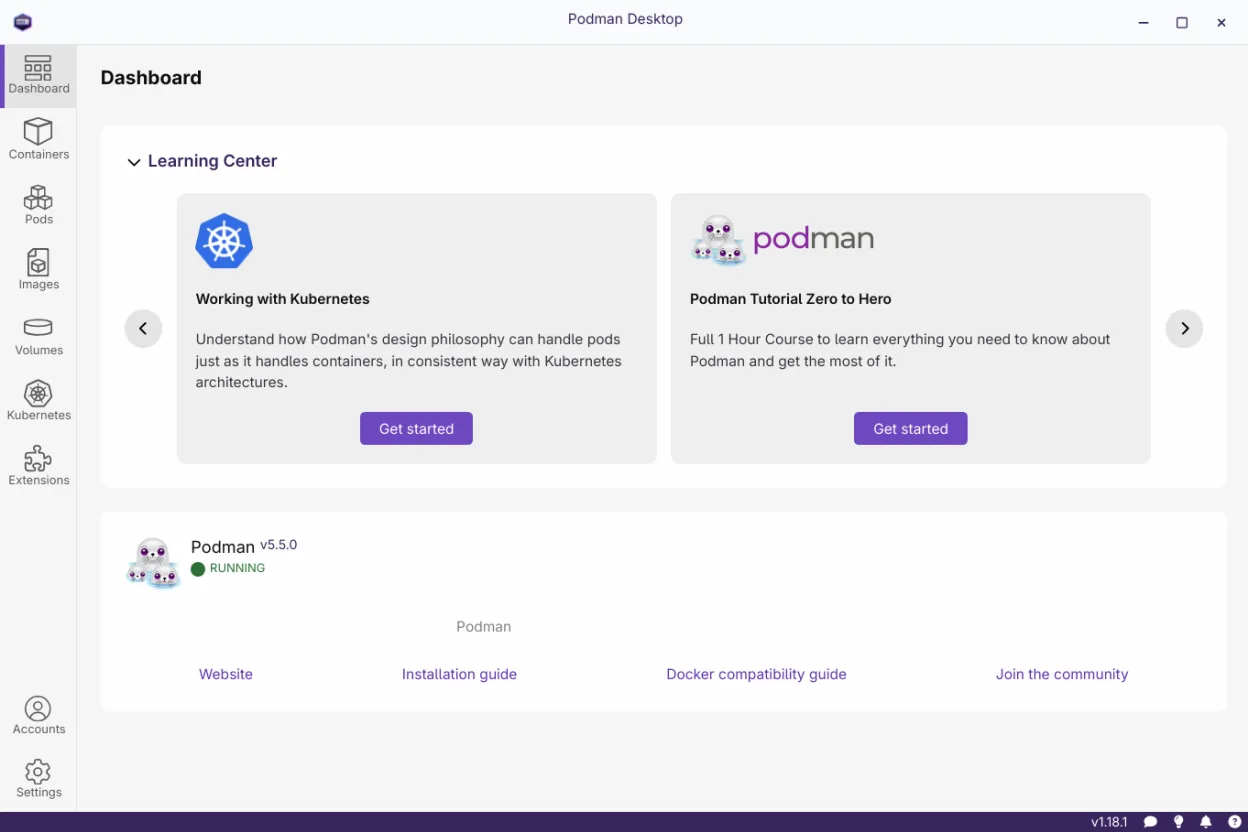
Podman Desktop is a graphical tool for managing Podman, Docker, and other container engines from one interface.
Podman Desktop is a solid replacement for Docker Desktop on Linux, especially for users who want rootless containers and daemonless operation without sacrificing GUI convenience. It supports image builds, container management, logs, and terminal access through a clean interface. If you're on Linux…
Feature parity90% -
Buildah builds OCI-compatible container images without requiring a daemon, making it lightweight and secure.
Buildah is a solid replacement for Docker Desktop for Windows if you prioritize image building without a daemon and don’t need a GUI. It runs rootless and securely, integrates well with Podman for running containers, and works seamlessly in scripts and CI/CD. However, it lacks a graphical…
Feature parity65%

What is Docker Desktop for Windows?
Docker Desktop simplifies container management with a graphical interface and system integration, primarily used by developers and ops teams running containerized apps on Windows. It streamlines building, running, and monitoring containers, often for local development and testing workflows involving microservices or cloud-native applications.
The software is free for individuals and small teams under permitted use, but Docker enforces limits and may require paid plans for larger organizations or commercial use. Licensing is tied to user accounts and organization policies, with telemetry and compliance checks enforced in recent versions.
People seek Linux alternatives because Docker Desktop isn't available natively on Linux as a GUI-managed suite. Linux systems handle containers more directly via CLI tools and systemd integration. Users want lightweight, open, and fully compatible replacements that avoid vendor lock-in while supporting modern container workflows.
What a replacement for Docker Desktop for Windows must do
- Run containers without requiring root privileges
- Graphical interface for managing images and containers
- Integration with systemd for auto-starting services
- CLI compatibility with Docker commands
- Image building without a daemon
- Secure, rootless container execution
- Daemonless operation for lower overhead
Can you run Docker Desktop for Windows on Linux?
There is no native Linux version of Docker Desktop, but its core functionality is replicated using open-source tools. Podman, Buildah, and related utilities are native to Linux and pre-built for major distributions. While Docker Engine runs on Linux, it lacks the GUI and deep OS integration of the Desktop version. Wine/Proton/Bottles do not support Docker Desktop reliably — it is not designed to run outside Windows.
Which alternative should you choose?
Podman Desktop is ideal for users wanting a GUI similar to Docker Desktop, with system tray integration and easy container management. Developers comfortable with the terminal can use Buildah alongside Podman for building and running containers without a daemon. Podman provides a Docker-compatible CLI, making it easy to transition scripts and workflows. Choose Podman Desktop for visual control, or Buildah for scriptable, lightweight image creation.
Moving your Docker Desktop for Windows files and habits
Migrating from Docker Desktop involves re-creating containers using Podman or Buildah commands. Image formats are compatible — Docker images run unmodified under Podman. Volume and network configurations may need minor adjustments. Export containers using 'docker save' and import with 'podman load'. Most Docker Compose files work directly with 'podman-compose' or Podman's built-in compose support.
Side-by-side comparison
| App | License | Flatpak | Latest version | Feature parity | Rating |
|---|---|---|---|---|---|
| Podman Desktop | Apache-2.0 | ✓ | 1.31.0 | 90% | — |
| Buildah | Apache-2.0 | — | 1.46.1 | 65% | — |
Docker Desktop for Windows: frequently asked questions
Can Podman run Docker images?
Yes, Podman can pull, run, and manage Docker images directly because it uses the same container image format and registry system.
Do I need to run containers as root with Podman?
No, Podman runs rootless by default, using user namespaces — a major security and usability improvement over Docker.
Is there a GUI for managing containers like Docker Desktop?
Yes, Podman Desktop provides a native Linux GUI with container, image, and volume management, closely mirroring Docker Desktop's interface.
Can I use docker-compose.yml files with Podman?
Yes, Podman supports Docker Compose files via 'podman-compose' or built-in 'podman compose' in newer versions.
How important is Docker Desktop for Windows to you?
Know a better alternative? Suggest an alternative