
Windows · System Tools
Best Linux alternatives to Docker
Docker packages and runs applications in lightweight containers, ensuring consistent behavior across environments.
Updated
Quick answer
The best Linux alternative to Docker is Podman Desktop. Other strong options: LXC, Buildah.
3 Linux alternatives to Docker
-
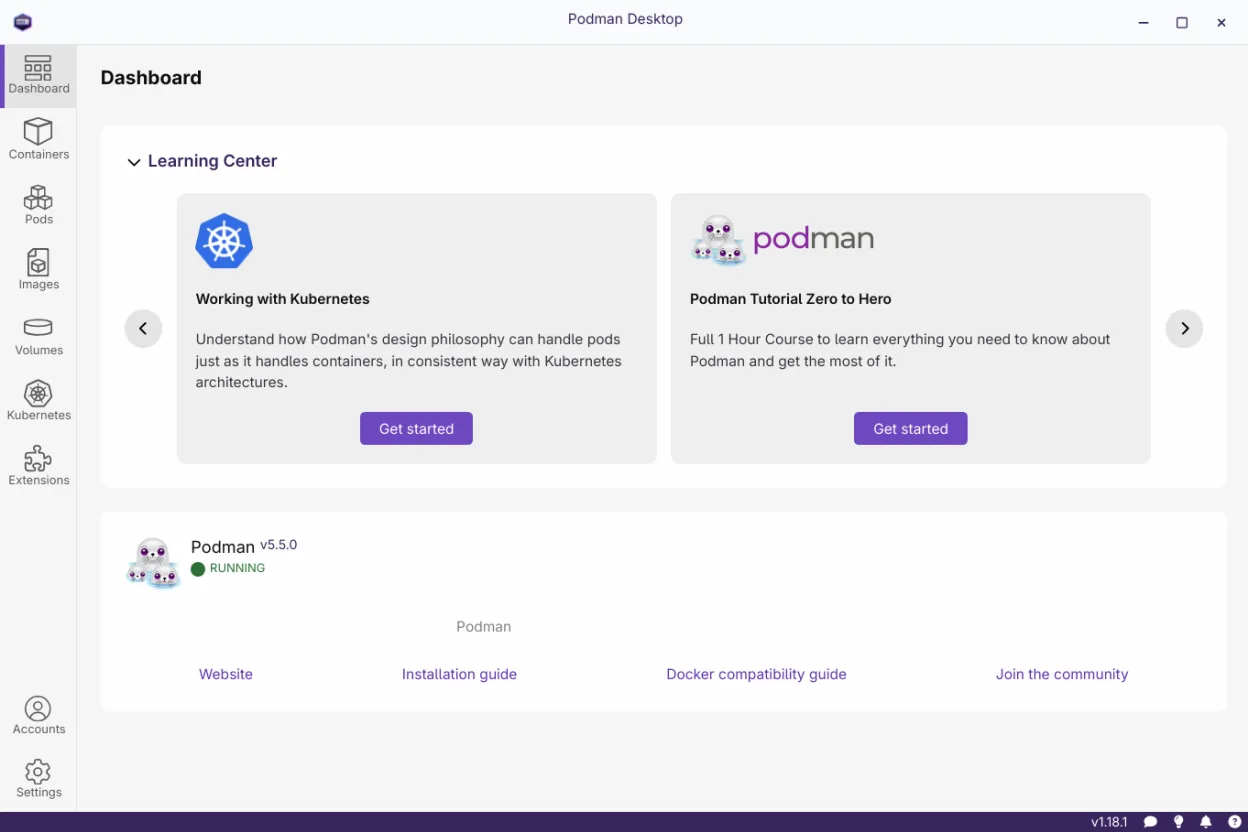
Podman Desktop is a graphical tool for managing Podman, Docker, and other container engines from one interface.
Podman Desktop is a solid replacement for Docker on Linux, especially for users who prefer GUI management alongside CLI control. It supports building from Dockerfiles, running containers, managing images, and integrates with Podman’s daemonless, rootless architecture by default. Since it can manage…
Feature parity90% -
LXC is a lightweight container system that runs multiple isolated Linux systems on a single host using OS-level virtualization.
LXC is not a direct replacement for Docker if you rely on Dockerfiles, image building, or Docker Hub. It excels at running full Linux system containers with strong isolation and systemd integration, making it ideal for server virtualization. However, it lacks native support for building application…
Feature parity35% -
Buildah builds OCI-compatible container images without requiring a daemon, making it lightweight and secure.
Buildah is a solid replacement for Docker if you primarily build container images and prefer a daemonless, lightweight workflow. It handles Dockerfiles via
buildah budand produces Docker-compatible images, making it suitable for users who want to avoid Docker's background daemon and reduce…Feature parity75%

What is Docker?
Docker simplifies application deployment by bundling software and dependencies into isolated containers. Developers, DevOps engineers, and teams use it to streamline workflows, test locally, and deploy reliably across systems. It's especially valuable in microservices architectures where consistency and isolation are critical.
Docker offers a free Community Edition and a paid Enterprise version with support and additional tools. The core technology is open-source, but some management features and cloud integrations are behind paywalls. Licensing can become complex in large deployments or production clusters.
People seek Linux alternatives because Docker's post-2020 changes include telemetry and a shift in governance. Some users prefer fully open-source tools without centralized control. Others want lighter, daemonless options or tighter integration with Linux distributions and system tooling.
What a replacement for Docker must do
- Run containers without a background daemon
- Build container images from Dockerfiles
- Manage containers and images via CLI
- Support for rootless containers
- Compatibility with Docker Hub images
- No mandatory cloud account or telemetry
- Integration with systemd and Linux security features
Can you run Docker on Linux?
Docker has a native Linux version and is widely used on Linux systems. However, some users avoid it due to its daemon requirement and licensing changes. Podman Desktop, LXC, and Buildah are native Linux tools that don't rely on a central daemon. Podman and Buildah are designed specifically for Linux and offer full rootless support. Wine or Proton are not relevant here—these are container tools, not GUI apps.
Which alternative should you choose?
Podman Desktop suits users wanting a Docker-compatible GUI and CLI with no daemon. LXC is better for system-level containerization resembling lightweight VMs. Buildah fits those focused on building images securely without a daemon. Developers needing full Docker API compatibility may still rely on Docker, but most workflows can shift to Podman or Buildah. Choose LXC for OS containers, Podman or Buildah for app containers.
Moving your Docker files and habits
You can run most Docker images directly with Podman or Buildah—no conversion needed. Dockerfiles work unchanged with Buildah. Container volumes and networks may need minor adjustments. Export containers using standard image formats like OCI. Data volumes should be backed up separately. Most Docker Compose files work with Podman if you install Compose support.
Side-by-side comparison
| App | License | Flatpak | Latest version | Feature parity | Rating |
|---|---|---|---|---|---|
| Podman Desktop | Apache-2.0 | ✓ | 1.31.0 | 90% | — |
| LXC | GPL-2.0 | — | 7.0.0 | 35% | — |
| Buildah | Apache-2.0 | — | 1.46.1 | 75% | — |
Docker: frequently asked questions
Can Podman run Docker images?
Yes, Podman can pull and run Docker images from Docker Hub and other registries without changes.
Do I need Docker Desktop on Linux?
No, Docker Desktop is for macOS and Windows. On Linux, use the Docker Engine directly or switch to Podman.
Is Docker still free for personal use?
Yes, Docker Engine remains free for individuals and small teams, but some cloud features require accounts.
Can I use Docker Compose with Podman?
Yes, Podman supports Docker Compose files if you install the Podman Compose plugin.
How important is Docker to you?
Know a better alternative? Suggest an alternative