
 FirefoxLinux
vs
Microsoft Edge LegacyWindows
FirefoxLinux
vs
Microsoft Edge LegacyWindows
Firefox as a Linux alternative to Microsoft Edge Legacy
Updated
Our verdict
Firefox is a solid replacement for Microsoft Edge Legacy, especially for users who value privacy, customization, and consistent cross-platform sync. It supports modern web standards, delivers strong JavaScript performance, and offers robust extension support. While it doesn’t integrate with Microsoft cloud services as tightly as Edge Legacy did, it works well for general browsing, tab management, and private sessions. Users leaving Windows for Linux will find Firefox reliable and actively maintained, with regular security updates and strong community support.
- License
- MPL-2.0
- Price
- Free
- Latest version
- 159.0 (October 22, 2026)
- Rating
- —
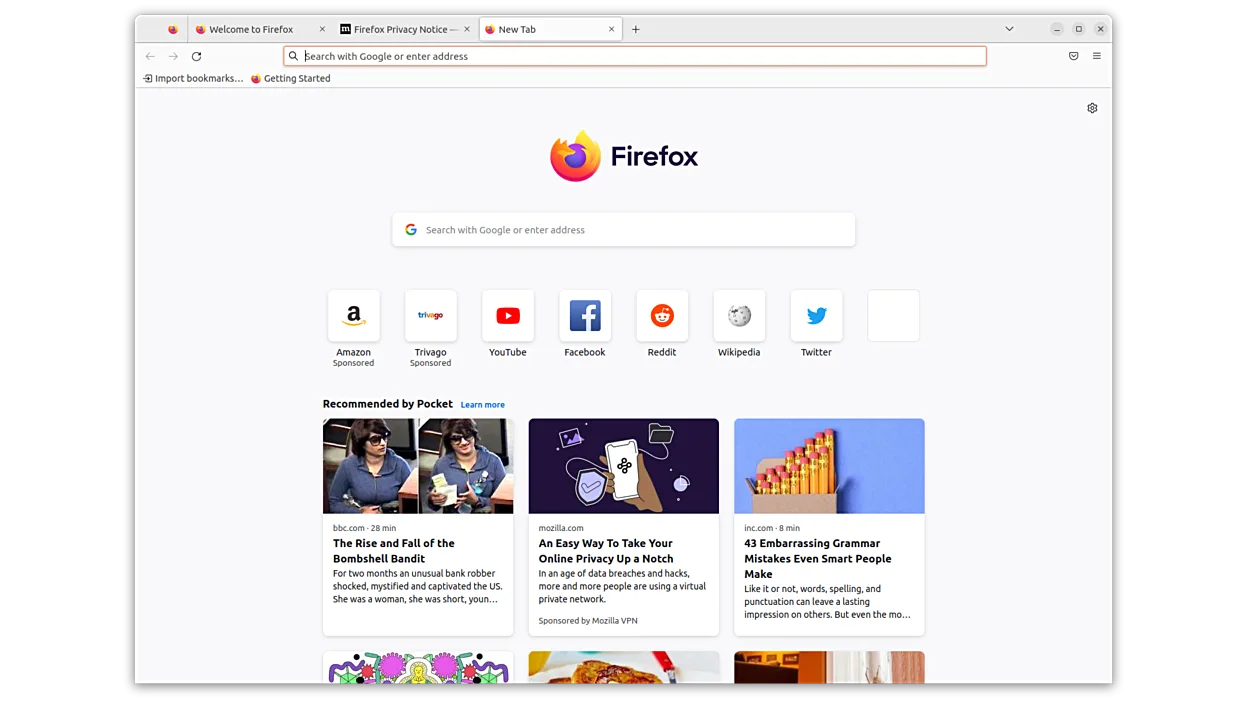
What works the same
- Supports modern HTML5, CSS3, and fast JavaScript execution
- Offers tab management with multiple open tabs and session restore
- Includes private browsing mode with tracking protection
- Supports browser extensions and add-ons
- Provides sync across devices via Firefox Account
What is different
- Firefox uses its own Gecko engine instead of EdgeHTML
- No built-in integration with Microsoft OneDrive or Office 365
- Enhanced Tracking Protection is enabled by default, unlike Edge Legacy
- Container tabs allow session isolation, a feature Edge Legacy lacked
- Open-source model and non-profit backing differ from Microsoft’s corporate development
Opening your Microsoft Edge Legacy files
Firefox can open HTML bookmarks exported from Microsoft Edge Legacy using standard HTML format. History and passwords can be imported via Firefox’s import wizard from Edge Legacy if running on Windows first. Cookies and cached data are not directly transferable due to different storage formats. Session data like open tabs can be manually migrated through bookmarking. No known tool directly converts Edge Legacy profiles to Firefox format on Linux.
Switching from Microsoft Edge Legacy to Firefox, step by step
- Export bookmarks from Microsoft Edge Legacy as HTML
- Install Firefox on Linux via your distribution’s package manager
- Launch Firefox and import the bookmarks file under Library > Bookmarks > Import & Backup
- Set up Firefox Sync with a new account to enable cross-device sync
- Install essential extensions like uBlock Origin or Dark Reader from addons.mozilla.org
- Enable Container Tabs in Settings if you need session isolation
Key features of Firefox
- Built-in Enhanced Tracking Protection
- Extensive extension library
- Container tabs for isolating sessions
- Customizable themes and interfaces
- Regular security updates and patches
- Non-profit development model
How to install Firefox on Linux
flatpak install flathub org.mozilla.firefoxsudo apt install firefoxsudo apt install firefox-esrsudo dnf install firefoxsudo pacman -S firefox-i18n-es-mxsudo zypper install MozillaFirefoxFrequently asked questions
Can Firefox run Microsoft Edge Legacy extensions?
No, Firefox does not support Edge Legacy extensions directly. However, most popular extensions have Firefox-compatible versions available on addons.mozilla.org.
Does Firefox sync passwords and tabs like Edge Legacy?
Yes, Firefox Sync securely syncs passwords, bookmarks, open tabs, and history across devices when signed into a Firefox account.
Is Firefox on Linux as fast as Edge Legacy was on Windows?
Firefox performs well and handles modern web content efficiently. While JavaScript speed is comparable, actual performance depends on site complexity and installed extensions.
6 other alternatives to Microsoft Edge Legacy
 ChromiumChromium is the open-source core behind Chrome and Edge, providing a fast, stable web browser without…Open sourceFreeFlatpakChromium vs Microsoft Edge Legacy
 Google ChromeGoogle Chrome is a proprietary, Chromium-based web browser for Linux that offers a familiar, fast browsing…FreeFlatpakGoogle Chrome vs Microsoft Edge Legacy
 BraveBrave is a fast, privacy‑focused web browser that blocks ads and trackers by default and offers an optional…Open sourceFreeFlatpakBrave vs Microsoft Edge Legacy
 VivaldiVivaldi is a highly customizable, feature-rich web browser built for power users who want deep control over…FlatpakVivaldi vs Microsoft Edge Legacy
 EpiphanyEpiphany (GNOME Web) is a lightweight GNOME‑based web browser built on WebKit.Open sourceFreeEpiphany vs Microsoft Edge Legacy
 FalkonFalkon is a lightweight Qt web browser aimed at providing a fast, feature‑rich browsing experience on Linux.Open sourceFreeFlatpakFalkon vs Microsoft Edge Legacy