
 GeanyLinux
vs
IntelliJ IDEAWindows
GeanyLinux
vs
IntelliJ IDEAWindows
Geany as a Linux alternative to IntelliJ IDEA
Updated
Our verdict
Geany is not a suitable replacement for IntelliJ IDEA for serious Java or Kotlin development. While Geany is a fast, lightweight editor that handles basic syntax highlighting and simple scripting, it lacks the deep JVM integration, advanced refactoring, and static analysis required for large-scale enterprise projects. It is best suited for quick edits or lightweight scripting in languages like Python or C. If you rely on IntelliJ's ecosystem for complex Java/Kotlin workloads, Geany will feel like a significant downgrade in capability and productivity.
- License
- GPL-2.0+
- Price
- Free
- Latest version
- 2.1.0 (July 6, 2025)
- Rating
- —
What works the same
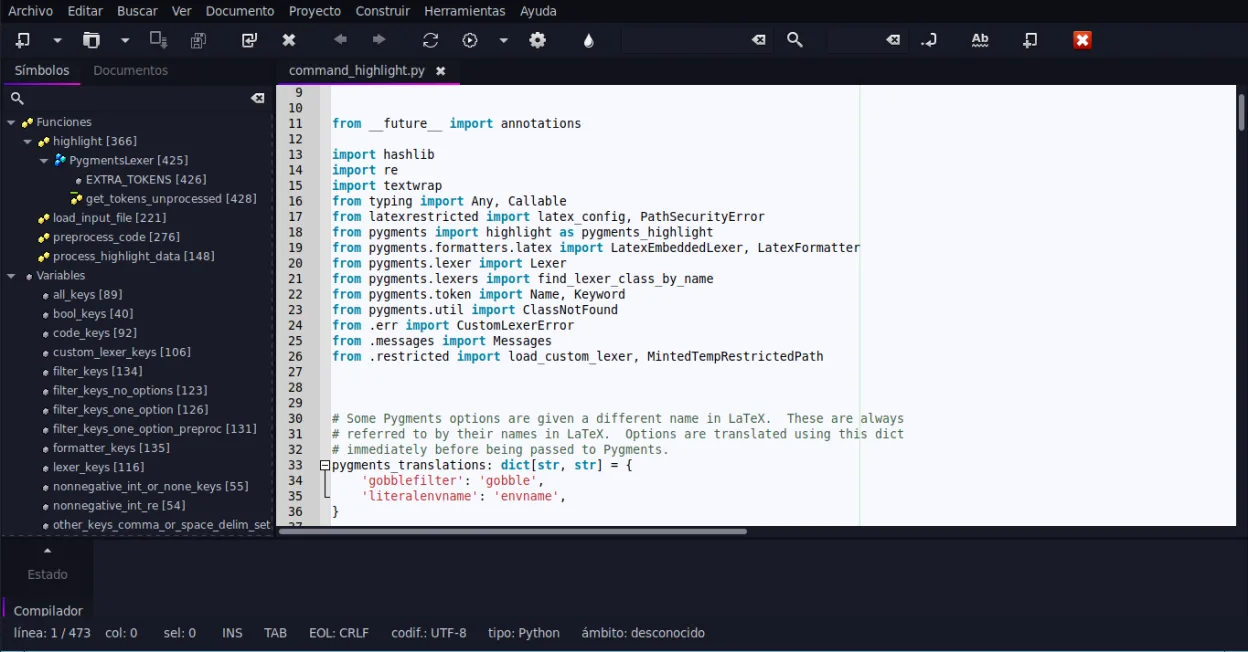
- Supports Java syntax highlighting and basic code editing
- Includes an embedded terminal for running commands
- Offers code folding and symbol lists for navigation
- Extensible via a plugin system for additional features
What is different
- Lacks integrated JVM debugger and advanced static analysis
- No deep project management for large multi-module codebases
- Missing sophisticated refactoring tools specific to Java/Kotlin
- Limited native support for Kotlin compilation and tooling
Opening your IntelliJ IDEA files
Geany can open individual Java or Kotlin source files (.java, .kt) as plain text, allowing you to view and edit code. However, it cannot open or understand IntelliJ IDEA project files (.iml, .idea directory structure) or build configurations. You will need to manually manage dependencies and build paths, as Geany does not integrate with Maven or Gradle natively in the same way IntelliJ does.
Switching from IntelliJ IDEA to Geany, step by step
- Install Geany via your package manager or Flathub
- Open your source code files directly in Geany
- Configure your terminal environment to run Java/Kotlin builds manually
- Install relevant plugins for syntax highlighting if not enabled
- Set up external tools for debugging if necessary
- Manage version control via Git commands in the embedded terminal
Key features of Geany
- Syntax highlighting for over 30 languages
- Code completion and auto‑completion of common constructs
- Embedded terminal emulator
- Plugin manager with pre‑installed plugins
- Code folding and symbol lists
- Support for XML/HTML tag completion
How to install Geany on Linux
flatpak install flathub org.geany.Geanysudo apt install geanysudo apt install geanysudo dnf install geanysudo pacman -S geanysudo zypper install geanyFrequently asked questions
Can Geany run Maven or Gradle builds?
Geany does not have built-in Maven or Gradle integration. You must run these build tools manually from the embedded terminal or external shell.
Is there a Kotlin plugin for Geany?
Geany has basic syntax highlighting for Kotlin, but it lacks the deep language support, completion, and refactoring capabilities found in dedicated IDEs.
Will Geany slow down on large projects?
Geany is lightweight and fast, but it does not index large codebases for semantic understanding. Navigation may feel less responsive compared to IntelliJ on very large projects.
4 other alternatives to IntelliJ IDEA
 Visual Studio CodeA lightweight, extensible code editor that supports debugging, Git, and many languages.FreeFlatpakVisual Studio Code vs IntelliJ IDEA
 Eclipse IDE for Java DevelopersA free, open-source Java IDE with built-in Git, Maven, and Gradle support, ideal for enterprise and standard…Open sourceFreeFlatpakEclipse IDE for Java Developers vs IntelliJ IDEA
 NetBeans IDENetBeans is a free, open-source IDE focused on Java development, with support for PHP, C/C++, HTML5, and…Open sourceFreeFlatpakNetBeans IDE vs IntelliJ IDEA
 KDevelopKDevelop is a free, plugin-based IDE for KDE supporting C++, Python, PHP, and other languages with strong…Open sourceFreeFlatpakKDevelop vs IntelliJ IDEA