
Windows · Programming
Best Linux alternatives to IntelliJ IDEA
IntelliJ IDEA is a powerful Java and Kotlin IDE, but Linux users can switch to native tools like Eclipse or VS Code.
Updated
Quick answer
The best Linux alternative to IntelliJ IDEA is Visual Studio Code. Other strong options: Eclipse IDE for Java Developers, NetBeans IDE, KDevelop.
5 Linux alternatives to IntelliJ IDEA
-

A lightweight, extensible code editor that supports debugging, Git, and many languages.
Visual Studio Code can replace IntelliJ IDEA for developers who mainly work with Java or Kotlin and need a lightweight, fast editor. It provides Java/Kotlin compilation via extensions, a JVM debugger, Git integration, and refactoring tools, but the experience is less integrated than IDEA’s…
Feature parity70% -
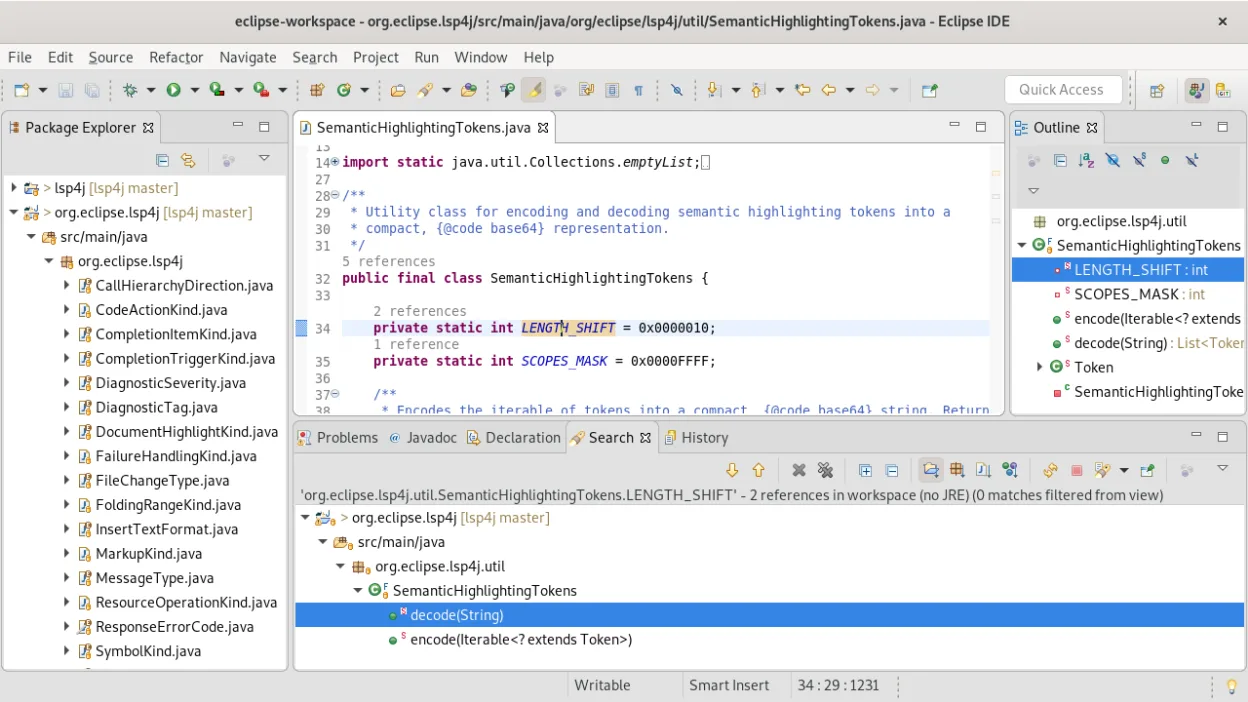
A free, open-source Java IDE with built-in Git, Maven, and Gradle support, ideal for enterprise and standard Java development.
Eclipse is a solid, free alternative for developers who prioritize standard Java and enterprise tooling over modern Kotlin-first workflows. It handles large codebases well with its mature refactoring tools and integrated Git client. However, if your project relies heavily on Kotlin, you will…
Feature parity75% -

NetBeans is a free, open-source IDE focused on Java development, with support for PHP, C/C++, HTML5, and JavaScript.
NetBeans IDE can replace IntelliJ IDEA for developers who work mainly with Java and need a free, open‑source solution. It offers full Java SE, EE, and JavaFX support, a built‑in debugger, refactoring, and Git integration. However, IntelliJ’s Kotlin support, advanced static analysis, and richer…
Feature parity75% -
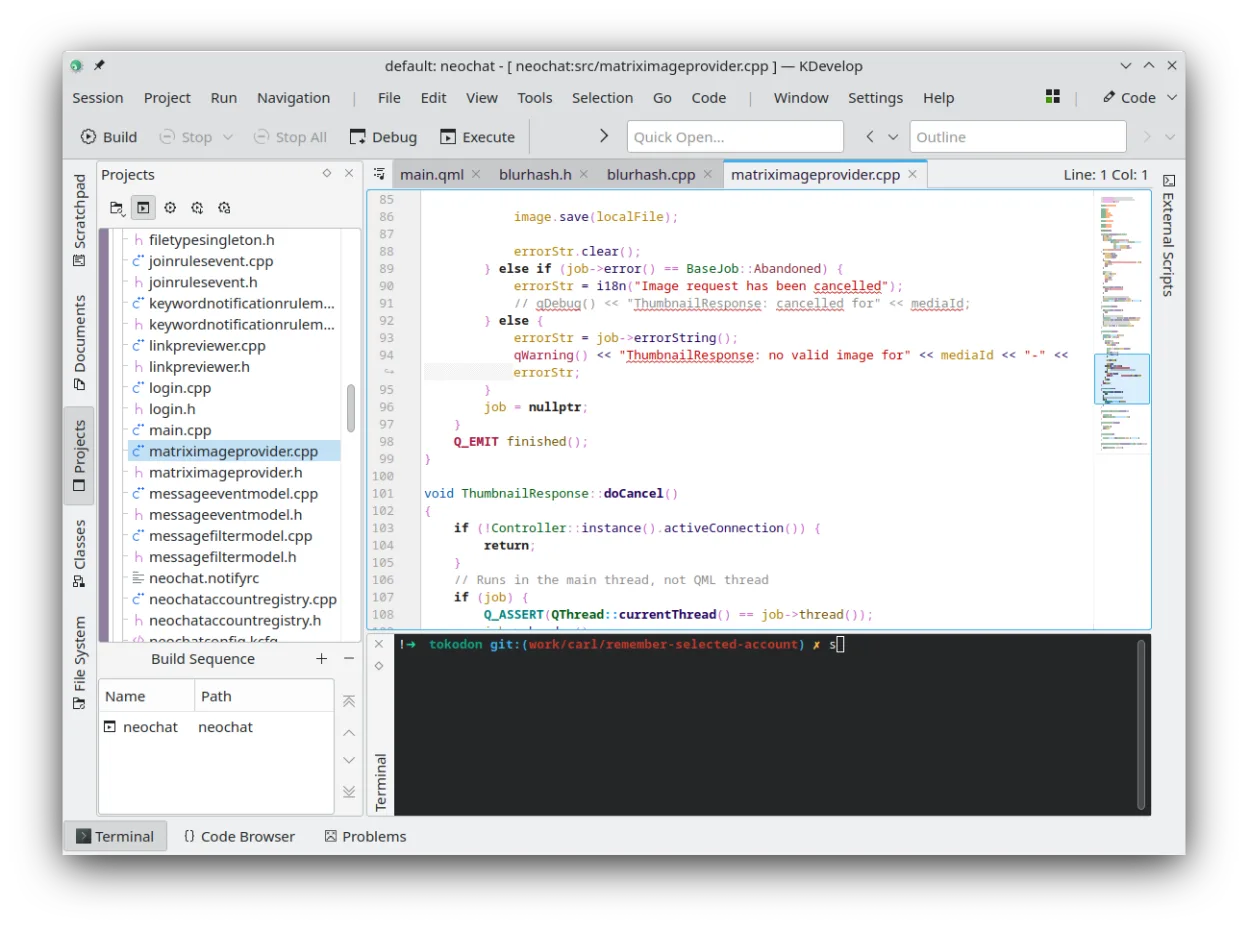
KDevelop is a free, plugin-based IDE for KDE supporting C++, Python, PHP, and other languages with strong debugging tools.
KDevelop is not a direct replacement for IntelliJ IDEA if your primary focus is Java or Kotlin. While KDevelop excels as a native Linux IDE for C/C++, it lacks the deep JVM integration, static analysis, and refactoring tools that define the IntelliJ experience. It is a good choice only if your…
Feature parity30% -
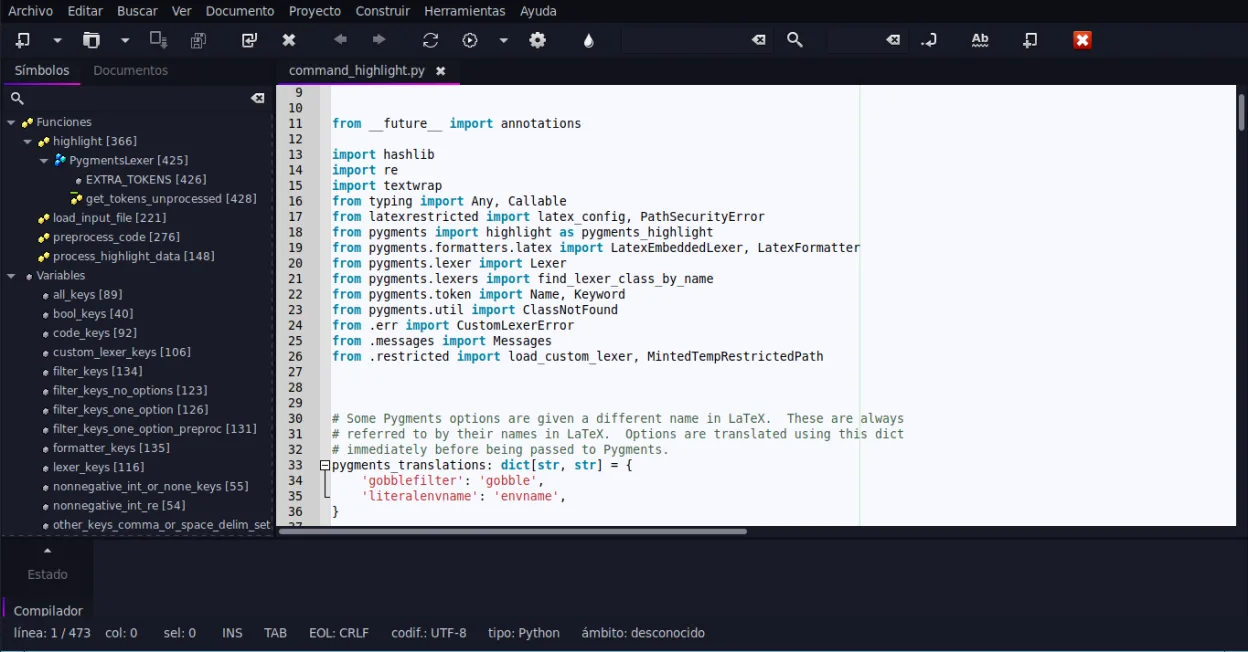
Geany is a lightweight, fast IDE that supports many languages and plugins out of the box.
Geany is not a suitable replacement for IntelliJ IDEA for serious Java or Kotlin development. While Geany is a fast, lightweight editor that handles basic syntax highlighting and simple scripting, it lacks the deep JVM integration, advanced refactoring, and static analysis required for large-scale…
Feature parity20%





What is IntelliJ IDEA?
Developers use IntelliJ IDEA to build applications in Java, Kotlin, and other JVM languages. It provides deep code analysis, refactoring, and debugging tools that streamline the workflow for professional software engineers working on complex projects. The interface is designed to reduce context switching by integrating version control and database tools directly into the editor.
JetBrains offers a free Community Edition under the Apache 2.0 license, which covers core Java and Kotlin features. The Ultimate Edition is a paid, proprietary product that adds support for web technologies, enterprise frameworks, and database tools. Both versions allow commercial use, but the Community Edition lacks some advanced integrations found in the paid tier.
Although IntelliJ IDEA runs on Linux, it is a Java application that consumes significant system resources. Some developers prefer native Linux IDEs that feel more integrated with the operating system, offer lighter resource usage, or align better with open-source philosophies. Others may seek alternatives due to licensing costs or a preference for different keybindings and workflows.
What a replacement for IntelliJ IDEA must do
- Support for Java and Kotlin compilation
- Integrated debugger for JVM applications
- Code refactoring and static analysis
- Version control integration (Git)
- Project management for large codebases
- Plugin ecosystem for extensions
Can you run IntelliJ IDEA on Linux?
IntelliJ IDEA has a native Linux build, so it runs directly on Linux without Wine or Proton. It is distributed as a tar.gz archive that you extract and run. Because it is written in Java, it performs well on modern Linux systems, though it does require a decent amount of RAM. You do not need a compatibility layer; the official installer or manual setup works identically to the Windows or macOS versions.
Which alternative should you choose?
If you need a lightweight, flexible editor with a vast extension market, Visual Studio Code is a strong choice, especially for Kotlin and Java via extensions. For a traditional, full-featured IDE experience closest to IntelliJ's structure, Eclipse IDE for Java Developers is the standard open-source alternative. NetBeans IDE is another solid option for Java developers who prefer a different UI layout. KDevelop and Geany are better suited for C/C++ or general scripting, so they are less ideal if your primary focus is JVM development.
Moving your IntelliJ IDEA files and habits
Migrating projects is straightforward because source code files (Java, Kotlin) are text-based and portable. You can import existing Git repositories directly into the new IDE. However, IntelliJ-specific project settings and run configurations will not transfer automatically. You will need to manually reconfigure build paths, JVM options, and environment variables in the new tool. Code style settings can often be exported from IntelliJ and imported into other IDEs if they support similar configuration formats.
Side-by-side comparison
| App | License | Flatpak | Latest version | Feature parity | Rating |
|---|---|---|---|---|---|
| Visual Studio Code | LicenseRef-proprietary=https… | ✓ | 1.139.1 | 70% | — |
| Eclipse IDE for Java Developers | EPL-2.0 | ✓ | 4.41 | 75% | — |
| NetBeans IDE | Apache-2.0 | ✓ | 31 | 75% | — |
| KDevelop | GPL-2.0-or-later | ✓ | 6.5.260403 | 30% | — |
| Geany | GPL-2.0+ | ✓ | 2.1.0 | 20% | — |
IntelliJ IDEA: frequently asked questions
Is the Community Edition enough for most Java work?
Yes, for pure Java and Kotlin development, the Community Edition covers the essential features. You only need the paid Ultimate Edition if you work heavily with web frameworks, databases, or enterprise Java EE technologies.
Does Eclipse support Kotlin as well as IntelliJ?
Eclipse supports Kotlin through plugins, but the integration is generally not as seamless or feature-rich as IntelliJ's native support. You may encounter occasional glitches or missing features compared to the dedicated Kotlin IDE.
Can I use my existing IntelliJ plugins in VS Code?
No, IntelliJ plugins are not compatible with VS Code. You will need to find equivalent extensions in the VS Code marketplace, which may have different capabilities or require different configuration.
Is IntelliJ IDEA open source?
The Community Edition is open source under the Apache 2.0 license. The Ultimate Edition is proprietary, though some of its underlying components may be open source. The core codebase for the Community Edition is available on GitHub.
How important is IntelliJ IDEA to you?
Know a better alternative? Suggest an alternative