
 geditLinux
vs
EmacsWindows
gedit as a Linux alternative to Emacs
Updated
Our verdict
gedit is not a realistic replacement for Emacs if you rely on its extensibility, modal editing, or Lisp customization. It is a simple, modal-free text editor designed for general-purpose use and basic coding. It lacks the deep integration, terminal access, and plugin ecosystem that define the Emacs experience. Switching to gedit means abandoning the 'editor within an editor' workflow. It is only suitable for users who want to move away from Emacs entirely because they find it too complex, not for those seeking an equivalent tool.
- License
- GPL-2.0+
- Price
- Free
- Latest version
- 51.0 (October 15, 2026)
- Rating
- 5/5 (1)
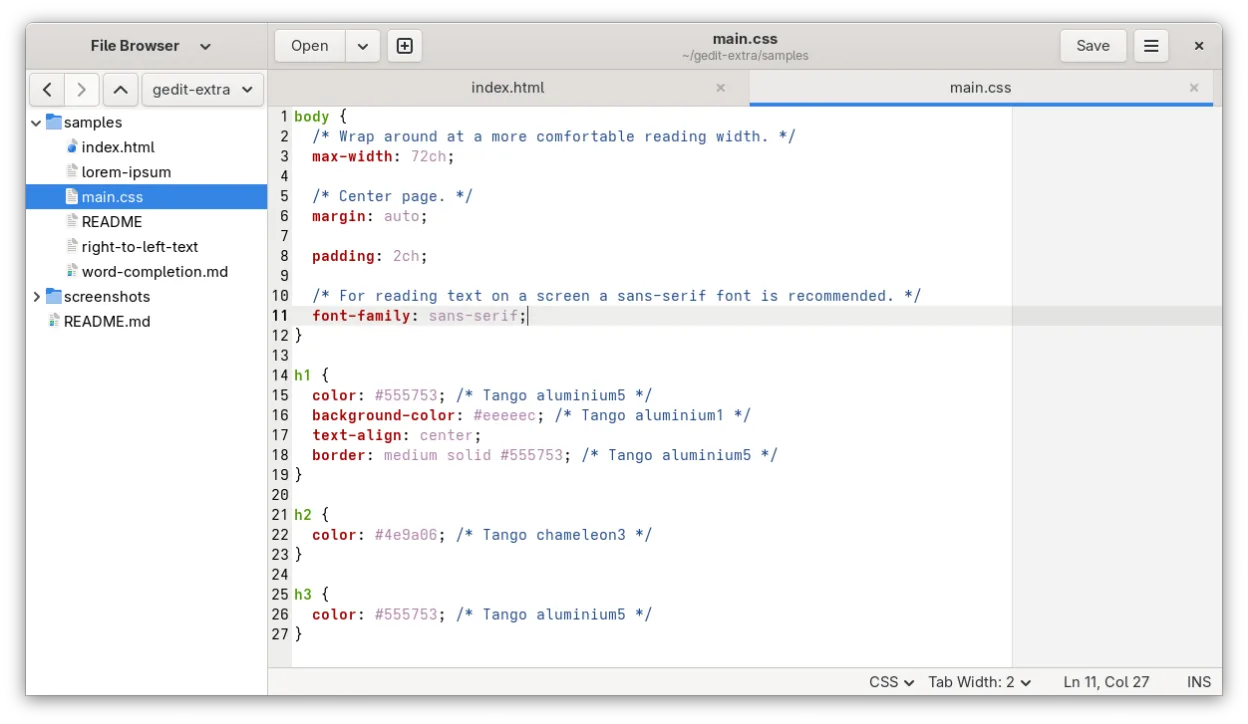
What works the same
- Supports syntax highlighting for many programming languages
- Allows customization of keybindings and editor settings
- Handles UTF-8 text encoding and multiple document interfaces
- Provides basic search and replace functionality
What is different
- No native modal editing mode or Lisp-based customization system
- Lacks integrated terminal or shell access within the editor
- Limited plugin ecosystem compared to Emacs packages
- No built-in remote file editing capabilities like Tramp
- No native version control integration or advanced IDE features
Opening your Emacs files
gedit opens and saves standard plain text files (.txt, .c, .py, .js, etc.) without issue. If you use Emacs-specific file formats like .org or .el, gedit will open them as plain text but will not render Org-mode structures or provide Lisp evaluation. There is no special conversion needed for plain text, but you lose the semantic structure of Org files.
Switching from Emacs to gedit, step by step
- Install gedit via your package manager or Flathub
- Configure syntax highlighting for your primary languages
- Set up custom keybindings to match your muscle memory
- Enable line numbers and auto-indent for code editing
- Install necessary plugins for basic enhancements
- Test opening existing text files to ensure compatibility
Key features of gedit
- Syntax highlighting for many programming languages
- Plugin system for extending functionality
- Search and replace with regex support
- Configurable font, tab width, and line wrapping
- Line numbers, bracket matching, and auto-indent
- UTF-8 text encoding support
- Drag-and-drop text editing
- Multiple document interface with tabs
How to install gedit on Linux
flatpak install flathub org.gnome.geditsudo apt install geditsudo apt install geditsudo dnf install geditsudo pacman -S geditsudo zypper install geditFrequently asked questions
Can I use Emacs Lisp in gedit?
No. gedit does not support Emacs Lisp or any Lisp-based customization. You cannot run Elisp code or use Emacs packages.
Does gedit have a built-in terminal?
No. gedit does not include an integrated terminal. You must use a separate terminal emulator for shell access.
Is gedit suitable for large codebases?
It is not optimized for large codebases. It lacks features like project-wide search, refactoring tools, and advanced navigation that are common in IDEs or Emacs.
5 other alternatives to Emacs
 VimVim is a highly configurable, modal text editor for efficient editing on Linux.Open sourceFreeFlatpakVim vs Emacs
 NeovimNeovim is a modern Vim fork that adds extensibility, advanced UI support, and powerful extensions while…Open sourceFreeFlatpakNeovim vs Emacs
 KateKate is a feature-rich, programmer-focused text editor from KDE with support for 300+ languages and advanced…Open sourceFreeFlatpakKate vs Emacs
 Visual Studio CodeA lightweight, extensible code editor that supports debugging, Git, and many languages.FreeFlatpakVisual Studio Code vs Emacs
 Sublime TextSublime Text is a lightweight, fast source code editor with a minimal interface and powerful extensibility.FlatpakSublime Text vs Emacs