
 gitgLinux
vs
GitHub DesktopWindows
gitgLinux
vs
GitHub DesktopWindows
gitg as a Linux alternative to GitHub Desktop
Updated
Our verdict
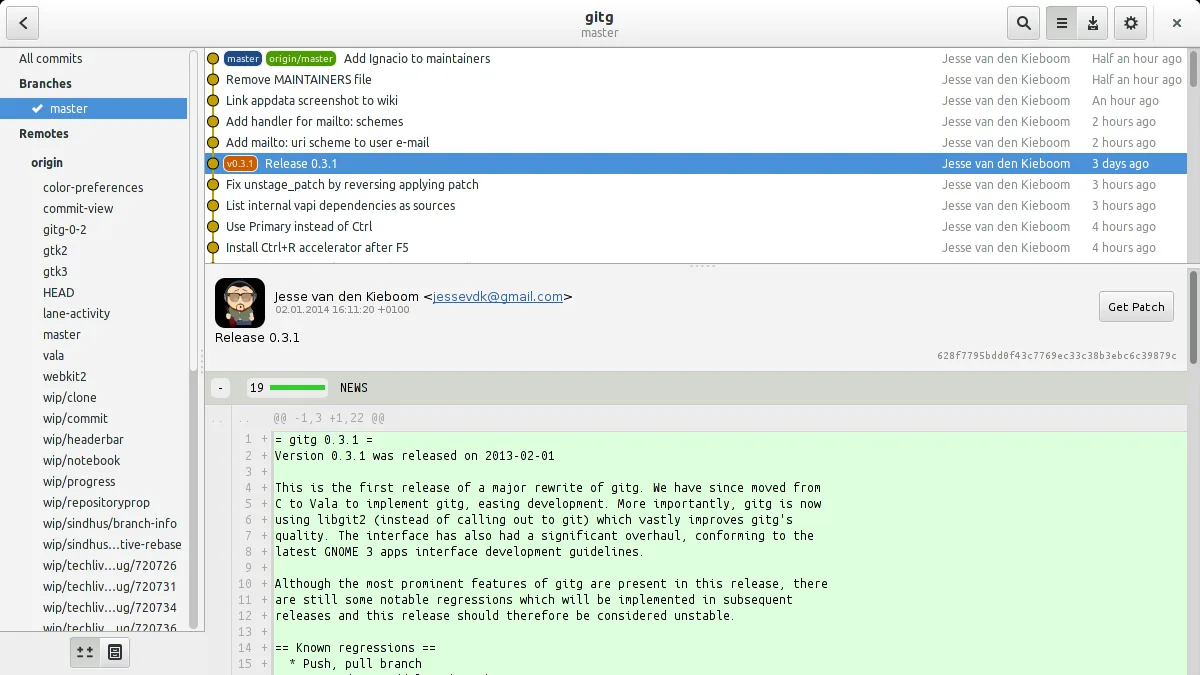
gitg can replace GitHub Desktop for users who only need basic Git operations and commit history visualization. It supports cloning, branching, committing, pulling, and pushing to GitHub, and shows diffs and merge conflicts. It lacks built‑in issue or pull‑request integration, so teams that rely on those features will find it lacking. For solo developers or those comfortable with GitHub’s web interface for issues, gitg is a solid, lightweight alternative.
- License
- GPL-2.0+
- Price
- Free
- Latest version
- 50 (July 1, 2026)
- Rating
- —
What works the same
- Clone repositories from URLs
- Create, switch, and delete branches
- Commit changes with a GUI
- View commit history and diffs
- Resolve merge conflicts
What is different
- No integration with GitHub issues or pull requests
- No visual management of pull‑request reviews
- No built‑in web‑based code review tools
- No automatic credential caching for GitHub
- No direct link to GitHub web UI from the app
Opening your GitHub Desktop files
GitHub Desktop does not store its project data in a proprietary file format; it simply uses the underlying Git repository. Therefore, opening a repository in gitg is as simple as selecting the folder. Exporting or importing any GitHub Desktop‑specific settings is not applicable.
Switching from GitHub Desktop to gitg, step by step
- 1. Install gitg from your distro’s package manager or Flathub.
- 2. Open gitg and choose "Clone" to fetch the GitHub repository URL.
- 3. Use the branch selector to create, switch, or delete branches.
- 4. Stage and commit changes via the "Commit" dialog.
- 5. Push or pull using the toolbar buttons or context menu.
- 6. Resolve merge conflicts with the built‑in conflict editor.
Key features of gitg
- Browse local and remote repositories
- Clone repositories from URLs
- Visualize commit history and branches
- View diffs and patches
- Commit staged changes
- Undo commits
- Search commit messages
How to install gitg on Linux
flatpak install flathub org.gnome.gitgsudo apt install gitgsudo apt install gitgsudo dnf install gitgsudo pacman -S gitgsudo zypper install gitgFrequently asked questions
Does gitg support GitHub pull requests?
No. gitg does not provide a GUI for creating or reviewing pull requests. You must use the GitHub web interface or a command‑line tool like gh.
Can I use gitg with other remote hosts?
Yes. gitg works with any Git remote, not just GitHub. It supports SSH, HTTPS, and other protocols.
Is gitg suitable for large repositories?
gitg is lightweight but may become slow with very large histories. For very large repos, consider using a more specialized tool or the command line.
4 other alternatives to GitHub Desktop
 GitKrakenGitKraken is a cross‑platform Git client with integrated issue tracking and code editing.FlatpakGitKraken vs GitHub DesktopLazygitA fast and user-friendly terminal UI for Git that simplifies complex workflows without leaving your command…Open sourceFreeLazygit vs GitHub Desktop
 Git ColaGit Cola is a lightweight, feature‑rich graphical Git client for Linux.Open sourceFreeFlatpakGit Cola vs GitHub Desktop
 GitKrakenGitKraken is a cross‑platform Git client with visual history, built‑in editor and integrated issue board.FlatpakGitKraken vs GitHub Desktop