
 gitgLinux
vs
SourceTreeWindows
gitgLinux
vs
SourceTreeWindows
gitg as a Linux alternative to SourceTree
Updated
Our verdict
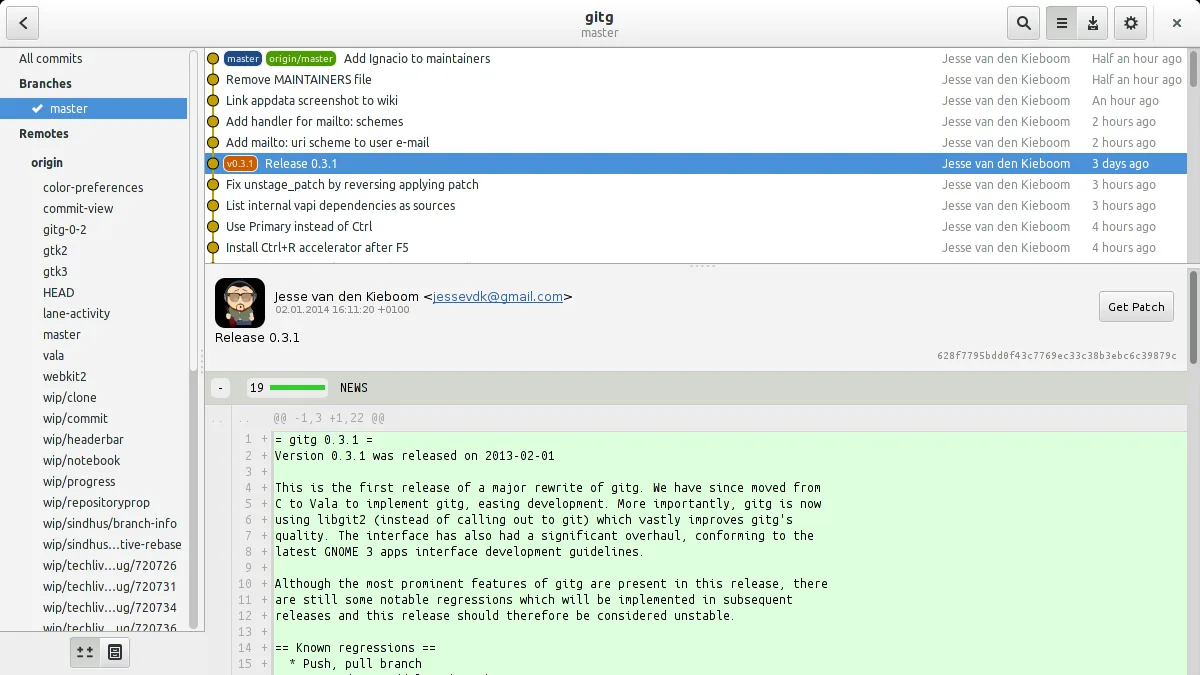
gitg is a decent replacement for SourceTree if you primarily use Git and value simplicity over advanced features. It handles basic repository management, commit history visualization, and diffs well, but lacks Mercurial support and deep hosting integrations. Users who rely on visual branching, local history browsing, and lightweight workflows will find gitg sufficient. However, those needing conflict resolution tools, extensive remote sync, or Mercurial will miss key SourceTree capabilities. It's best suited for Git-only developers wanting a fast, no-frills GUI on Linux.
- License
- GPL-2.0+
- Price
- Free
- Latest version
- 50 (July 1, 2026)
- Rating
- —
What works the same
- Visualizes commit history and branching structure
- Supports cloning repositories from URLs
- Allows browsing local and remote repositories
- Provides diff viewing for commits and changes
- Enables committing staged files with a GUI
What is different
- No Mercurial support — gitg is Git-only
- Lacks built-in conflict resolution interface
- Minimal integration with hosting platforms like GitHub or Bitbucket
- No repository management dashboard like SourceTree's
- Fewer automation and sync features for remote operations
Opening your SourceTree files
Both gitg and SourceTree work directly with standard Git repositories, so your existing SourceTree repositories will open in gitg without conversion. You can browse and commit changes in the same .git folders. However, gitg does not read SourceTree-specific configuration files (like stree settings), so custom views or saved connections won't transfer. The actual version-controlled files and history remain fully accessible.
Switching from SourceTree to gitg, step by step
- Install gitg via your distribution's package manager or Flatpak
- Open gitg and use 'Clone Repository' to add remote projects
- Navigate to existing local repositories using 'Open Repository'
- Stage, commit, and browse history using the main interface
- Use the search and diff tools to review changes and commit messages
Key features of gitg
- Browse local and remote repositories
- Clone repositories from URLs
- Visualize commit history and branches
- View diffs and patches
- Commit staged changes
- Undo commits
- Search commit messages
How to install gitg on Linux
flatpak install flathub org.gnome.gitgsudo apt install gitgsudo apt install gitgsudo dnf install gitgsudo pacman -S gitgsudo zypper install gitgFrequently asked questions
Can gitg handle Mercurial repositories like SourceTree?
No, gitg only supports Git repositories. If you depend on Mercurial, gitg is not a suitable replacement.
Does gitg integrate with GitHub or GitLab?
Not directly. gitg doesn't include built-in login, pull request management, or sync features for hosting services.
Is gitg stable and actively maintained?
Yes, gitg is actively developed, with regular releases and packaging in major distributions like Ubuntu and Fedora.

