
Windows · Programming
Best Linux alternatives to SourceTree
SourceTree is a GUI Git and Mercurial client for Windows with built-in version control tools and repository management.
Updated
Quick answer
The best Linux alternative to SourceTree is GitKraken. Other strong options: gitg, Git Cola.
3 Linux alternatives to SourceTree
-
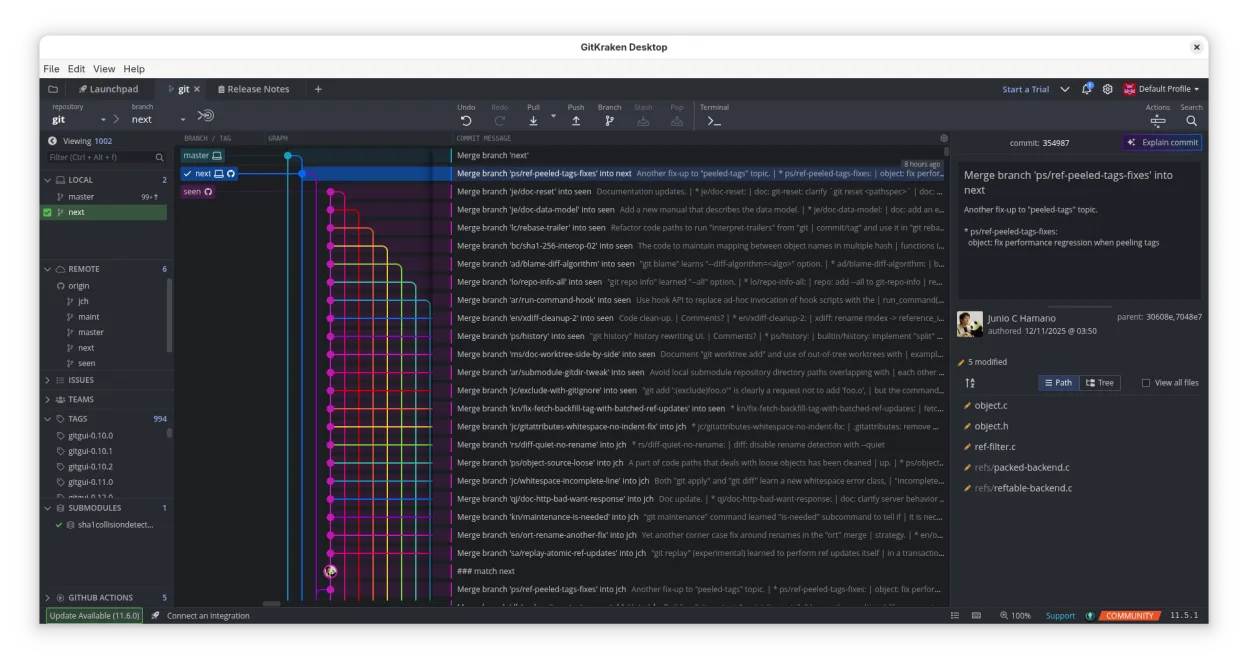
GitKraken is a cross‑platform Git client with integrated issue tracking and code editing.
GitKraken is a strong replacement for SourceTree on Linux, offering a polished GUI for visualizing history, managing branches, and resolving conflicts. It handles the core needs of typical SourceTree users well, including drag-and-drop operations and integrated hosting support. The main drawback is…
Feature parity85% -
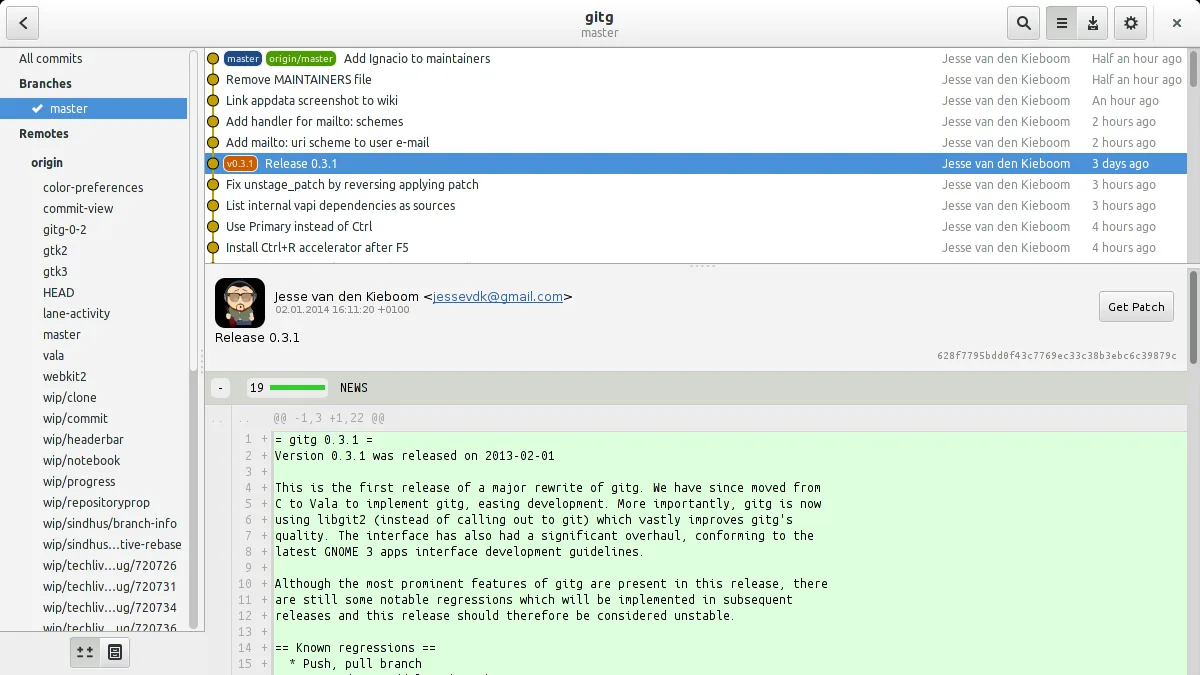
Gitg is a lightweight graphical interface for Git that visualizes commit history and manages repositories.
gitg is a decent replacement for SourceTree if you primarily use Git and value simplicity over advanced features. It handles basic repository management, commit history visualization, and diffs well, but lacks Mercurial support and deep hosting integrations. Users who rely on visual branching…
Feature parity65% -
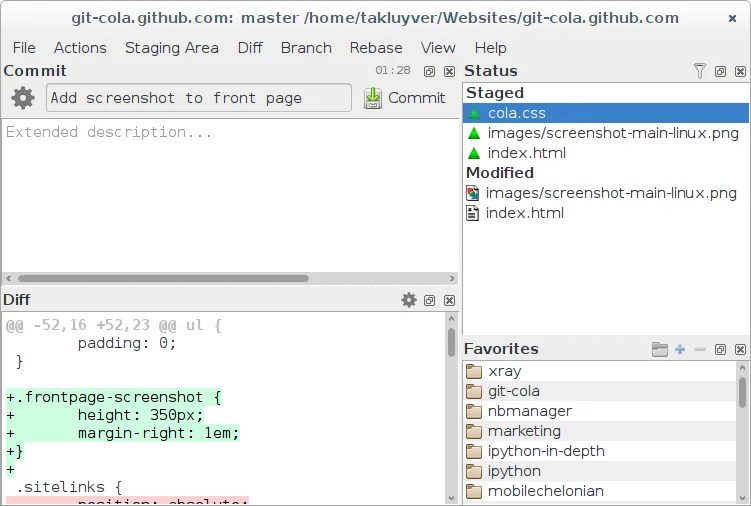
Git Cola is a lightweight, feature‑rich graphical Git client for Linux.
Git Cola is a solid replacement for SourceTree for users who need a lightweight, open‑source Git GUI on Linux. It covers most day‑to‑day tasks: commit history, branching, merging, and diff viewing. It is best suited for developers comfortable with Git’s command line and who prefer a free…
Feature parity80%



What is SourceTree?
SourceTree is used by developers and teams who prefer a visual interface over command-line tools to manage Git and Mercurial repositories. It simplifies common tasks like committing, branching, merging, and resolving conflicts, making it popular among those new to version control or working in collaborative environments where clarity in history matters.
The app is free to use but owned by a commercial company. It includes no direct cost for individuals or small teams, though it may integrate with paid Atlassian services like Bitbucket. No open-source license governs the application, and updates are controlled by the vendor.
People seek Linux alternatives because SourceTree has no native Linux version. Developers using Linux desktops—especially those in open-source or cross-platform workflows—need reliable, local GUI tools that support Git without relying on Windows compatibility layers or cloud-only access.
What a replacement for SourceTree must do
- Visual diff and merge tools
- Support for Git and Mercurial
- Branch and commit history graph
- Built-in repository management
- Conflict resolution interface
- Integration with common hosting services
- Offline access to repositories
Can you run SourceTree on Linux?
SourceTree does not have a native Linux version. It may run partially under Wine or Bottles, but performance is unreliable—especially with SSH keys and repository paths. Proton is not suitable, as it's designed for games. Users report login and UI issues. A stable experience on Linux cannot be guaranteed; native alternatives are strongly preferred.
Which alternative should you choose?
GitKraken is best for users wanting a polished interface and cloud sync, especially those already using its ecosystem. gitg suits developers in GNOME environments who prefer lightweight, open-source tools. Git Cola is ideal for those comfortable with Python tools and wanting deep CLI integration with a minimal GUI overlay.
Moving your SourceTree files and habits
No direct export from SourceTree is needed—Git repositories are fully portable. Copy the local repo folder or re-clone from the remote. All listed Linux tools read standard Git repositories. Mercurial repos require hg to be installed separately. Configuration and SSH keys must be manually migrated to the Linux environment.
Side-by-side comparison
SourceTree: frequently asked questions
Can I use SourceTree on Linux with Wine?
You can try, but expect issues with SSH, UI rendering, and repository paths. It's not stable for regular use.
Is GitKraken really free?
GitKraken offers a free tier with core features, but advanced functions require a paid subscription.
Do gitg and Git Cola support Mercurial?
No, neither supports Mercurial. They are Git-only tools, so Mercurial users need other solutions.
Which alternative looks most like SourceTree?
GitKraken has the closest visual design and workflow to SourceTree, including tabbed repositories and drag-and-drop.
How important is SourceTree to you?
Know a better alternative? Suggest an alternative