
Windows · System Tools
Best Linux alternatives to iCUE
Corsair iCUE manages RGB, fans, and macros on Windows; Linux users need separate tools for each function.
Updated
Quick answer
The best Linux alternative to iCUE is OpenRGB.
1 Linux alternatives to iCUE
-
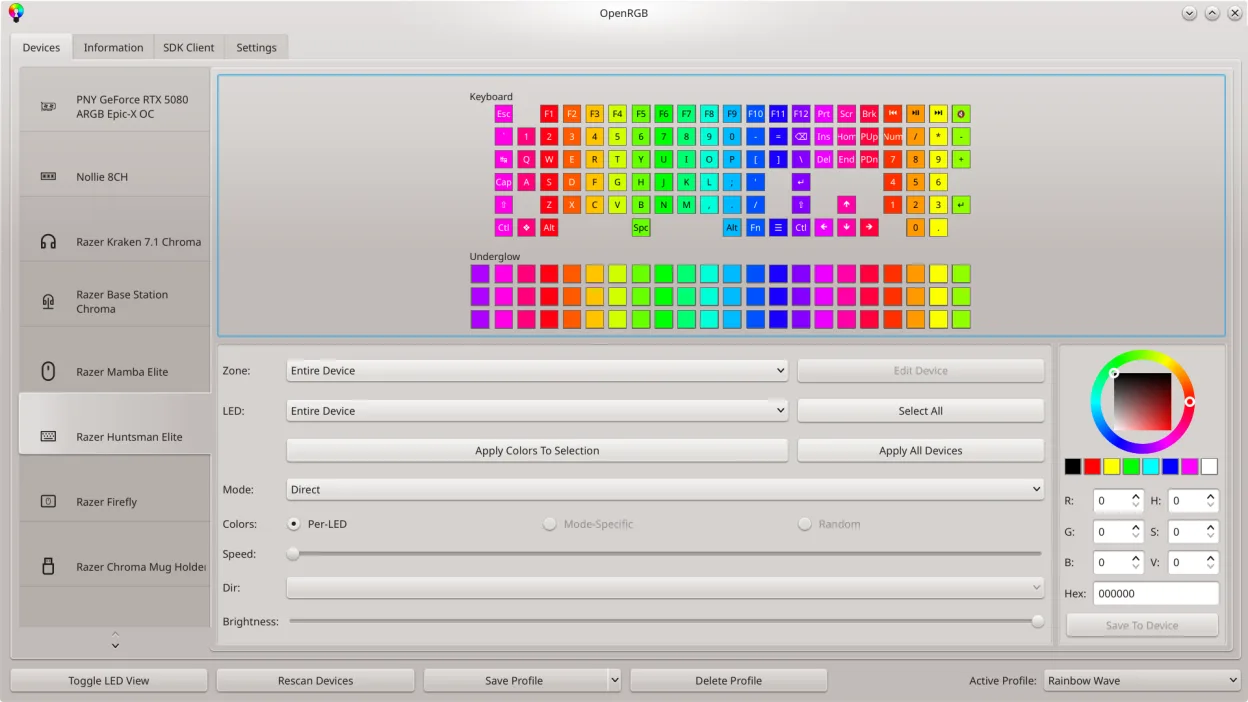
OpenRGB lets you control RGB lighting on Linux without vendor apps.
OpenRGB is a solid replacement for the RGB lighting portion of iCUE, but it is not a full drop-in substitute. It handles Corsair devices well and eliminates the need for vendor bloatware. However, if you rely on iCUE for fan speed curves, macro recording, or deep hardware monitoring, you will need…
Feature parity60%

What is iCUE?
iCUE is the primary control center for Corsair hardware, allowing users to synchronize RGB lighting across keyboards, mice, and memory. It also handles fan curve adjustments and macro recording. Gamers and PC builders rely on it to customize their setup and monitor system performance in real-time. It is a proprietary application designed specifically for Windows environments.
The software is free to download and use, though it requires a Corsair account for some features. It is not open-source and does not offer a standalone Linux edition. The pricing model is effectively free for end-users, supported by Corsair's hardware sales. There are no subscription fees, but the software is tightly coupled with their proprietary ecosystem and hardware drivers.
People look for Linux alternatives because iCUE does not run natively on Linux. While some Corsair devices work out of the box for basic functions, advanced configuration like RGB sync and macro management is unavailable. Users often find Wine support unstable or incomplete, leading to a fragmented experience where they must assemble multiple smaller tools to replicate the unified dashboard of iCUE.
What a replacement for iCUE must do
- RGB lighting control for Corsair devices
- Fan speed and curve configuration
- Macro recording and playback
- Hardware monitoring (temperature, RPM)
- Profile management and synchronization
- Low-latency input handling
Can you run iCUE on Linux?
There is no native Linux version of iCUE. Corsair has not released an official Linux client. Running iCUE via Wine or Proton is possible but often unstable, with frequent reports of device detection failures or crashes. Some users report partial success with specific hardware, but it is not a reliable solution for daily use. You should not expect full functionality, especially for RGB synchronization across multiple devices.
Which alternative should you choose?
If you only need RGB control, OpenRGB is the best choice as it supports a wide range of Corsair devices. For fan management, fancontrol provides a simple interface to adjust speeds based on temperature. PulseAudio is for audio, not hardware control, so it is irrelevant here unless you are confused about categories. AutoKey and xbindkeys are for keyboard shortcuts and macros, replacing the macro engine of iCUE. Most users will need a combination of OpenRGB and fancontrol to cover the core functions of iCUE.
Moving your iCUE files and habits
There is no direct way to export iCUE profiles to Linux tools. You will need to manually recreate your settings. For RGB, you must define colors and effects in OpenRGB. For fans, you will set up new curves in fancontrol. Macros recorded in iCUE must be re-recorded using AutoKey or xbindkeys. Hardware monitoring data is not portable; you will rely on Linux-specific sensors and tools. Plan to spend time reconfiguring your setup from scratch.
iCUE: frequently asked questions
Does OpenRGB support all Corsair devices?
OpenRGB supports many Corsair devices, but not all. Check the device list in the OpenRGB documentation before assuming compatibility. Newer devices may require updated firmware or kernel modules.
Can I use iCUE macros on Linux?
No, iCUE macros are proprietary and cannot be imported. You must recreate them using tools like AutoKey or xbindkeys, which offer different syntax and capabilities.
Is fancontrol safe for my hardware?
Yes, fancontrol is a standard Linux tool that interfaces with the kernel's fan control subsystem. It is safe to use, but always test your fan curves at low speeds first to avoid noise or performance issues.
Why is PulseAudio listed here?
PulseAudio is an audio server, not a hardware control tool. It is likely listed in error or for a different category. It does not replace any part of iCUE's functionality.
How important is iCUE to you?
Know a better alternative? Suggest an alternative