
 KolourPaintLinux
vs
MS PaintWindows
KolourPaintLinux
vs
MS PaintWindows
KolourPaint as a Linux alternative to MS Paint
Updated
Our verdict
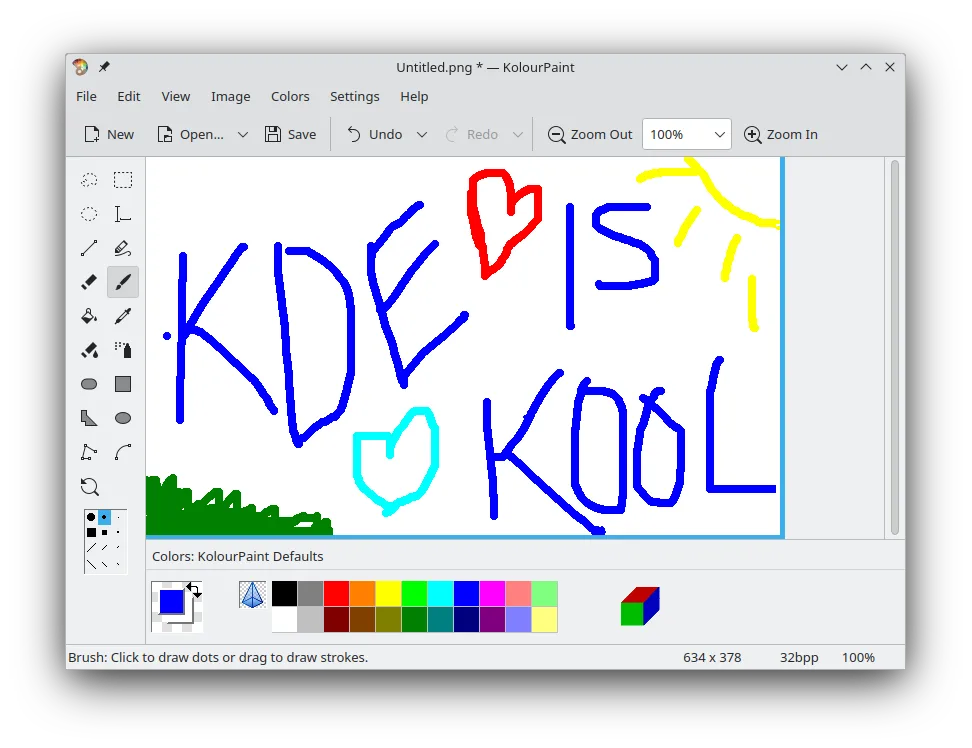
KolourPaint is a solid replacement for MS Paint for users who need a lightweight, cross‑platform raster editor. It covers most everyday tasks—drawing, shape insertion, text, cropping, resizing, and basic color editing—making it suitable for casual users, students, and quick image touch‑ups. Power users who rely on advanced features like layer management or complex filters will find it lacking, but for the typical Paint workflow it works well.
- License
- BSD-2-Clause and LGPL-2.0+ and GFDL-1.2
- Price
- Free
- Latest version
- 26.04.3 (July 2, 2026)
- Rating
- —
What works the same
- Both support BMP, JPEG, GIF, PNG, TIFF formats
- Both provide basic drawing tools (brush, pencil, shapes)
- Both allow text insertion and simple cropping/resizing
- Both include a color picker for sampling
- Both are free and bundled with the OS or available via standard repositories
What is different
- KolourPaint offers rotation and monochrome effects, which MS Paint does not
- KolourPaint supports more advanced selection tools (polygon, lasso)
- KolourPaint lacks a true two‑color mode and limited brush customization compared to Paint
- KolourPaint does not have a built‑in file format conversion wizard like Paint’s “Save As” dialog
- KolourPaint’s UI is KDE‑centric and may feel unfamiliar to Windows users
Opening your MS Paint files
KolourPaint can open and save BMP, JPEG, GIF, PNG, and TIFF files, matching the formats MS Paint uses. It does not support the proprietary .bmp variants with embedded Windows icon data, but for standard images it works fine. Exporting to .bmp, .jpg, .png, .gif, or .tiff will preserve the image content. No special conversion steps are required.
Switching from MS Paint to KolourPaint, step by step
- Install KolourPaint via your distro’s package manager or Flathub
Key features of KolourPaint
- Drawing shapes: lines, rectangles, ovals, polygons
- Curve and freehand line tools
- Text insertion and editing
- Color picker for precise sampling
- Selection tools for moving and editing parts of an image
- Rotation and monochrome effects
- Support for standard raster image formats
How to install KolourPaint on Linux
flatpak install flathub org.kde.kolourpaintsudo apt install kolourpaintsudo apt install kolourpaintsudo dnf install kolourpaintsudo pacman -S kolourpaintsudo zypper install kolourpaintFrequently asked questions
Does KolourPaint support the same file formats as MS Paint?
Yes, it opens and saves BMP, JPEG, GIF, PNG, and TIFF files, which are the same formats used by MS Paint.
Can I use KolourPaint on Windows?
KolourPaint is a native Linux application; it does not run on Windows without a compatibility layer like WSL or a virtual machine.
Will I lose any functionality by switching?
You will lose the very simple two‑color mode and the minimal brush options that MS Paint offers, but you gain rotation, monochrome effects, and more flexible selection tools.
4 other alternatives to MS Paint
 GIMPGIMP is a free, open-source raster graphics editor for photo editing, digital painting, and image composition.Open sourceFreeFlatpakGIMP vs MS Paint
 PintaPinta is a free, open‑source bitmap editor that mimics Paint.NET with a simple interface and layer support.Open sourceFreeFlatpakPinta vs MS Paint
 MyPaintMyPaint is a fast, free, open‑source raster painting program focused on brush dynamics and tablet use.Open sourceFreeFlatpakMyPaint vs MS Paint
 KritaKrita is a full‑featured open‑source digital painting and illustration program.Open sourceFreeFlatpakKrita vs MS Paint