

Linux · Science & Education
Anki
Anki is a cross‑platform flash‑card program that uses spaced repetition to help users memorize information efficiently.
- License
- AGPL-3.0+
- Latest version
- 26.09.4 (November 4, 2026)
- Developer
- Damien Elmes
- Installs
- 10,970 (Flathub, 30 days)
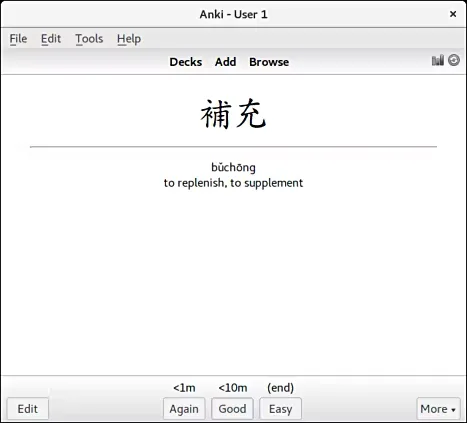
What is Anki?
Anki was first released in 2006 by Damien Elmes and has become the de‑facto standard for spaced‑repetition learning. Over the years it has accumulated a large user base and a rich ecosystem of add‑ons, making it a mature tool for students, professionals, and hobbyists alike.
The core idea is simple: you create cards with a question on the front and an answer on the back, and the program schedules reviews based on how well you remember each card. It supports text, images, audio, video, and LaTeX, so it can handle almost any type of content.
Compared with Windows‑only flash‑card tools, Anki feels lightweight and highly customizable. The interface is functional but not flashy, and the learning curve is moderate; once you get used to the deck and card types, the workflow becomes very efficient.
Best for: Learners who need a flexible, long‑term memorization tool and are comfortable with a modest learning curve.
Key features of Anki
- Spaced repetition algorithm
- Support for text, images, audio, video, LaTeX
- Customizable card templates
- Add‑on ecosystem
- Sync via AnkiWeb
- Export/import in .apkg and .txt
- Keyboard‑heavy interface
- Cross‑platform availability
Pros
- Free and open source
- Highly customizable
- Large community and add‑on library
- Strong cross‑platform sync
- Supports complex media
Cons
- Learning curve for advanced features
- No built‑in collaborative editing
- Occasional sync conflicts
- Add‑ons may become outdated
Windows programs Anki replaces
How to install Anki on Linux
flatpak install flathub net.ankiweb.Ankisudo apt install ankisudo pacman -S ankiTips for Windows users
Anki uses .apkg files for decks; you can export your existing Windows decks to .apkg and import them. Keyboard shortcuts are largely the same as on Windows (e.g., Ctrl+N for new card, Ctrl+S to save). The main workflow difference is that reviews are scheduled automatically; you can adjust intervals in the deck options. The Linux Flatpak includes the TeX Live extension for LaTeX support, so you don’t need to install it separately.
Recent releases
- 26.09.4 —
Anki: frequently asked questions
Can I use Anki on Linux?
Yes, Anki is available for Linux via the official installer, Flatpak, or distribution packages (e.g., Ubuntu, Arch).
How do I add images or audio to my cards?
During card creation, click the image or audio icon in the editor, then browse to the file. The file is stored in the deck’s media folder and synced automatically.
Is Anki free on Linux?
The Linux version is free and open source; you only pay if you want a premium sync plan, which is optional.
Why does my sync fail?
Sync issues often stem from conflicting changes or an outdated AnkiWeb account. Try clearing the sync cache or re‑installing the app if problems persist.
Updated