

Linux · Science & Education
MAX
A proprietary instant messaging and video conferencing app for Linux, often confused with the scientific tool MAX.
- License
- LicenseRef-proprietary=https://legal.max…
- Latest version
- 26.40.2 (November 13, 2026)
- Developer
- max.ru
- Installs
- 1,915 (Flathub, 30 days)
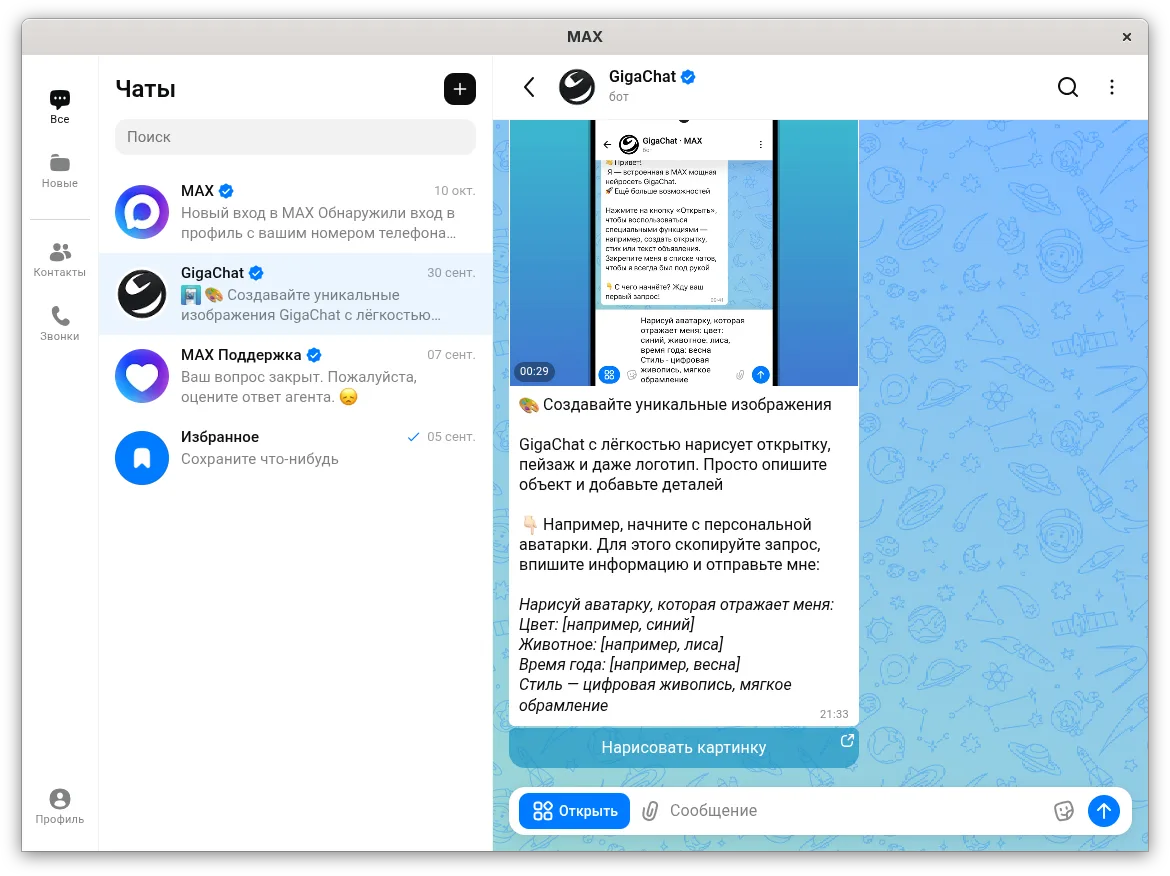
What is MAX?
MAX is a proprietary instant messaging platform developed by max.ru, featuring text chat, video calls, and a built-in mini-app ecosystem. It is not the scientific computing environment MAX, nor is it a replacement for Octave. The application is actively maintained, with recent releases available for major Linux distributions via Flathub and native repositories.
This tool is intended for users who need to communicate with contacts within the MAX ecosystem, particularly in regions where the service is popular. It serves as a communication hub rather than a scientific or educational tool, making it unsuitable for users seeking alternatives to MATLAB or Octave for data analysis.
Compared to Windows messaging tools like Teams or Slack, MAX feels like a consumer-grade messenger similar to Telegram or WhatsApp. It lacks the advanced scripting and data visualization capabilities of scientific software, so users expecting a computational environment will find it entirely different in purpose and functionality.
Best for: Users needing to communicate with contacts on the MAX platform via a lightweight Linux client.
Key features of MAX
- Instant text messaging
- Video and voice conferencing
- Built-in mini-app platform
- Chatbot integration
- In-app payment system
- Cross-platform support
Pros
- Lightweight and fast on Linux
- Available on major distros (Fedora, Ubuntu, Arch)
- Integrated payment and mini-apps
Cons
- Proprietary and closed-source
- Not a scientific computing tool
- Requires a supported mobile number for signup
How to install MAX on Linux
flatpak install flathub ru.max.MAXsudo apt install maximasudo apt install maximasudo dnf install maximasudo pacman -S maximasudo zypper install maximaTips for Windows users
If you are coming from Octave or MATLAB, you are looking for the wrong software; MAX is a messenger, not a calculator. For scientific work, consider GnuOctave or Scilab. If you are switching from Windows messaging apps, note that MAX requires a phone number for registration and does not support standard email logins.
Recent releases
- 26.40.2 —
Update MAX.deb to MAX-26.40.2.83257
- 26.40.0 —
Update MAX.deb to MAX-26.40.0.83042
- 26.39.0 —
Update MAX.deb to MAX-26.39.0.82726
- 26.38.1 —
Update MAX.deb to MAX-26.38.1.82700
MAX: frequently asked questions
Is MAX the same as the MAX language used in engineering?
No, this Linux app is a proprietary messenger from max.ru. The engineering MAX language is a separate, unrelated tool for simulation.
Can I use MAX to run Octave scripts?
No, MAX has no scripting or computational capabilities. It is strictly for communication and media sharing.
Does MAX work offline on Linux?
No, it requires an internet connection to function as it is a cloud-based messaging service.
Is MAX open source?
No, it is proprietary software with a closed-source license.
Updated