

Linux · System Tools
KRDC
KRDC is a KDE remote desktop client that connects to Windows or Linux machines via RDP or VNC.
- License
- GPL-2.0+
- Latest version
- 26.04.3 (July 2, 2026)
- Developer
- KDE
- Installs
- 2,237 (Flathub, 30 days)
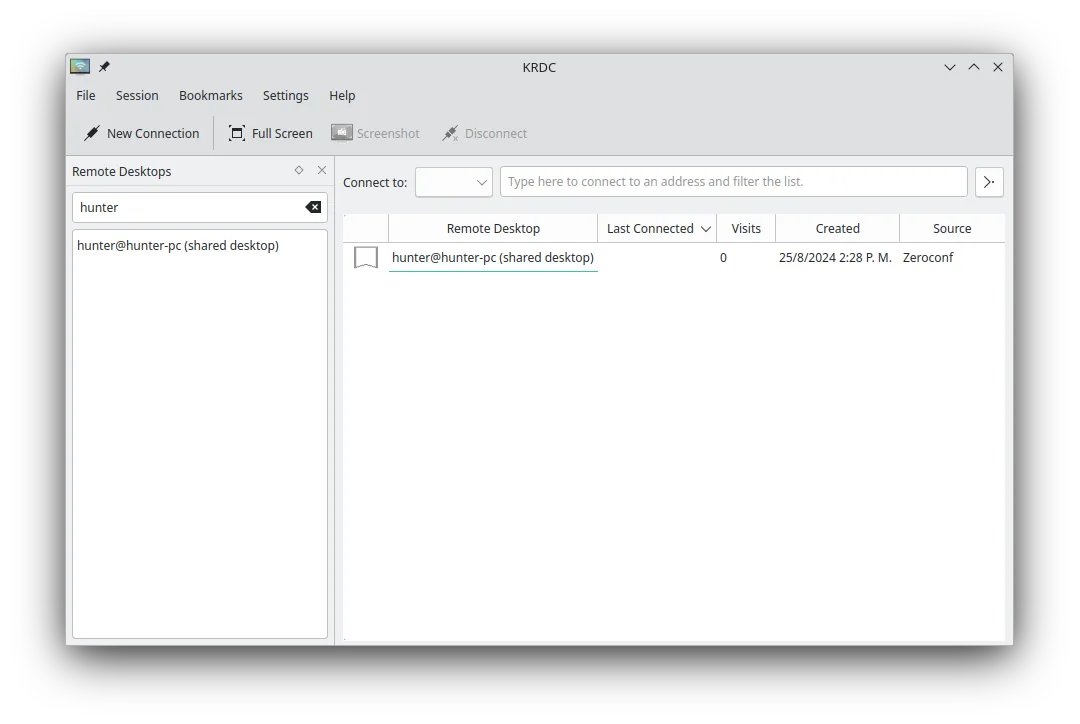
What is KRDC?
KRDC (KDE Remote Desktop Client) has been part of the KDE Applications suite for many years, offering a graphical front‑end for the RDP and VNC protocols. It is packaged in the major distributions (Arch, Debian, Fedora, openSUSE, Ubuntu) and receives regular updates, the latest being version 26.04.3. The tool is mature enough for everyday use and integrates well with the KDE desktop environment.
The client is aimed at users who need occasional or frequent remote access to other computers, whether for troubleshooting, file retrieval, or simply using a workstation from a laptop. It works with any VNC server and with Microsoft’s RDP, making it a versatile bridge between Linux and Windows environments. The UI follows KDE’s design language, so it feels familiar to anyone who has used other KDE utilities.
Compared with UltraVNC on Windows, KRDC lacks some of the more niche features like file transfer plugins, but it makes up for that with a clean interface and solid protocol support. There is no need to install extra drivers; you just launch KRDC, enter the host address, choose RDP or VNC, and you’re connected. For users accustomed to UltraVNC’s tight integration with Windows, KRDC feels straightforward and less cluttered.
Best for: Users who need a reliable, lightweight RDP/VNC client on Linux without extra bells and whistles.
Key features of KRDC
- Supports both RDP and VNC protocols
- KDE‑styled graphical interface
- Bookmark management for frequent connections
- Full-screen and windowed modes
- Keyboard shortcut support (Ctrl+Alt+Shift for remote input)
- Dynamic scaling of remote display
- TLS encryption for RDP sessions
- Integration with KDE Wallet for password storage
Pros
- Simple, no‑frills UI
- Works out‑of‑the‑box on most distros
- Handles both Windows and Linux remote hosts
- Keeps passwords securely in KDE Wallet
Cons
- No built‑in file transfer feature
- Limited configuration options compared to dedicated VNC clients
- Less polished on non‑KDE desktops
Windows programs KRDC replaces
How to install KRDC on Linux
flatpak install flathub org.kde.krdcsudo apt install krdcsudo apt install krdcsudo dnf install krdcsudo pacman -S krdcsudo zypper install krdcTips for Windows users
When moving from UltraVNC, you won’t have a direct file‑transfer pane; use a separate tool like WinSCP or the built‑in KDE file manager for copying files. Keyboard shortcuts differ – KRDC uses the standard KDE shortcuts (Ctrl+Alt+Shift to send the host’s key combos). Save frequent connections as bookmarks to avoid re‑typing addresses each time, and store passwords in KDE Wallet for a smoother workflow.
Recent releases
- 26.04.3 —
- 26.04.2 —
- 26.04.1 —
- 26.04.0 —
KRDC: frequently asked questions
Can KRDC connect to a Windows machine running Remote Desktop?
Yes, KRDC supports the RDP protocol, so it can connect to Windows machines with Remote Desktop enabled.
Is there a way to store passwords securely in KRDC?
KRDC integrates with KDE Wallet, allowing you to save credentials without exposing them in plain text.
How do I switch between RDP and VNC for a given host?
Select the protocol from the drop‑down menu in the connection dialog before initiating the session.
Does KRDC work on non‑KDE desktops like GNOME or XFCE?
It runs on any desktop environment, though the KDE styling may look out of place on non‑KDE setups.
Updated