

Linux · System Tools
Virtual Machine Manager
Virtual Machine Manager is a graphical front‑end for libvirt that lets you create, run, and monitor KVM, Xen, and LXC guests.
- License
- GPL-2.0+
- Latest version
- 5.1.0 (August 26, 2025)
- Developer
- The Virtual Machine Manager contributors
- Installs
- 10,204 (Flathub, 30 days)

What is Virtual Machine Manager?
Virtual Machine Manager (VMM) has been part of the Linux ecosystem since the early 2010s, evolving from a simple KVM helper into a full‑featured GUI that supports multiple hypervisors via libvirt. It is maintained by the community and receives regular updates, with the latest release 5.1.0 coming in August 2025.
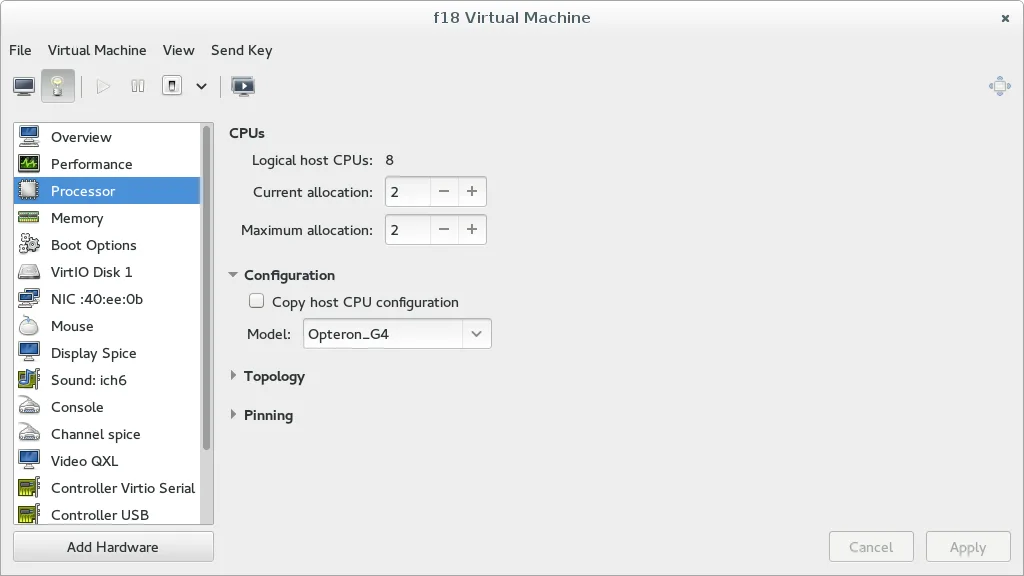
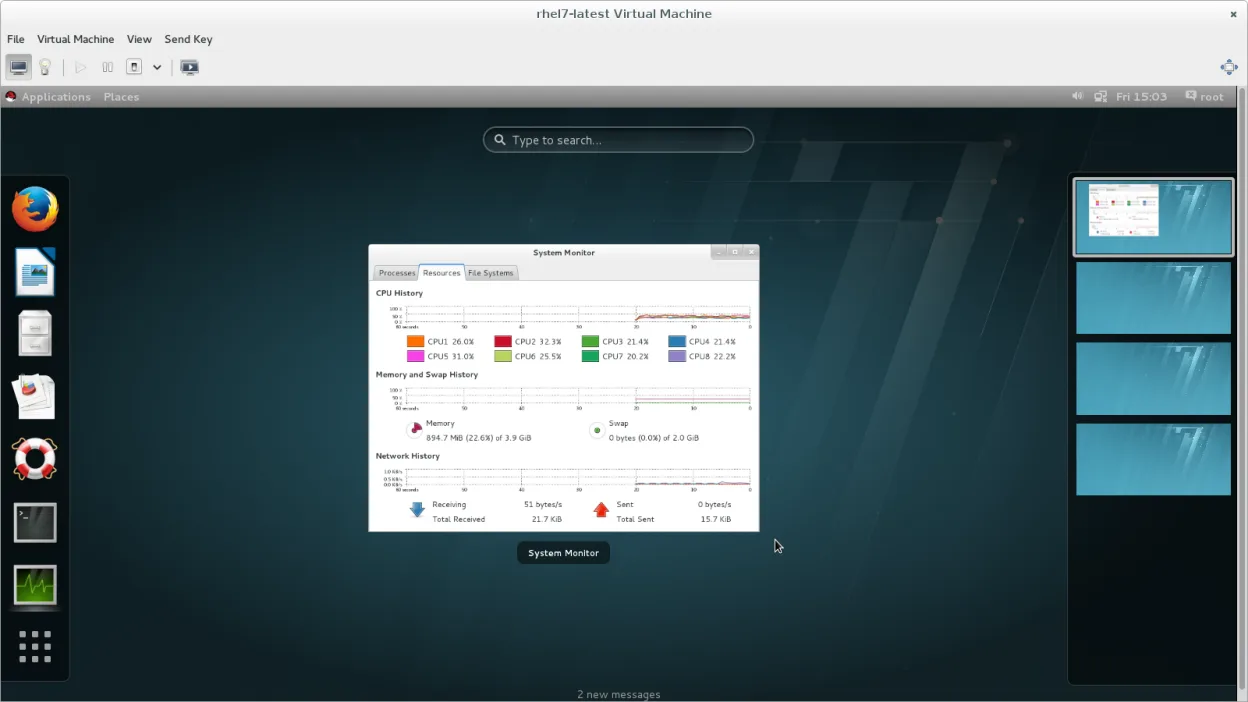
The tool is aimed at system administrators, developers, and power users who need to manage virtual machines without leaving the desktop. It offers a single pane of glass for creating VMs, editing hardware, and monitoring CPU, memory, and network usage.
Compared with VMware Workstation, VMM feels more integrated into the Linux workflow. It lacks some of the polished wizards of VMware but provides direct access to libvirt features, making it a practical choice for users who already rely on KVM or Xen.
Best for: Users who need a free, native Linux GUI to manage KVM, Xen, or LXC virtual machines and are comfortable with libvirt.
Key features of Virtual Machine Manager
- GUI for KVM, Xen, LXC via libvirt
- Create, clone, and delete VMs
- Attach virtual disks and network interfaces
- View real‑time resource usage
- Remote management of hosts
- Support for snapshots and live migration
Pros
- Open source and free
- Cross‑distribution support
- Direct integration with libvirt APIs
- Lightweight compared to full hypervisor suites
- Extensible via plugins
Cons
- No built‑in ISO installer wizard like VMware
- Limited support for Windows‑specific VM formats
- Learning curve for libvirt command line concepts
- Requires libvirt daemon to be running
Windows programs Virtual Machine Manager replaces
How to install Virtual Machine Manager on Linux
flatpak install flathub org.virt_manager.virt-managersudo apt install virt-managersudo apt install virt-managersudo dnf install virt-managersudo pacman -S virt-managersudo zypper install virt-managerTips for Windows users
If you come from VMware Workstation, note that VMM uses libvirt’s XML configuration files instead of VMware’s .vmx files. You can import existing VMs by converting them to libvirt XML or by using virt‑import. Keyboard shortcuts differ: VMM uses standard GNOME shortcuts (Ctrl+N for new VM, Ctrl+S for snapshot). Workflows are more manual; you’ll often run "virt‑install" from the terminal for initial setup, then use VMM for day‑to‑day management.
Recent releases
- 5.1.0 —
- 5.0.0 —
- 4.1.0 —
- 4.0.0 —
Virtual Machine Manager: frequently asked questions
Can I run Windows guests with Virtual Machine Manager?
Yes, VMM can host Windows guests via KVM, but you need a Windows ISO and a compatible CPU with virtualization extensions.
Is Virtual Machine Manager stable on Ubuntu?
It is available in Ubuntu’s official repositories and receives regular security updates.
How do I connect to a remote host?
Open the "Connect" dialog, enter the libvirt URI (e.g., qemu+ssh://user@host/system) and authenticate.
Does it support snapshots?
Yes, you can create, delete, and revert to snapshots directly from the VM’s context menu.
Updated