
Windows · Office
Best Linux alternatives to Miro
Miro was a media player that streamed local and online video, managed playlists, and auto‑downloaded content from RSS channels.
Updated
Quick answer
The best Linux alternative to Miro is VLC. Other strong options: mpv, SMPlayer, Celluloid.
4 Linux alternatives to Miro
-

VLC is a free, open‑source multimedia player that handles virtually any audio or video format.
VLC is a solid replacement for Miro if your main goal is playing local and streamed media. It handles nearly all codecs and containers without extra setup and supports streaming via HTTP, RTMP, HLS, and RTSP. However, VLC does not auto-download content from RSS feeds or manage subscriptions —…
Feature parity75% -

mpv is a free, open‑source, cross‑platform media player that plays almost any video or audio format.
mpv can replace Miro for most Linux users who need a solid player for local files and streams. It handles virtually every codec and container, supports RTMP/HLS URLs, and offers playlist drag‑and‑drop. However, it lacks built‑in RSS feed downloading and the polished, all‑in‑one UI that Miro…
Feature parity70% -
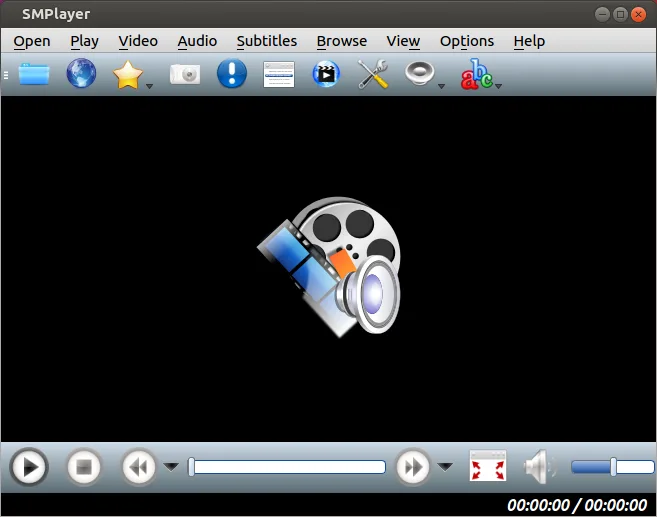
SMPlayer is a free, open-source media player with built-in codecs that handles nearly all video and audio formats without external dependencies.
SMPlayer is a strong replacement for local media playback and basic streaming, but it lacks Miro's core RSS auto-download feature. It handles almost any local file format without external codecs and supports YouTube playback. If your main use case is playing local files and occasional web streams…
Feature parity60% -

Celluloid is a lightweight media player for Linux that uses the mpv engine and GTK for a clean GNOME‑style interface.
Celluloid is a solid Linux replacement for Miro for users who mainly need a lightweight player that handles local files, common codecs and streaming URLs. It offers playlist support and a clean GNOME‑style UI, making it suitable for everyday media consumption. However, it lacks the built‑in RSS…




What is Miro?
Miro let users watch local video and audio files, build playlists, and stream content from the Internet. It was popular among people who wanted a single application that handled both local media and live TV streams, especially those who used other Participatory Culture Foundation tools.
The program was free to download and use; it was distributed under a permissive license that allowed modification and redistribution.
Users now look for Linux alternatives because Miro is no longer maintained, and they need a modern, supported player that can handle the same types of media and streaming sources.
What a replacement for Miro must do
- Play local audio and video files
- Support common codecs and containers
- Handle streaming links (RTMP, HLS, etc.)
- Auto‑download from RSS or similar feeds
- Manage playlists
- Provide a clean, modern UI
- Run on current Linux distributions
Can you run Miro on Linux?
Miro has no native Linux build. Users have tried running it under Wine, but stability and performance are inconsistent, and there is no official support. The best option is to use a native Linux player.
Which alternative should you choose?
VLC is the most feature‑rich and supports the widest range of formats and streaming protocols, making it ideal for power users. mpv offers a lightweight, scriptable experience for advanced users who prefer command‑line control. SMPlayer gives a familiar GUI with built‑in codecs and playlist management. Celluloid is a simple, GNOME‑centric player suitable for casual use.
Moving your Miro files and habits
Miro stored playlists in XML files; these can be opened by VLC or SMPlayer by selecting "Import Playlist". Streaming URLs can be copied directly into any of the Linux players. No proprietary data formats are involved, so migration is straightforward.
Side-by-side comparison
Miro: frequently asked questions
Is Miro still supported?
No, Miro is discontinued and not maintained.
Can I run Miro on Linux via Wine?
It may run, but stability is not guaranteed and there is no official support.
Do the Linux alternatives support the same streaming protocols as Miro?
Yes, VLC, mpv, SMPlayer, and Celluloid all support RTMP, HLS, and other common streaming formats.
Can I import my Miro playlists into VLC?
VLC can import XML playlist files used by Miro; just use the "Import Playlist" option.
How important is Miro to you?
Know a better alternative? Suggest an alternative