
Windows · Office
Best Linux alternatives to Microsoft PowerPoint Mobile
Microsoft PowerPoint Mobile is a touch‑friendly, lightweight version of PowerPoint for Windows devices.
Updated
Quick answer
The best Linux alternative to Microsoft PowerPoint Mobile is LibreOffice Impress. Other strong options: ONLYOFFICE Desktop Editors, WPS Office, Calligra.
4 Linux alternatives to Microsoft PowerPoint Mobile
-

LibreOffice Impress is a free, open‑source presentation program that replaces Microsoft PowerPoint.
LibreOffice Impress can replace Microsoft PowerPoint Mobile for most users who need basic slide creation, editing, and PDF export on a Linux tablet or touch device. It supports opening and saving PPT/PPTX files, offers animations, slide masters, and multimedia embedding, and works well with…
Feature parity75% -

ONLYOFFICE Desktop Editors is a free, open‑source office suite for Linux that edits Word, Excel, PowerPoint, PDF and more.
ONLYOFFICE Desktop Editors can replace Microsoft PowerPoint Mobile for most users who need to open, edit, and export PowerPoint files on Linux. It supports .pptx and .ppt, lets you add text, images, charts, and basic animations, and can export back to PowerPoint or PDF. It is ideal for students…
Feature parity80% -
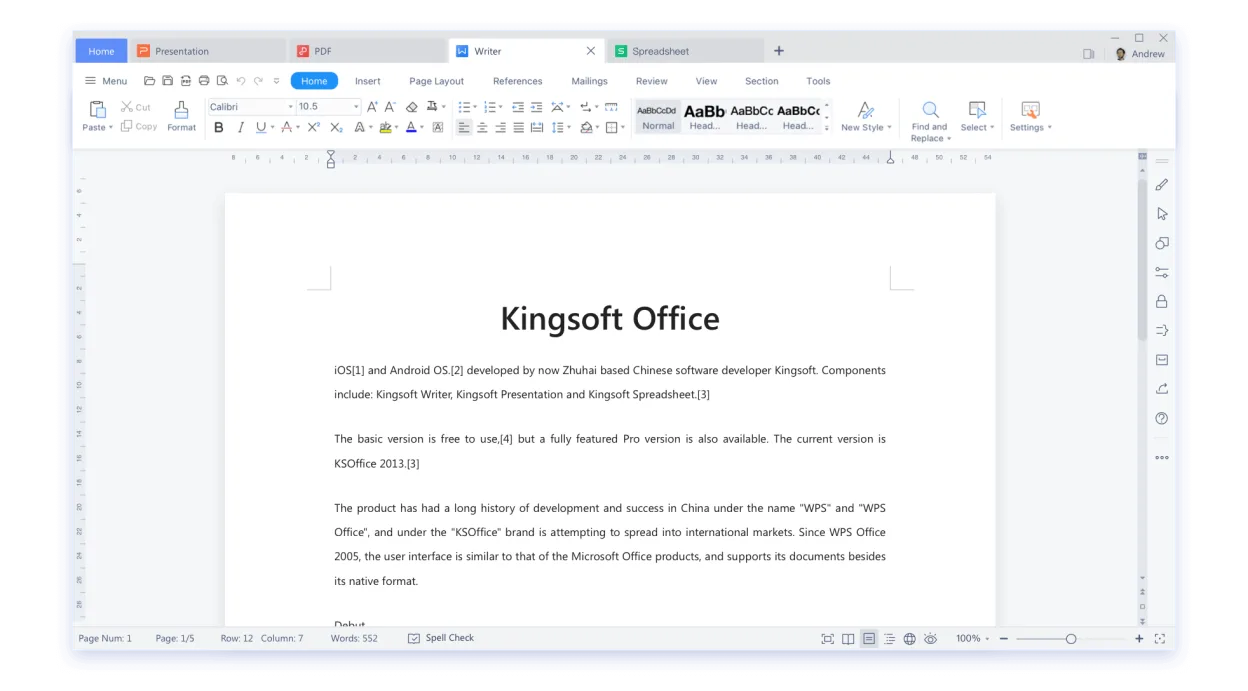
WPS Office is a proprietary office suite for Linux that includes Writer, Presentation, and Spreadsheets, fully compatible with Microsoft Office formats.
WPS Office Presentation is a practical Linux alternative to Microsoft PowerPoint Mobile for users who need to open, edit and create slide decks on a desktop or tablet. It handles .ppt/.pptx files, offers a familiar ribbon UI and basic animation tools, making the transition smooth for most office…
Feature parity78% -

Calligra is an all‑in‑one office suite with word, spreadsheet, presentation, and vector graphics tools.
Calligra Stage can replace Microsoft PowerPoint Mobile for users who need a touch‑friendly presentation tool on Linux. It supports opening and editing .pptx files, adding text, images, charts, and basic animations, and exporting back to PowerPoint or PDF. It is best for students, educators, and…
Feature parity70%




What is Microsoft PowerPoint Mobile?
Microsoft PowerPoint Mobile lets users create and edit presentations on tablets and phones, focusing on quick edits and easy sharing. It is aimed at students, business users, and anyone who needs to work on slides while on the move. The app is free with a Microsoft account, but full features require a Microsoft 365 subscription.
Users look for a Linux alternative when they want to avoid the Windows ecosystem, reduce costs, or use open‑source tools on a Linux desktop. Linux users often need a program that can open and save .pptx files without data loss.
A good Linux replacement must support the same file formats, provide a similar interface for building slides, and allow easy export to PDF or PowerPoint files for sharing with Windows colleagues.
What a replacement for Microsoft PowerPoint Mobile must do
- Open/Save .ppt/.pptx files
- Create and edit text, images, charts, and animations
- Export to PDF or PowerPoint format
- Touch‑friendly or tablet support
- Compatibility with Microsoft 365 cloud
Can you run Microsoft PowerPoint Mobile on Linux?
LibreOffice Impress runs natively on Linux and can open most PowerPoint files. ONLYOFFICE Desktop Editors also runs natively and offers strong .pptx support. WPS Office is available for Linux but requires a paid license for full features. Calligra is a native Linux app but its presentation module is less mature and has limited PowerPoint compatibility. No official Microsoft PowerPoint Mobile version exists for Linux; no reliable Wine or Proton build is available.
Which alternative should you choose?
If you need a free, fully open‑source tool that works well with .pptx, choose LibreOffice Impress. If you want a more Microsoft‑like interface and better cloud integration, pick ONLYOFFICE Desktop Editors. WPS Office is suitable if you need advanced formatting and are willing to pay for the full version. Calligra is best for users who prefer a lightweight, native Linux stack and are okay with some compatibility gaps.
Moving your Microsoft PowerPoint Mobile files and habits
Both LibreOffice Impress and ONLYOFFICE Desktop Editors can open .pptx files directly and preserve most formatting. Exporting to PDF is straightforward in both. When moving from PowerPoint Mobile, you can save your slides as .pptx and open them in the chosen Linux app. For complex animations, some details may not transfer perfectly, so double‑check the final file.
Side-by-side comparison
| App | License | Flatpak | Latest version | Feature parity | Rating |
|---|---|---|---|---|---|
| LibreOffice Impress | MPL-2.0 | ✓ | 26.8.1.1 | 75% | — |
| ONLYOFFICE Desktop Editors | AGPL-3.0-only | ✓ | 10.0.0 | 80% | — |
| WPS Office | LicenseRef-proprietary=https… | ✓ | 11.1.0.11723 | 78% | — |
| Calligra | GPL-2.0-or-later | ✓ | 26.04.3 | 70% | — |
Microsoft PowerPoint Mobile: frequently asked questions
Is there a native Linux version of PowerPoint Mobile?
No, Microsoft does not offer a Linux build of PowerPoint Mobile. The closest options are web or desktop alternatives.
Can I run PowerPoint Mobile on Linux via Wine?
There is no reliable Wine or Proton build for PowerPoint Mobile; attempts often fail to launch or lack key features.
Will my PowerPoint files open in LibreOffice Impress?
Yes, Impress can open .pptx files, but very complex animations or advanced formatting may lose fidelity.
Do I need a Microsoft 365 subscription to use the Linux alternatives?
No, all listed alternatives offer free versions; paid tiers provide extra features like cloud sync.
How important is Microsoft PowerPoint Mobile to you?
Know a better alternative? Suggest an alternative