

Windows · Internet
Best Linux alternatives to Netscape Browser
Netscape Navigator was the dominant early web browser, discontinued in 2008 after losing the first browser war to Microsoft.
Updated
Quick answer
The best Linux alternative to Netscape Browser is Konqueror. Other strong options: Chromium, Epiphany, Google Chrome.
6 Linux alternatives to Netscape Browser
-

Konqueror is a KDE web browser and file manager with support for local and remote filesystems, including cloud storage.
Konqueror can replace Netscape Navigator for users who need a basic web browser with integrated file management. It renders HTML/CSS, runs JavaScript, supports tabs, HTTPS, bookmarks and history, and adds KDE‑specific features like side‑panels and built‑in document viewers. It is a good fit for KDE…
Feature parity70% -

Chromium is the open-source core behind Chrome and Edge, providing a fast, stable web browser without proprietary Google services.
Chromium is a solid replacement for Netscape Browser if you need reliable, standards-compliant web access. It renders modern HTML, CSS, and JavaScript far better than Netscape ever did and supports HTTPS, tabs, and bookmarks out of the box. Former Netscape users who value performance, security, and…
Feature parity95% -
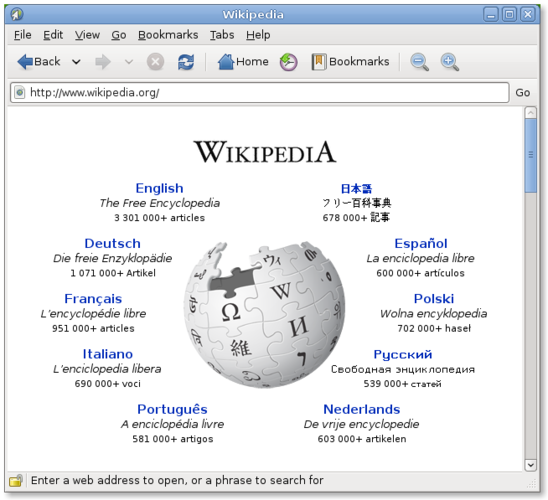
Epiphany (GNOME Web) is a lightweight GNOME‑based web browser built on WebKit.
Epiphany is a solid modern replacement for Netscape Navigator for anyone who just needs a functional web browser on Linux. It handles HTML, CSS, JavaScript, HTTPS, tabs and bookmarks without fuss, and its GNOME integration makes it feel native on most desktop setups. Power users who relied on…
Feature parity80% -

Google Chrome is a proprietary, Chromium-based web browser for Linux that offers a familiar, fast browsing experience with full extension support.
Google Chrome is a solid replacement for the old Netscape Navigator on Linux. It covers all the core functions—HTML/CSS rendering, JavaScript, tabbed browsing, HTTPS, bookmarks, history, and media playback—while adding modern conveniences like automatic updates, extension support, and…
Feature parity95% -

Opera GX is a proprietary, Chromium-based browser for Linux that adds resource limits and integrated social tools for gamers.
Opera GX can replace Netscape Navigator for anyone who wants a modern web browser on Linux. It renders HTML, CSS and runs JavaScript, supports tabbed browsing, HTTPS, bookmarks, history, media plugins and basic extensions. The extra gaming‑centric features (resource limits, integrated…
Feature parity80% -
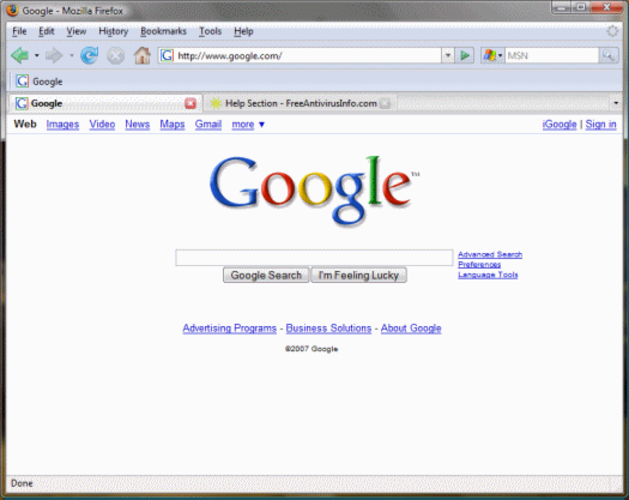
Mozilla Firefox is an open‑source web browser that runs natively on Linux, providing a fast, secure browsing experience.
Mozilla Firefox is the direct spiritual successor to Netscape Navigator, as it grew out of the same codebase. It is a perfect replacement for anyone needing a modern, secure browser on Linux. It covers all core functions: HTML/CSS rendering, JavaScript, tabs, and HTTPS. If you used Netscape for…
Feature parity95%






What is Netscape Browser?
Netscape Navigator was the primary tool for accessing the World Wide Web in the mid-to-late 1990s. It was used by anyone needing to browse websites, download files, or manage email. As the web expanded, it became the standard interface for both personal and professional users before its market share collapsed.
The browser was initially a commercial product from Netscape Communications Corporation. It was later acquired by AOL and eventually open-sourced, forming the basis for Mozilla Firefox. The original branded application is now discontinued, meaning there are no official updates, security patches, or support available for the legacy software.
Users look for Linux alternatives today primarily for historical curiosity or to maintain old workflows that relied on specific Netscape plugins or file formats. More commonly, people simply need a modern, secure, and fast browser that can handle contemporary web standards, which the original Netscape cannot do. Linux offers several excellent native options to replace this legacy tool.
What a replacement for Netscape Browser must do
- HTML and CSS rendering
- JavaScript execution
- Tabbed browsing
- Secure HTTPS connections
- Bookmark and history management
- Plugin support for media
Can you run Netscape Browser on Linux?
Netscape Navigator did not have a native Linux port that was widely adopted or maintained. While early versions might have run on Unix-like systems, the product was focused on Windows and Mac. It will not run on modern Linux distributions natively. You should not attempt to run it via Wine or Proton, as it is obsolete, insecure, and lacks support for modern system libraries. It is a discontinued product with no active development or web-based successor under the Netscape brand.
Which alternative should you choose?
For most users, Mozilla Firefox is the direct spiritual successor since it was built from the Netscape codebase. Chromium or Google Chrome are good choices if you prefer a lightweight, fast engine and use Google services. Opera offers a built-in VPN and battery saver, which can be useful for privacy and power users. Konqueror is a niche option for KDE users who want a file manager and browser combined. Epiphany is a minimal option for GNOME environments where simplicity is preferred over features.
Moving your Netscape Browser files and habits
Migrating from Netscape is straightforward because the browser is obsolete. You do not need to export data from the old application. Instead, you should import your bookmarks from any current browser you are using, such as Chrome or Edge, into your new Linux browser. Most modern browsers support importing directly from other formats. Do not attempt to copy old Netscape profile folders, as the file structures are incompatible and the data is likely outdated or insecure.
Side-by-side comparison
| App | License | Flatpak | Latest version | Feature parity | Rating |
|---|---|---|---|---|---|
| Konqueror | GPL-2.0-or-later | — | 26.08.2 | 70% | — |
| Chromium | BSD-3-Clause and LGPL-2.1+… | ✓ | 156.0.8078.47 | 95% | — |
| Epiphany | GPL-3.0 | — | — | 80% | — |
| Google Chrome | LicenseRef-proprietary | ✓ | 156.0.8078.47-1 | 95% | — |
| Opera | LicenseRef-proprietary=https… | ✓ | 137.0.6036.65 | 80% | — |
| Mozilla Firefox | MPL-2.0 | — | — | 95% | — |
Netscape Browser: frequently asked questions
Can I still use Netscape Navigator today?
No, it is discontinued and insecure. It does not support modern web standards and poses a significant security risk. Use a modern browser instead.
Is Firefox the same as Netscape?
Firefox is the direct descendant of Netscape. It was developed from the open-source code that Netscape released before the company was acquired by AOL.
Which browser is best for Linux?
Mozilla Firefox is generally the most recommended due to its open-source nature and strong privacy features. Chromium is also a solid choice for performance.
Do I need to install plugins for video?
No, modern browsers like Firefox and Chromium have built-in support for HTML5 video and audio. You do not need legacy plugins like Flash or RealPlayer.
How important is Netscape Browser to you?
Know a better alternative? Suggest an alternative