

Windows · Internet
Best Linux alternatives to Microsoft Internet Explorer
Internet Explorer was Microsoft's legacy web browser, discontinued in 2022, now replaced by modern browsers.
Updated
Quick answer
The best Linux alternative to Microsoft Internet Explorer is Firefox. Other strong options: Brave, Microsoft Edge, Google Chrome.
8 Linux alternatives to Microsoft Internet Explorer
-

Firefox is a fast, private web browser developed by Mozilla, offering strong tracking protection and customization.
Firefox is a strong replacement for Internet Explorer for users who have moved on from legacy ActiveX dependencies. It handles modern web standards, offers better security, and provides a robust extension ecosystem. If your workflow still relies on specific IE-only plugins or document modes, you…
Feature parity90% -

Brave is a fast, privacy‑focused web browser that blocks ads and trackers by default and offers an optional rewards system.
Brave is a strong replacement for Internet Explorer for general web browsing, offering a modern Chromium engine that handles current standards well. It is not a drop-in solution for legacy IE-specific ActiveX controls or proprietary corporate intranet features. If your workflow relies heavily on…
Feature parity85% -

Microsoft Edge for Linux is a Chromium‑based browser with integrated privacy tools and a unified experience across devices.
Microsoft Edge on Linux is a solid replacement for Internet Explorer for users who need modern web standards, security, and extension support. It handles most legacy sites through its Chromium engine, and it imports bookmarks and passwords from IE. It is best suited for developers, power users, and…
Feature parity85% -

Google Chrome is a proprietary, Chromium-based web browser for Linux that offers a familiar, fast browsing experience with full extension support.
Google Chrome serves as a capable modern replacement for Microsoft Internet Explorer for general web browsing on Linux. It handles current web standards, offers fast performance, and provides a robust extension ecosystem. However, it does not support legacy IE-specific features like ActiveX or…
Feature parity85% -

Opera GX is a proprietary, Chromium-based browser for Linux that adds resource limits and integrated social tools for gamers.
Opera (specifically Opera GX) can serve as a replacement for Microsoft Internet Explorer for most modern web tasks on Linux. It handles HTML5, CSS3 and JavaScript just fine, can import IE bookmarks and passwords, and offers a stable, regularly updated engine. It will satisfy users who need a…
Feature parity70% -

Konqueror is a KDE web browser and file manager with support for local and remote filesystems, including cloud storage.
Konqueror is not a practical replacement for Microsoft Internet Explorer for most former IE users, especially those needing modern web compatibility. It uses the aging KHTML engine, which lacks full HTML5, CSS3, and modern JavaScript support. While it can handle basic web browsing and legacy local…
Feature parity35% -

Epiphany (GNOME Web) is a lightweight GNOME‑based web browser built on WebKit.
Epiphany can replace Internet Explorer for most everyday web tasks, especially if you need modern HTML5/CSS3 and JavaScript support. It lacks the proprietary quirks that some old intranet sites rely on, so legacy‑only pages may break. For users who mainly browse public sites, need basic password…
Feature parity55% -
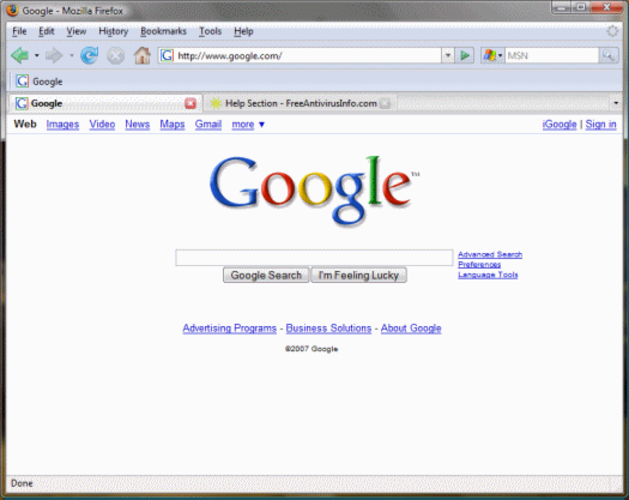
Mozilla Firefox is an open‑source web browser that runs natively on Linux, providing a fast, secure browsing experience.
Mozilla Firefox is a solid replacement for Microsoft Internet Explorer on Linux for most users. It handles modern web standards (HTML5, CSS3, JavaScript) flawlessly, offers regular security patches, and can import bookmarks and passwords from IE. Users who rely on legacy intranet sites that depend…
Feature parity78%







What is Microsoft Internet Explorer?
Internet Explorer was the default web browser on Windows for decades, used by both casual users and enterprises that relied on its integration with Windows and legacy web applications. It was shipped free with Windows and later received updates through Windows Update, making it effectively a zero‑cost component of the OS. As IE is no longer supported, many users need a Linux browser that can display the same sites, handle old corporate intranets, and respect modern web standards.
The original licensing was tied to Windows, so there was no separate purchase; it was included with the operating system at no extra charge. Modern browsers on Linux are typically free and open source, though some, like Google Chrome, offer a proprietary build with additional codecs. This shift means you can keep browsing without paying for a license.
People look for a Linux alternative because they have moved to Linux desktops, need a reliable browser for everyday web use, or must access internal sites that were built for IE's rendering quirks. A compatible replacement avoids the security risks of an unsupported browser and gives access to current web features.
What a replacement for Microsoft Internet Explorer must do
- HTML5 and CSS3 rendering
- JavaScript execution
- Support for legacy sites that expect IE-specific behavior
- Bookmark and password import
- Extensions or add‑ons for productivity
- Cross‑platform sync (optional)
- Secure updates
Can you run Microsoft Internet Explorer on Linux?
There is no native Linux build of Internet Explorer. The browser can be run through Wine or a container like Bottles, but functionality is limited and not recommended for daily use. For most users a native Linux browser is the practical choice.
Which alternative should you choose?
For a lightweight GNOME desktop, Epiphany works well; Firefox offers the best compatibility with modern sites and strong privacy; Chrome gives the most complete feature set and Google sync; Opera includes a built‑in VPN and ad blocker; Konqueror is useful on KDE setups and can handle some older web standards.
Moving your Microsoft Internet Explorer files and habits
IE stores favorites as .url files and passwords in the Windows Credential Manager. You can copy the favorites folder to a Linux machine and import them into Firefox or Chrome. Passwords need to be re‑entered manually or exported via a password manager before moving. Most modern browsers will render the same pages without additional conversion.
Side-by-side comparison
| App | License | Flatpak | Latest version | Feature parity | Rating |
|---|---|---|---|---|---|
| Firefox | MPL-2.0 | ✓ | 159.0 | 90% | — |
| Brave | MPL-2.0 | ✓ | 1.98.60 | 85% | — |
| Microsoft Edge | LicenseRef-proprietary | ✓ | 156.0.4314.42-1 | 85% | — |
| Google Chrome | LicenseRef-proprietary | ✓ | 156.0.8078.47-1 | 85% | — |
| Opera | LicenseRef-proprietary=https… | ✓ | 137.0.6036.65 | 70% | — |
| Konqueror | GPL-2.0-or-later | — | 26.08.2 | 35% | — |
| Epiphany | GPL-3.0 | — | — | 55% | — |
| Mozilla Firefox | MPL-2.0 | — | — | 78% | — |
Microsoft Internet Explorer: frequently asked questions
Can I run Internet Explorer on Linux without Wine?
No, there is no native Linux version; you must use Wine or a virtual machine.
Will my old intranet sites work in Firefox or Chrome?
Most will, but some legacy sites that rely on ActiveX or IE‑only APIs may need compatibility mode or a virtualized Windows environment.
How do I import my IE bookmarks?
Copy the %USERPROFILE%\Favorites folder to Linux and use the browser’s import function for HTML or .url files.
Is there a security risk staying with IE on Linux via Wine?
Yes, because IE no longer receives security updates, running it even in Wine exposes you to known vulnerabilities.
How important is Microsoft Internet Explorer to you?
Know a better alternative? Suggest an alternative