

Windows · Internet
Best Linux alternatives to Opera
Opera is a cross‑platform browser with built‑in VPN and ad blocker.
Updated
Quick answer
The best Linux alternative to Opera is SeaMonkey. Other strong options: Mozilla Firefox, Konqueror, Epiphany.
9 Linux alternatives to Opera
-

SeaMonkey is a free internet suite with browser, email, and HTML editor, based on the old Netscape codebase.
SeaMonkey is not a good replacement for Opera if you rely on a modern, fast browser with built-in VPN and ad blocking. It shares Opera's customizable UI and extension support to some degree, but lacks both performance and critical privacy tools. SeaMonkey's browser component is functional but…
Feature parity40% -
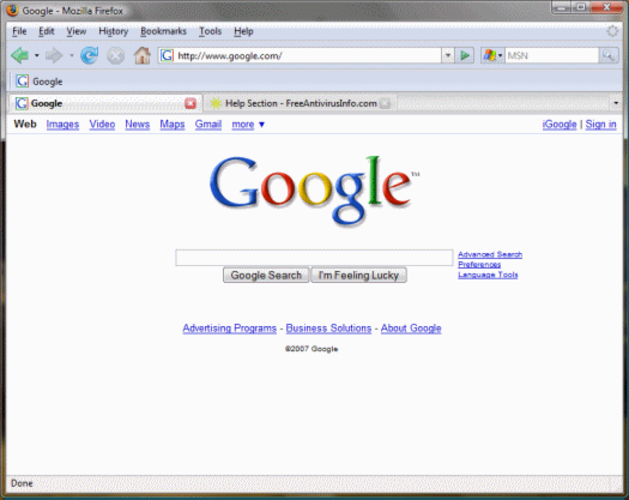
Mozilla Firefox is an open‑source web browser that runs natively on Linux, providing a fast, secure browsing experience.
Mozilla Firefox is a strong, stable replacement for Opera if you can live without the built-in VPN. It handles fast page loading, offers a highly customizable interface, and supports the same extension ecosystem. However, it lacks Opera's integrated ad blocker and privacy tools out of the box. You…
Feature parity85% -

Konqueror is a KDE web browser and file manager with support for local and remote filesystems, including cloud storage.
Konqueror is not a practical replacement for Opera for most users seeking a modern browsing experience. While it shares some features like tabbed browsing and a customizable interface, its KHTML engine lacks compatibility with many modern websites and offers no built-in ad blocker or VPN. It does…
Feature parity30% -

Epiphany (GNOME Web) is a lightweight GNOME‑based web browser built on WebKit.
Epiphany can replace Opera for users who value speed, tight GNOME integration, and a minimal interface, but it falls short for those who rely on Opera's built‑in VPN, extensive ad‑blocking, and large extension ecosystem. If you mainly browse standard sites, need basic privacy features, and prefer a…
Feature parity60% -

Opera GX is a proprietary, Chromium-based browser for Linux that adds resource limits and integrated social tools for gamers.
Opera for Linux is a solid replacement for the Windows Opera browser. It delivers the same Chromium‑based engine, built‑in VPN, ad blocker, and extension support. Linux users who want a familiar interface and privacy tools will find it reliable. The GX edition adds gamer‑specific features (resource…
Feature parity85% -

Firefox is a fast, private web browser developed by Mozilla, offering strong tracking protection and customization.
Firefox is a solid replacement for Opera for most users. It loads pages quickly, blocks trackers by default, and supports the same extension ecosystem. The main missing pieces are Opera’s built‑in VPN and ad blocker, so users who rely on those will need separate tools. For people who value privacy…
Feature parity85% -

Google Chrome is a proprietary, Chromium-based web browser for Linux that offers a familiar, fast browsing experience with full extension support.
Google Chrome can replace Opera for users who prioritize speed, extension support, and a familiar Chromium‑based experience. It covers most everyday browsing needs and works well for developers or power users. However, Opera users who rely on the built‑in VPN and ad blocker will find Chrome lacking…
Feature parity70% -

Brave is a fast, privacy‑focused web browser that blocks ads and trackers by default and offers an optional rewards system.
Brave is a solid replacement for Opera for users who value speed, built‑in ad blocking, and extension support. It delivers a fast Chromium‑based experience and includes a VPN‑like privacy layer through its tracker protection, but it does not ship a full‑featured VPN service. If you need Opera’s…
Feature parity85% -

Chromium is the open-source core behind Chrome and Edge, providing a fast, stable web browser without proprietary Google services.
Chromium is a good replacement for Opera if you value speed, open-source transparency, and extension support over built-in extras. It handles modern web content efficiently and runs Chrome extensions without issue. However, you’ll need to add extensions for ad blocking and use third-party tools for…
Feature parity75%






What is Opera?
Opera is a web browser that many users choose for its integrated features such as a free VPN, ad blocker, and tab‑management tools. It is used by anyone who needs a fast, privacy‑focused browser on Windows, macOS, Linux, or mobile. The software is free to download and use, with optional paid add‑ons for extra features. Linux users often look for an alternative because Opera’s official Linux builds are limited or outdated, and they want a browser that is fully supported on their distro.
What a replacement for Opera must do
- Fast page loading
- Built‑in VPN and ad blocker
- Customizable UI
- Support for extensions
- Regular security updates
Can you run Opera on Linux?
Opera has an official Debian/Ubuntu package and a Snap that works on many distributions, but the last stable release for Linux was 80‑ish and newer features may not be present. There is also a flatpak build that can be installed on most distros. If you need the absolute latest features you might need to compile from source or use the Snap. Wine/Proton/Bottles are not needed because Opera runs natively on Linux.
Which alternative should you choose?
If you want a browser that stays close to Opera’s feature set, try Chromium or Google Chrome—they offer the same core engine and extension ecosystem. For a lightweight, open‑source option that still supports extensions, Mozilla Firefox is a solid choice. SeaMonkey gives a full Internet suite if you prefer that. Konqueror and Epiphany are more niche but work well on very lightweight systems.
Moving your Opera files and habits
Export bookmarks, passwords, and history from Opera’s profile folder (usually ~/.config/opera or ~/.config/opera-beta). These can be imported into Firefox, Chromium, or Chrome via their import wizards. Extensions will need to be re‑installed manually, as they are not portable between browsers.
Side-by-side comparison
| App | License | Flatpak | Latest version | Feature parity | Rating |
|---|---|---|---|---|---|
| SeaMonkey | MPL-2.0 | — | 2.53.24 | 40% | — |
| Mozilla Firefox | MPL-2.0 | — | — | 85% | — |
| Konqueror | GPL-2.0-or-later | — | 26.08.2 | 30% | — |
| Epiphany | GPL-3.0 | — | — | 60% | — |
| Opera | LicenseRef-proprietary=https… | ✓ | 137.0.6036.65 | 85% | — |
| Firefox | MPL-2.0 | ✓ | 159.0 | 85% | — |
| Google Chrome | LicenseRef-proprietary | ✓ | 156.0.8078.47-1 | 70% | — |
| Brave | MPL-2.0 | ✓ | 1.98.60 | 85% | — |
| Chromium | BSD-3-Clause and LGPL-2.1+… | ✓ | 156.0.8078.47 | 75% | — |
Opera: frequently asked questions
Does Opera support Linux?
Yes, there are official packages for Debian/Ubuntu and a Snap/Flatpak for other distros, but the latest features may lag behind Windows releases.
Can I use Opera’s VPN on Linux?
The built‑in VPN is available in the Linux builds that include the feature; older packages may not have it.
Is Opera free on Linux?
Yes, the browser is free to download and use; there are optional paid add‑ons.
Do I need Wine to run Opera on Linux?
No, Opera runs natively on Linux; Wine is unnecessary.
How important is Opera to you?
Know a better alternative? Suggest an alternative