
Windows · System Tools
Best Linux alternatives to NZXT CAM
NZXT CAM is a Windows tool for RGB control, hardware monitoring, and fan management on NZXT gear.
Updated
Quick answer
The best Linux alternative to NZXT CAM is OpenRGB. Other strong options: fancontrol.
2 Linux alternatives to NZXT CAM
-
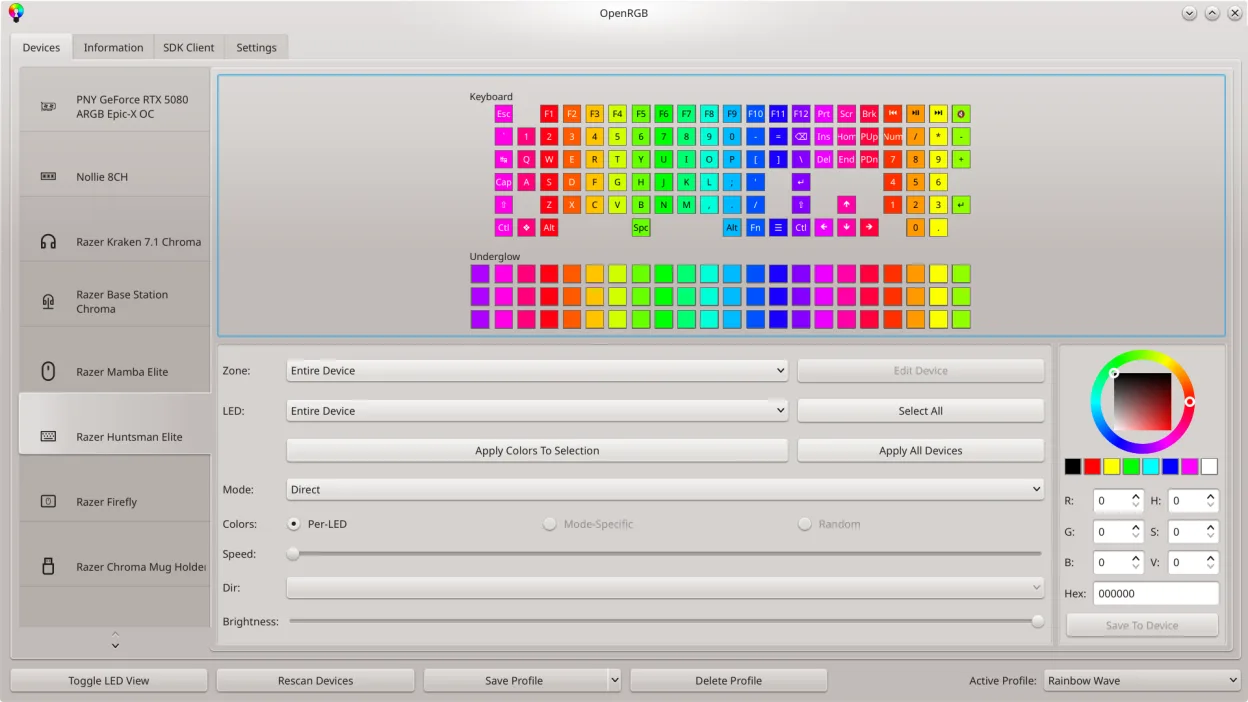
OpenRGB lets you control RGB lighting on Linux without vendor apps.
OpenRGB can replace NZXT CAM for most users who need RGB control and basic hardware monitoring on Linux. It supports a wide range of NZXT devices, lets you set colors, create profiles, and adjust fan curves via the GUI or command line. It is ideal for people who want a single, open‑source tool that…
Feature parity80% -

fancontrol is a Linux utility for automatically adjusting fan speeds based on system temperature sensors.
fancontrol is a solid replacement for the fan management and monitoring aspects of NZXT CAM, but it is not a direct 1:1 swap. It handles PWM fan curves and sensor display effectively, making it ideal for users who prioritize system stability and low resource usage over RGB aesthetics. However, if…
Feature parity60%


What is NZXT CAM?
NZXT CAM is primarily used by PC builders and enthusiasts who own NZXT hardware like cases, motherboards, or power supplies. It allows users to customize RGB lighting effects, monitor CPU and GPU temperatures, and adjust fan curves. While it targets NZXT devices specifically, the monitoring features are useful for any system, making it a go-to utility for those wanting a unified dashboard for their hardware status.
The software is free to download and use. It does not require a subscription for basic functionality, though NZXT may offer premium services or cloud features in other contexts. As a utility tied to hardware, the cost is effectively zero once you have the compatible physical devices. There are no hidden fees for the core control and monitoring features provided within the application interface.
People look for a Linux alternative because NZXT CAM is not available natively on Linux. While some NZXT devices work with third-party Linux drivers, the official software is Windows-only. Users running Linux often need to manage their RGB lighting and fan speeds without relying on Windows dual-booting or virtual machines. Finding native Linux tools allows for better system integration and performance without the overhead of running Windows software.
What a replacement for NZXT CAM must do
- RGB lighting control for NZXT devices
- Real-time hardware temperature monitoring
- Fan speed adjustment and curve management
- Support for NZXT-specific hardware protocols
- Lightweight system resource usage
- No dependency on Windows services
Can you run NZXT CAM on Linux?
NZXT CAM does not have a native Linux version. Running it via Wine is possible but often unreliable due to hardware driver dependencies and anti-cheat-like protections or background services that may not translate well. It is generally recommended to use native Linux tools instead, as Wine support for hardware control utilities is inconsistent and can cause system instability. Do not rely on Proton or Bottles for this specific use case unless you have tested it extensively on your specific hardware.
Which alternative should you choose?
If you primarily need RGB control, OpenRGB is the best choice as it supports a wide range of devices, including many NZXT products, via open-source drivers. For monitoring temperatures and CPU usage, GNOME System Monitor is a solid, lightweight option that integrates well with the desktop environment. If you need to adjust fan speeds manually or create custom curves, fancontrol is the appropriate tool, as it interfaces directly with the kernel's fan control modules. Most users will end up using a combination of these three rather than a single all-in-one app.
Moving your NZXT CAM files and habits
There is no direct data migration from NZXT CAM to these Linux tools. Your RGB profiles and fan curves saved in CAM will not transfer automatically. You will need to recreate your lighting effects in OpenRGB and set up your fan profiles in fancontrol from scratch. Hardware monitoring data is real-time and not stored in a portable format, so there is no historical data to export. Ensure your hardware is recognized by the Linux kernel before installing any of these tools to avoid configuration issues.
Side-by-side comparison
| App | License | Flatpak | Latest version | Feature parity | Rating |
|---|---|---|---|---|---|
| OpenRGB | GPL-2.0-or-later | ✓ | 1.1 | 80% | — |
| fancontrol | GPL-3.0-only | ✓ | 26.01 | 60% | — |
NZXT CAM: frequently asked questions
Does OpenRGB support all NZXT devices?
OpenRGB supports many NZXT devices, but compatibility can vary by model and firmware version. Check the OpenRGB device list to confirm your specific product is supported before installing.
Can I use NZXT CAM via Wine?
It is not recommended. Wine support for hardware control software is often unstable and may not properly communicate with the physical devices, leading to no RGB or fan control.
Is fancontrol difficult to set up?
It can be technical. You may need to identify which hardware sensors correspond to which fans. Tools like lm-sensors help identify these, but it requires more manual configuration than a graphical interface.
Do I need root access for these tools?
Yes, most of these tools require root or sudo privileges to access hardware devices and control fan speeds or RGB lighting. This is a security consideration to keep in mind.
How important is NZXT CAM to you?
Know a better alternative? Suggest an alternative