
 OpenRGBLinux
vs
NZXT CAMWindows
OpenRGB as a Linux alternative to NZXT CAM
Updated
Our verdict
OpenRGB can replace NZXT CAM for most users who need RGB control and basic hardware monitoring on Linux. It supports a wide range of NZXT devices, lets you set colors, create profiles, and adjust fan curves via the GUI or command line. It is ideal for people who want a single, open‑source tool that works cross‑platform and does not depend on Windows services. However, it lacks some of NZXT CAM’s deep integration with NZXT’s proprietary protocols and real‑time sensor telemetry that the official app provides.
Feature parity
- License
- GPL-2.0-or-later
- Price
- Free
- Latest version
- 1.1 (October 16, 2026)
- Rating
- —
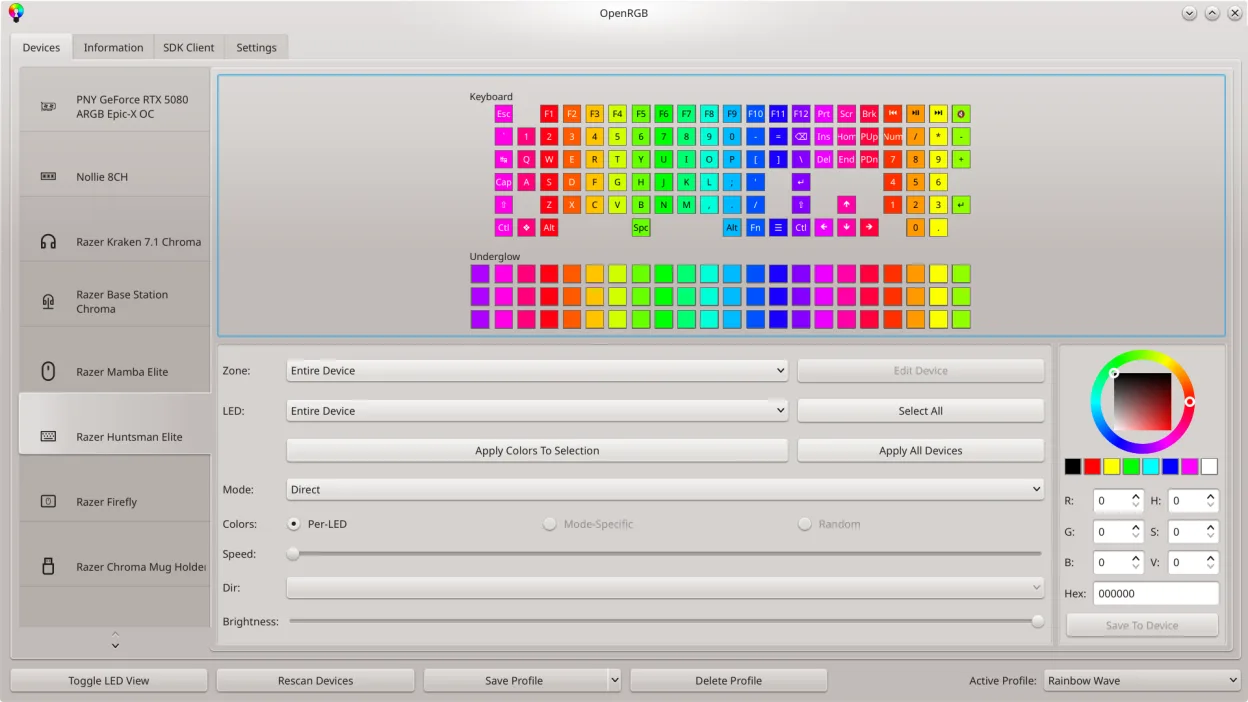
What works the same
- Both control RGB lighting on NZXT hardware
- Both allow saving and loading custom lighting profiles
- Both provide a graphical interface for setting colors and effects
- Both support command‑line usage for scripting
What is different
- OpenRGB does not expose the same level of hardware sensor data (temperatures, voltages) that NZXT CAM shows
- Fan curve management in OpenRGB is limited compared to the detailed curves in CAM
- OpenRGB relies on community‑maintained drivers; some newer NZXT devices may not be fully supported yet
- OpenRGB does not integrate with NZXT’s cloud or account system
- OpenRGB’s fan control may require manual configuration via CLI or third‑party tools
Opening your NZXT CAM files
OpenRGB does not import or export NZXT CAM configuration files. Users must recreate lighting profiles manually in OpenRGB. There is no known mechanism to transfer temperature or fan curve settings from CAM to OpenRGB.
Switching from NZXT CAM to OpenRGB, step by step
- Close NZXT CAM on your Windows machine and uninstall it if no longer needed.
- Install OpenRGB from your distribution’s package manager or Flathub (arch, fedora, opensuse).
- Connect your NZXT RGB devices to the Linux system and launch OpenRGB.
- Use the graphical LED map to set colors or import a generic profile; save the profile for future use.
- If you need fan curves, open the OpenRGB CLI or use a separate fan‑control tool like fancontrol to create curves.
- Verify that all devices are detected and lighting responds as expected.
Key features of OpenRGB
- Control colors and effects for many RGB devices
- Save and load custom profiles
- SDK for third‑party integration
- Command‑line interface for scripting
- Multi‑instance sync across PCs
- Standalone or client/server mode
- Graphical LED map for pattern design
- Device info viewer
How to install OpenRGB on Linux
Flatpak (Flathub)
flatpak install flathub org.openrgb.OpenRGBFedora
sudo dnf install openrgbArch / Manjaro
sudo pacman -S openrgbopenSUSE
sudo zypper install OpenRGB1 other alternatives to NZXT CAM

Rate OpenRGB
Be the first to rate
Is it a good replacement for NZXT CAM?
10