
Windows · Office
Best Linux alternatives to OpenOffice.org Writer
OpenOffice.org Writer is a legacy open-source word processor, now largely replaced by LibreOffice Writer for modern Linux use.
Updated
Quick answer
The best Linux alternative to OpenOffice.org Writer is LibreOffice Writer. Other strong options: AbiWord, Calligra, ONLYOFFICE Desktop Editors.
4 Linux alternatives to OpenOffice.org Writer
-

LibreOffice Writer is a free, open-source word processor and part of the LibreOffice office suite.
LibreOffice Writer is a strong replacement for OpenOffice.org Writer, especially for users who need reliable .docx and .odt support, modern PDF export, and active maintenance. It handles standard word processing tasks—formatting, styles, mail merge, tables—better than the deprecated OpenOffice.org…
Feature parity95% -

AbiWord is a lightweight, free word processor for Linux, Windows and macOS, focusing on core document editing.
AbiWord is a viable, lightweight replacement for OpenOffice.org Writer if you prioritize low resource usage and basic document editing. It handles core tasks like text formatting, styles, and PDF export effectively. However, it lacks the depth of features found in LibreOffice Writer, such as…
Feature parity65% -
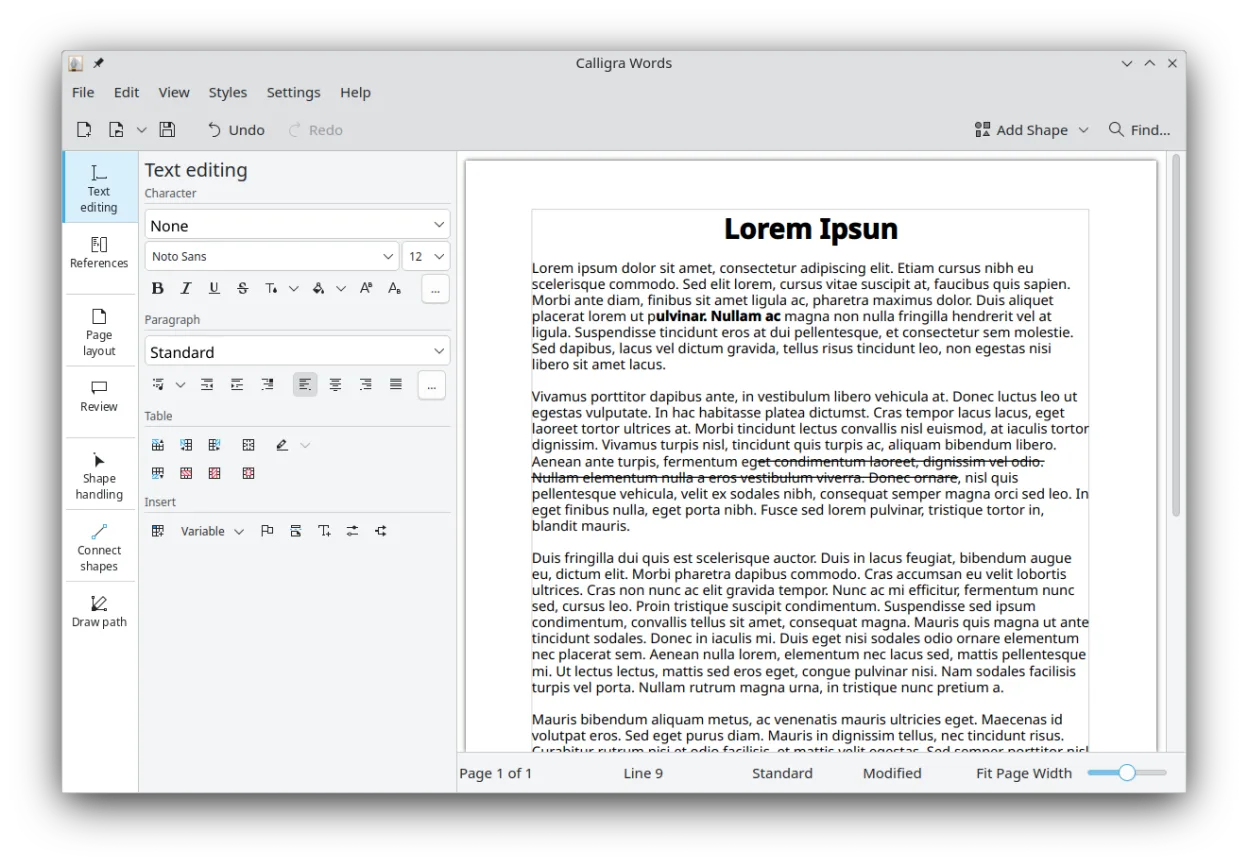
Calligra is a KDE office suite covering word processing, spreadsheets, presentations, and vector graphics.
Calligra Words is a functional replacement for OpenOffice.org Writer, particularly if you are already using the KDE Plasma desktop. It handles standard document creation, formatting, and file conversion without issue. However, it lacks the widespread community support and plugin ecosystem of…
Feature parity85% -

ONLYOFFICE Desktop Editors is a free, open‑source office suite for Linux that edits Word, Excel, PowerPoint, PDF and more.
ONLYOFFICE Desktop Editors is a solid replacement for OpenOffice.org Writer, especially for users who work with .docx files and want modern formatting, collaboration, and PDF tools. It handles standard word processing tasks well, with strong style support, mail merge, and table editing. The tabbed…
Feature parity90%




What is OpenOffice.org Writer?
OpenOffice.org Writer served as a basic word processor for creating documents, reports, and letters. It was popular in the early 2000s among users seeking a free alternative to Microsoft Office, particularly in educational and government settings. The software handled standard text formatting, tables, and simple mail merges, catering to individuals who did not need advanced enterprise features.
The project was originally developed by Sun Microsystems, which open-sourced the codebase in 2000. It was distributed as free, open-source software under the LGPL license. Users could download and install it without cost, and the community maintained the code. However, development slowed significantly after Oracle acquired Sun, leading to a fork that became LibreOffice.
People look for Linux alternatives because OpenOffice.org is no longer actively maintained by its original creators. The project has stalled, and security updates are rare. Modern Linux distributions have largely dropped it from their repositories in favor of more active forks. Users need a current, secure word processor that supports modern file formats and integrates well with contemporary Linux desktop environments.
What a replacement for OpenOffice.org Writer must do
- Create and edit .docx and .odt files
- Support for standard text formatting and styles
- Integration with Linux desktop environments
- Regular security updates and maintenance
- Compatibility with modern PDF export standards
- Basic mail merge and table capabilities
Can you run OpenOffice.org Writer on Linux?
OpenOffice.org was originally developed with Linux support, and binary packages existed for various distributions. However, because the project is effectively discontinued, you will not find it in current official repositories like Ubuntu or Fedora. It is not recommended to run via Wine or Proton, as it is a native Linux application that simply lacks modern updates. You should not rely on it for security or compatibility reasons on a modern system.
Which alternative should you choose?
LibreOffice Writer is the direct successor and the best choice for most users, offering the closest feature parity and active development. AbiWord is a lightweight option for users who need a simple, fast editor without the overhead of a full office suite. Calligra Suite is a KDE-focused alternative that integrates well with Plasma desktops but has a smaller user base. ONLYOFFICE Desktop Editors is ideal if you need strict compatibility with Microsoft Office file formats and are comfortable with its specific interface.
Moving your OpenOffice.org Writer files and habits
Migrating from OpenOffice.org to LibreOffice is straightforward because they share a common codebase. OpenDocument (.odt) files are fully compatible. For Microsoft Word files, ensure you use the latest LibreOffice version to handle .docx formatting correctly. If you have legacy .doc files, they should open without issues, but complex layouts might require manual adjustment. No data loss is expected during the switch, as the file formats are largely identical or well-supported.
Side-by-side comparison
| App | License | Flatpak | Latest version | Feature parity | Rating |
|---|---|---|---|---|---|
| LibreOffice Writer | MPL-2.0 | ✓ | 26.8.2.2 | 95% | — |
| AbiWord | GPL-2.0-or-later | ✓ | 3.0.8 | 65% | — |
| Calligra | GPL-2.0-or-later | ✓ | 26.04.3 | 85% | — |
| ONLYOFFICE Desktop Editors | AGPL-3.0-only | ✓ | 10.0.0 | 90% | — |
OpenOffice.org Writer: frequently asked questions
Can I still use OpenOffice.org on modern Linux?
Technically yes, but it is not recommended. It lacks security updates and may have compatibility issues with newer system libraries. Use LibreOffice instead.
Is LibreOffice a direct replacement for OpenOffice?
Yes. LibreOffice was forked from OpenOffice.org and has continued development, adding features and fixing bugs that OpenOffice did not address.
Will my .odt files open in LibreOffice?
Yes. Both programs use the OpenDocument format, so your documents will open and save correctly without conversion issues.
Why did OpenOffice.org stop updating?
Development slowed after Oracle acquired Sun Microsystems. The community decided to fork the project to ensure continued development, leading to the creation of LibreOffice.
How important is OpenOffice.org Writer to you?
Know a better alternative? Suggest an alternative