
Windows · System Tools
Best Linux alternatives to PowerToys Run
PowerToys Run is a Windows launcher that lets users quickly search for and launch apps, files, and perform calculations via a keyboard shortcut.
Updated
Quick answer
The best Linux alternative to PowerToys Run is KRunner. Other strong options: Ulauncher, Alfred, FSearch.
4 Linux alternatives to PowerToys Run
-
KRunner is a lightweight launcher and command executor for KDE Plasma, letting users run apps, perform calculations, search files, and more.
KRunner is a solid replacement for PowerToys Run for users who already run KDE Plasma. It offers a keyboard‑only workflow, fuzzy search for apps, files, and calculations, and can execute shell scripts or custom commands via plugins. It integrates naturally with the desktop and starts quickly, so it…
Feature parity85% -
Ulauncher is a keyboard‑driven application launcher for Linux, similar to PowerToys Run.
Ulauncher is a solid replacement for PowerToys Run on Linux. It offers a keyboard‑only launcher with instant fuzzy search, hotkey configuration, and the ability to launch applications, open directories, and run custom scripts. Users who need a lightweight, extensible launcher that integrates with…
Feature parity85% -
A fast, lightweight application launcher and system tool for Linux, similar to PowerToys Run.
Alfred is a solid replacement for PowerToys Run on Linux. It covers the core launcher functions—quick app and file search, fuzzy matching, and calculator features—while adding command‑line execution and unit conversion. The main advantage is its native Linux integration and lightweight footprint…
Feature parity85% -
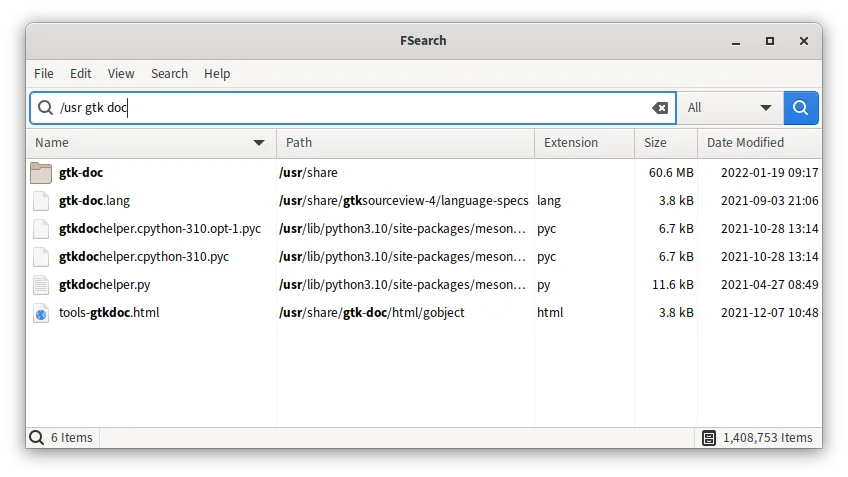
FSearch is a fast, graphical file and folder search tool for Linux.
FSearch can replace PowerToys Run for users who mainly need a quick file search and launch from a keyboard shortcut, but it lacks the full launcher features such as running arbitrary commands, calculating expressions, or integrating with the desktop environment. It is suitable for Linux users who…
Feature parity30%

What is PowerToys Run?
PowerToys Run is a lightweight launcher that appears when you press a hotkey, letting you type a keyword to open programs, folders, or run simple math expressions. It is mainly used by power users, developers, and anyone who wants to reduce mouse clicks and speed up workflow. The tool is free, open‑source, and distributed with the rest of the Microsoft PowerToys suite.
Because Windows is the default platform for many proprietary launchers, Linux users often look for a comparable tool that works natively on their desktop environment. A good alternative should integrate with the system tray or keyboard shortcuts and support fuzzy searching.
Linux users want a launcher that is lightweight, scriptable, and works across desktop environments. They also appreciate open‑source solutions that can be customized or extended without cost.
What a replacement for PowerToys Run must do
- Keyboard shortcut to open launcher
- Fuzzy search for apps, files, and calculations
- Ability to launch applications and open directories
- Support for custom commands or scripts
- Integration with desktop environment
- Fast response time
Can you run PowerToys Run on Linux?
There is no native PowerToys Run for Linux. The Windows binary can run under Wine, but stability and shortcut handling are unreliable. No official web or Proton version exists. Users typically install a native Linux launcher instead.
Which alternative should you choose?
For a minimal, keyboard‑centric experience, Ulauncher is a good fit. If you want a more feature‑rich, KDE‑centric launcher, KRunner is ideal. FSearch is best for quick file searching without launching apps. Alfred is a macOS‑style option but not natively Linux; it can run under Wine but is less integrated.
Moving your PowerToys Run files and habits
PowerToys Run does not store user data in a portable format, so migration is trivial: simply uninstall the Windows version and install the chosen Linux launcher. No configuration files need to be exported.
Side-by-side comparison
PowerToys Run: frequently asked questions
Is PowerToys Run available for Linux?
No, there is no official Linux version. It only runs on Windows.
Can I use PowerToys Run under Wine?
It may run, but keyboard shortcuts and performance are inconsistent; native alternatives are recommended.
What is the licensing model of PowerToys Run?
It is free and open‑source under the MIT License, bundled with the Microsoft PowerToys suite.
Do I need to pay for a Linux alternative?
All listed alternatives are free and open‑source; no paid version is required.
How important is PowerToys Run to you?
Know a better alternative? Suggest an alternative